Support Document
 Support Document
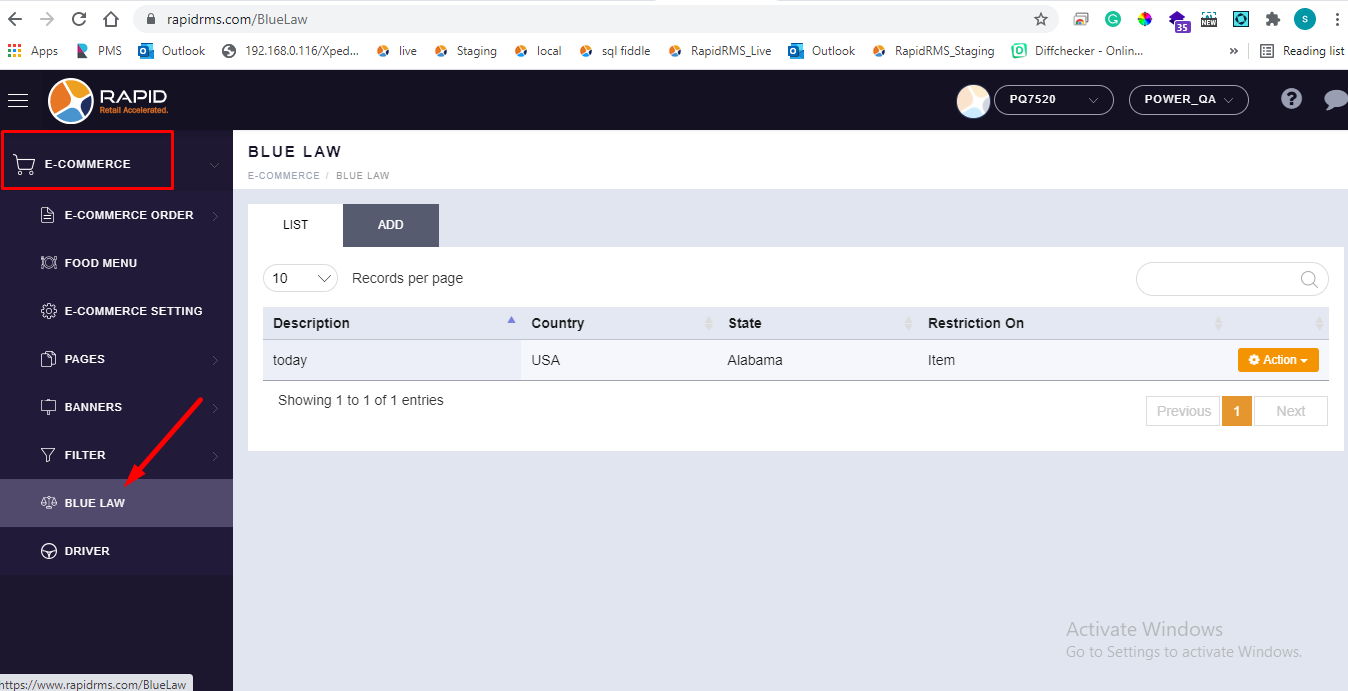
How can visualize blue law menu in BOF ?
For sales restriction within particular time duration need to set that time period sales restriction via
blue law menu.
In back office blue law menu is there available in e commerce module.
By default e commerce module is not active.
For activate e commerce module follow below procedure.
In back office blue law menu is there available in e commerce module.
By default e commerce module is not active.
For activate e commerce module follow below procedure.
- Log in with web url.
- Configure store properly.
- Go to setting.
- Open module tab.
- In module all modules are display with ON/OFF button.
- If any module with option ON, then that module will active in store.
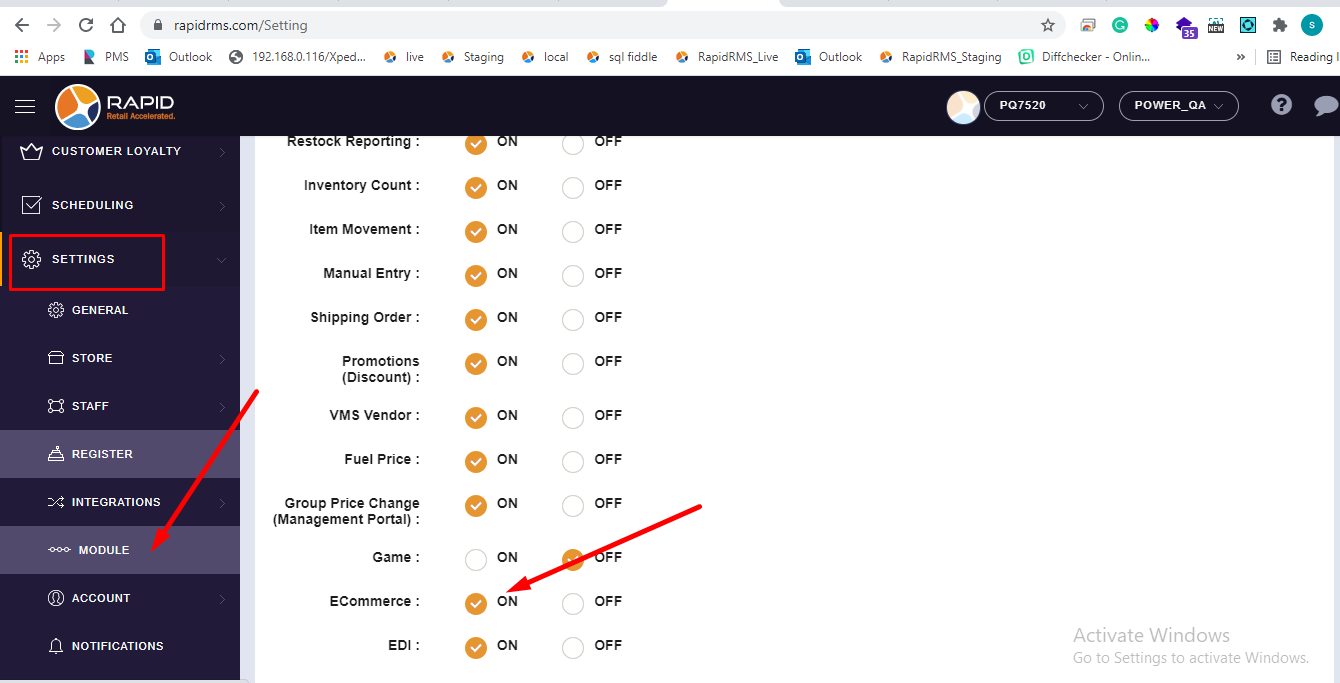
- Keep e commerce option ON.
- Now in store go to e commerce menu.
- There is one tab names as blue law.
- From that tab sales restriction can be set.