Support Document
 Support Document
How to view shift report user wise?
When the user wants to check shift history data according to the user then it is possible by filtering shift
report according to the user.
- Open rapid RMS application.
- Go to Daily report module.
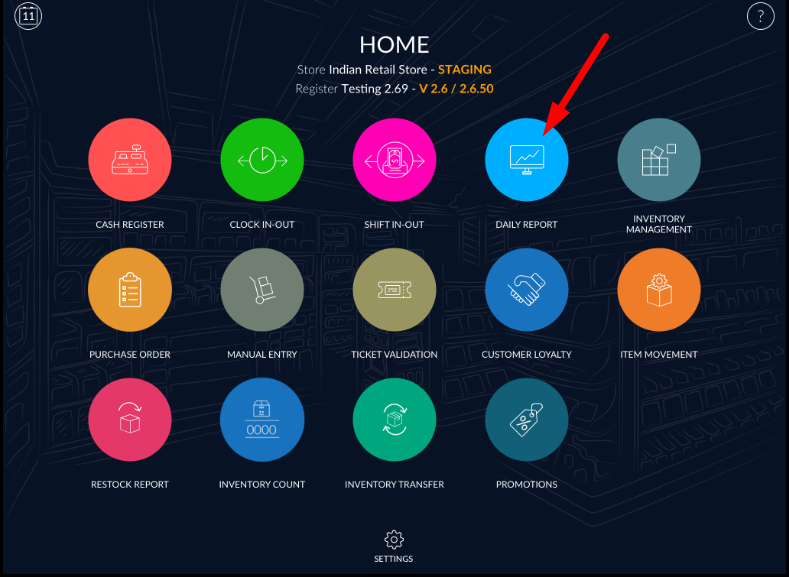
- Open shift report and go to the user filter.
- It will display all user and current user.
- Apply any of them.
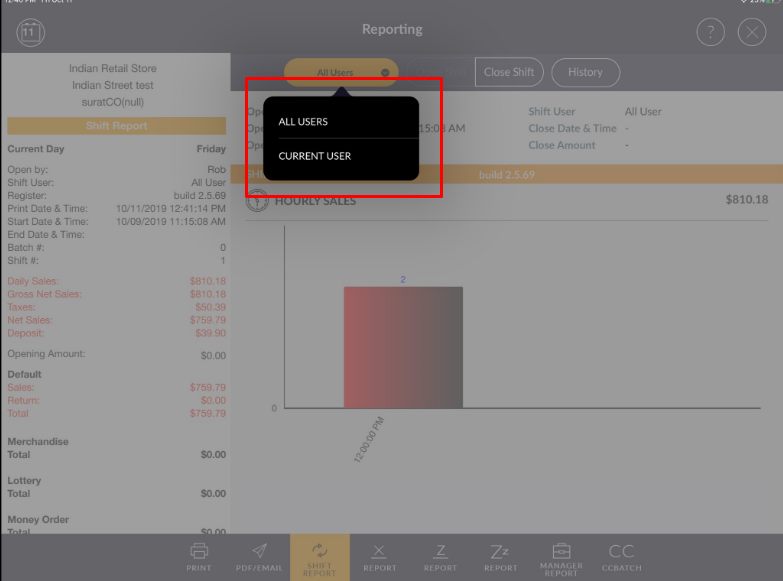
- Data will filter according to the user.