Support Document
 Support Document
How to view restocking history?
When items are restock from sales history then all items are moved to restocking history.
In restocking history items can be filtered by date wise.
Default it will display items which are restocked on the current day(today)
In restocking history items can be filtered by date wise.
Default it will display items which are restocked on the current day(today)
- Open rapid RMS application.
- Go to restock report.
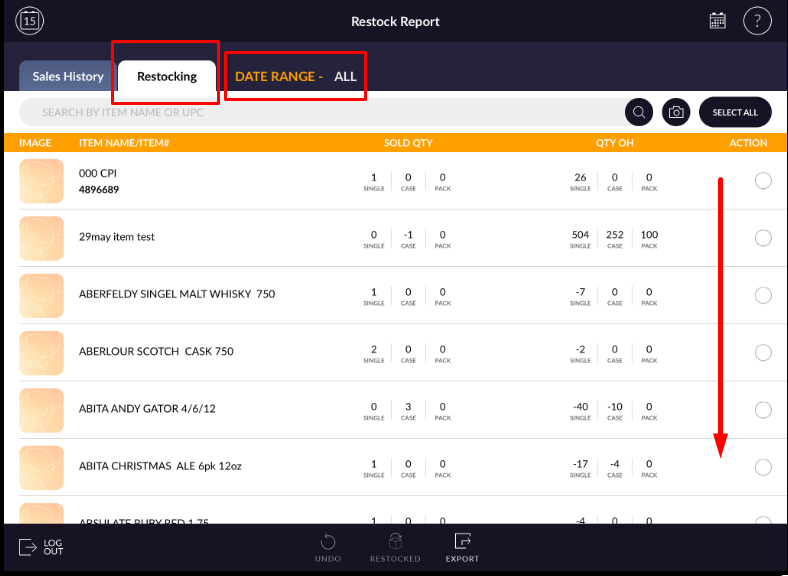
- Open restocking history.
- All the items which are restock from sales history will display in restocking list
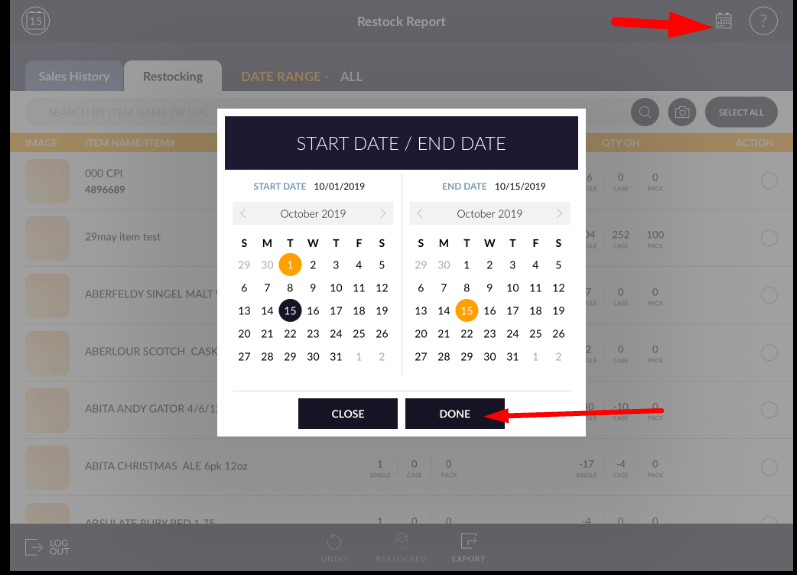
- If you want to find at when an item is restocking and filter according to date range then click on the calendar icon which is available at the top right corner.
- Select the proper date range.
- And apply done.
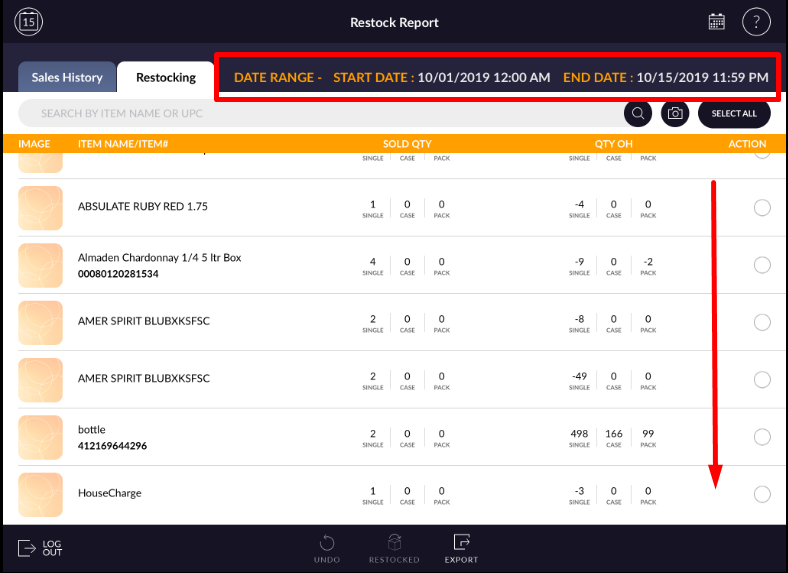
- According to the date-range selection, items are displayed.