Support Document
 Support Document
How to View Inventory Information in iPad
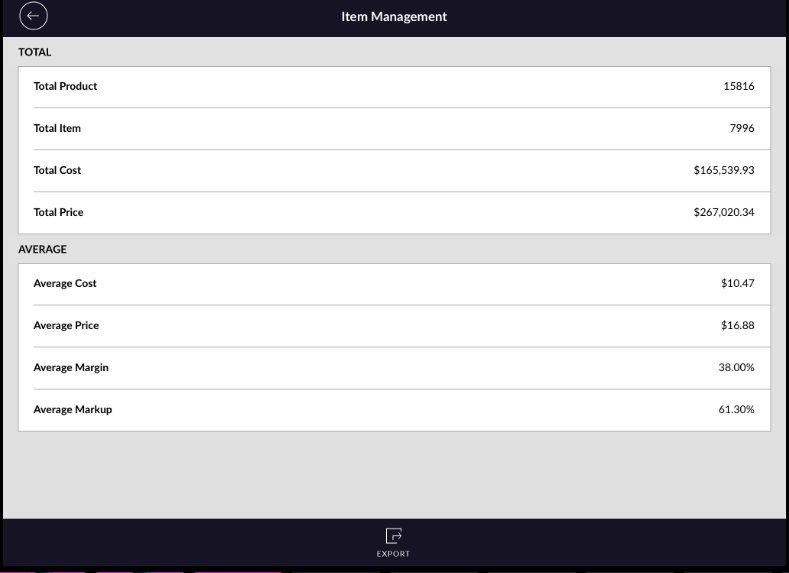
There is an option in RapidRMS to view inventory information like a product number, total stock, total cost,
total price, average cost and average price and margin/markup etc.
Here are the steps on how to view it.
Here are the steps on how to view it.
- Open RapidRMS application in your iPad.
- Select Inventory Management from the dashboard.
- Enter your valid passcode to access Inventory Management Module.
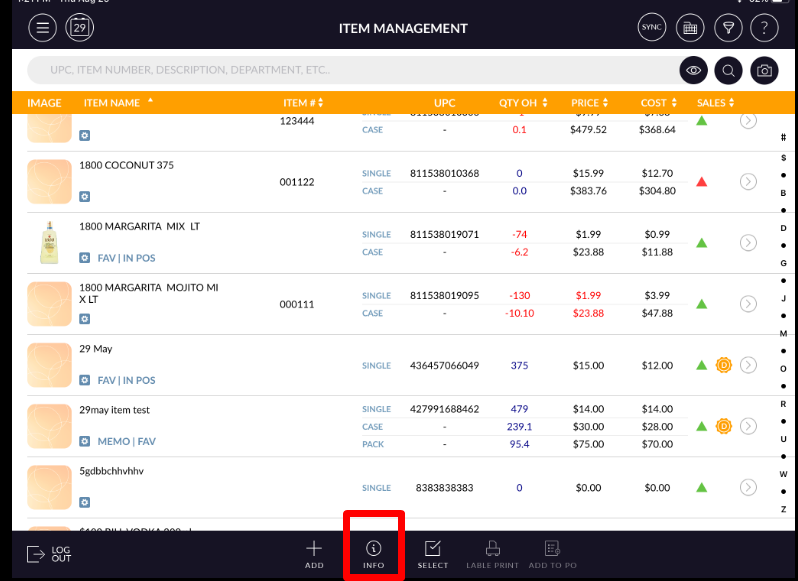
- Click on Info button from the bottom of the screen.
- Total Product count, Total number of Item available, cost and price detail and average information
will display.