Support Document
 Support Document
When in-store from any of place item record for counting then you can see the status of that item.
- Open the inventory count module.
- Go to recall or join or any module in which counted item list available.
- Click on view option.
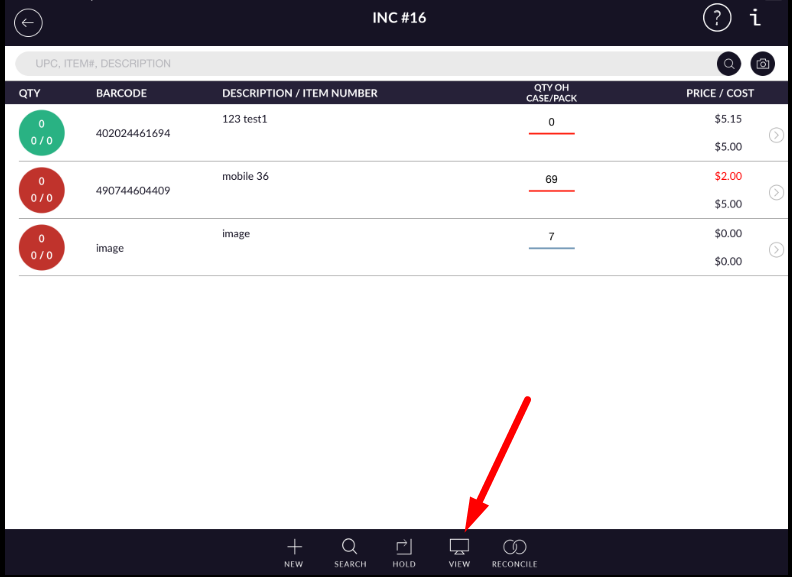
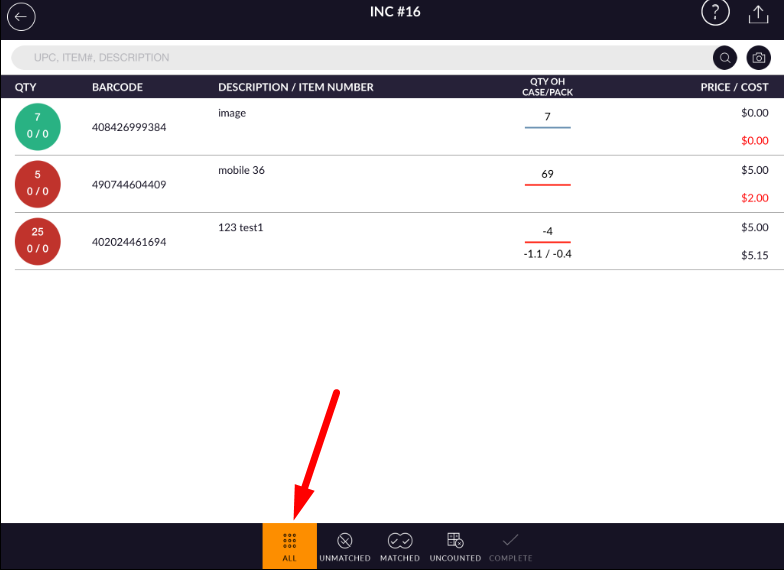
- There are four options display at the bottom bar.
- In all, All the items display which is considered in count.
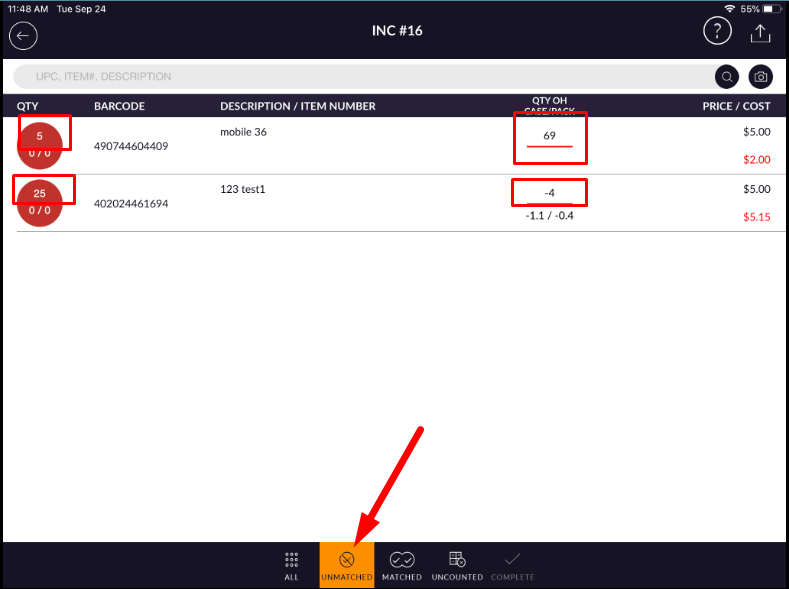
- In unmatched, Item(S) is a display of which stock available in-store(QTY OH) not match with counted
item qty.
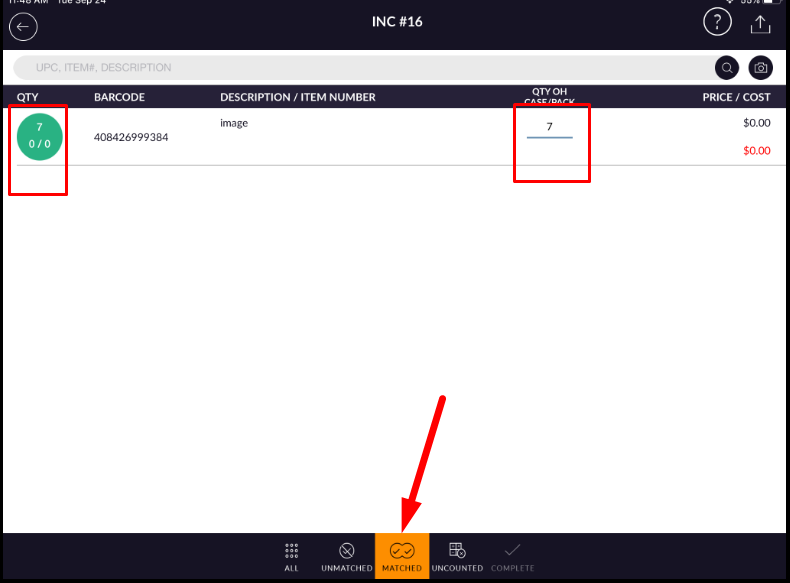
- In Matched, Item(S) is a display of which stock available in-store(QTY OH) match with counted item
qty.
- In Uncounted, Item(S) display which is available in store but not considered in count.