Support Document
 Support Document
How to vendor inventory work?
Vendor inventory is a module for details of vendor and item relation.
- Open rapid RMS application.
- Go to the inventory management module.
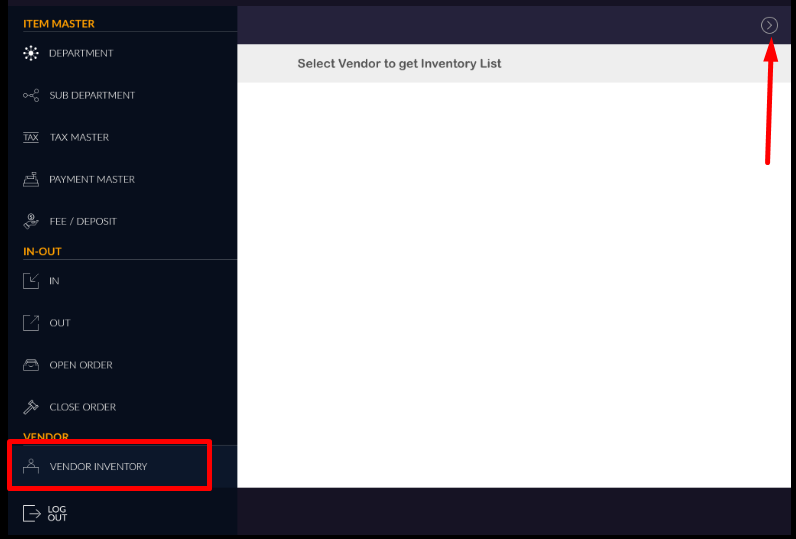
- At side pan, there is one option vendor inventory.
- Click on that option.
- A blank screen will display. Click on showed arrow.
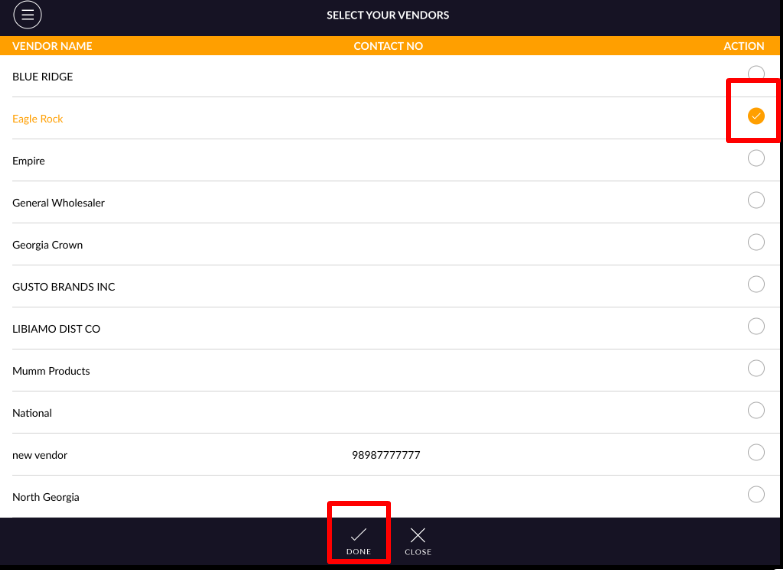
- List of All vendors display which is available in store.
- Whichever vendor you will select items of that vendors will display.
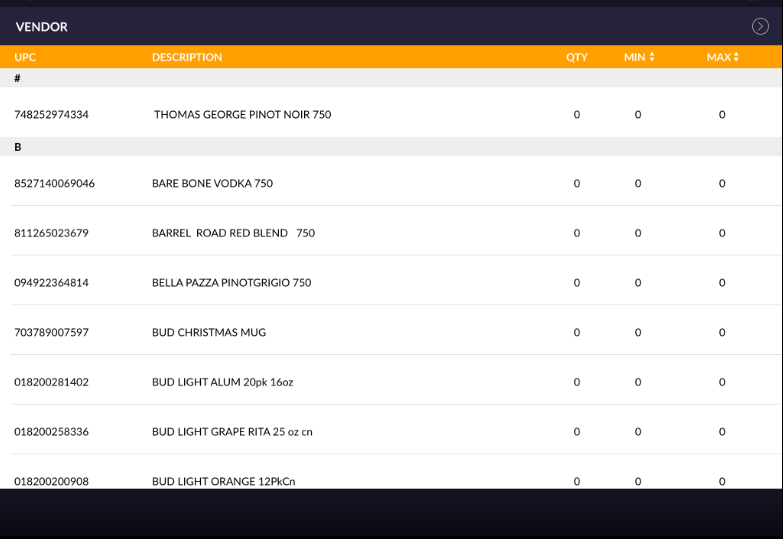
- Items will display with the item name, UPC, minimum and maximum stock limit.