Support Document
 Support Document
How to turn on tender or payment shortcut from the setting?
Rapid RMS gives functionality to create a shortcut for every payment method and put it on RCR so that
cashier can directly use payment shortcut and can immediately use that to complete transaction.
Please follow the below steps:-
Please follow the below steps:-
- Open rapid RMS application.
- At the bottom, click on the setting option.
- Enter a quick access password.
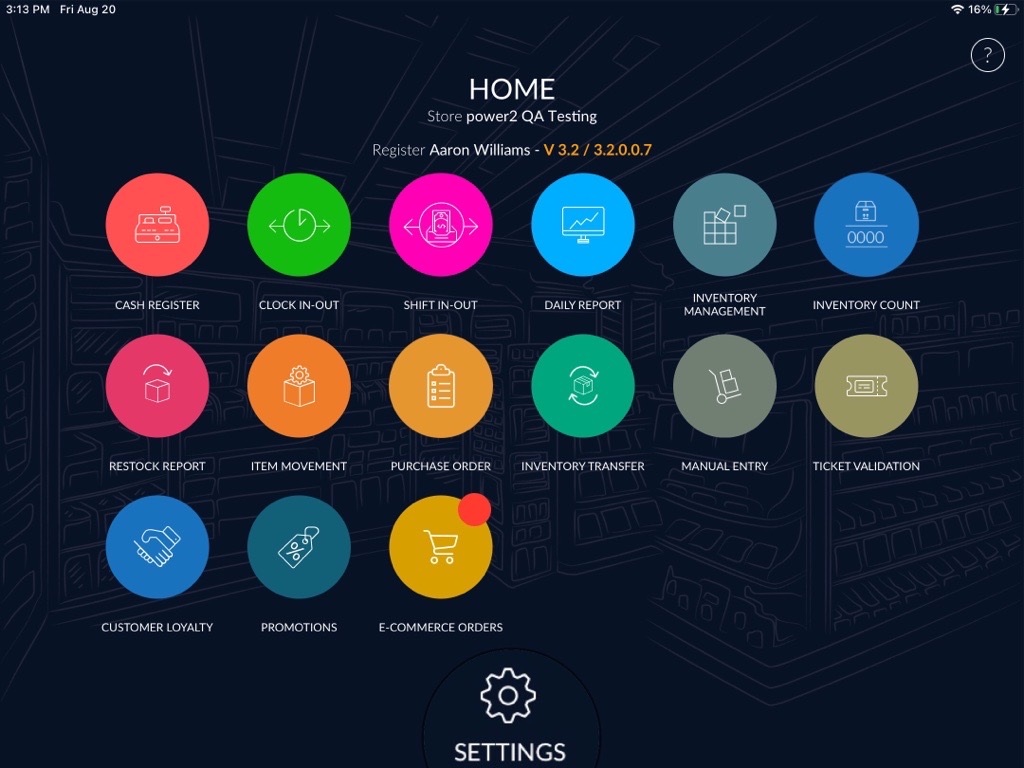
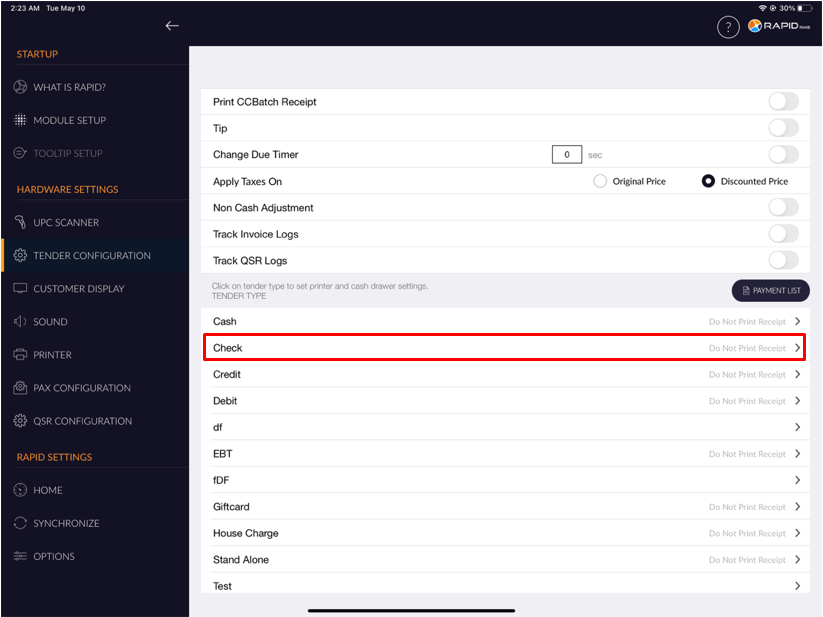
- Select the Tender configuration option from the right side option.
- It will appear the list of all available tender.
- Select tender from the list.
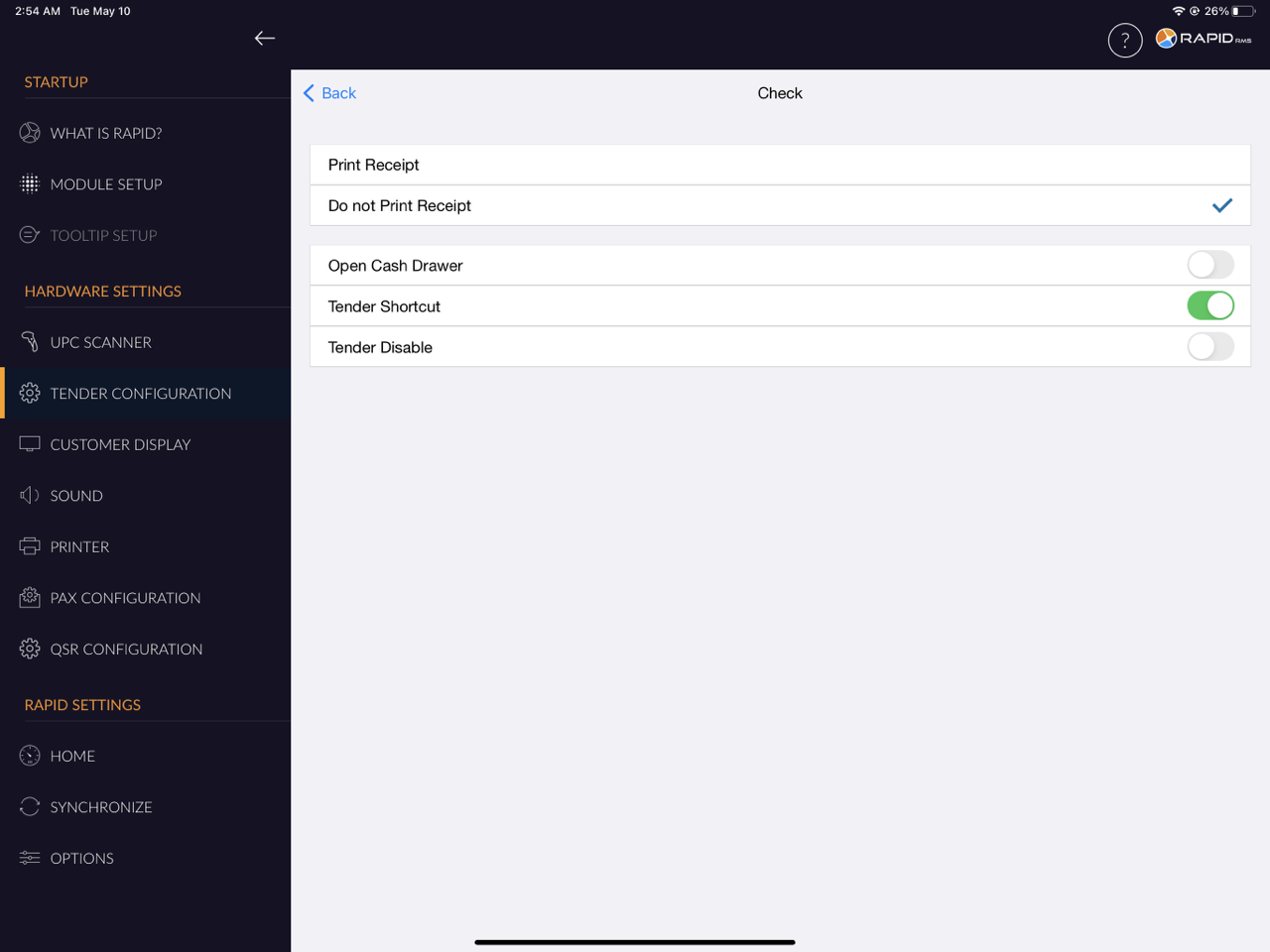
- There will appear the Tender Shortcut toggle button.
- By default, the Tender Shortcut toggle button is turned off.
- Turn on the Tender Shortcut toggle button.
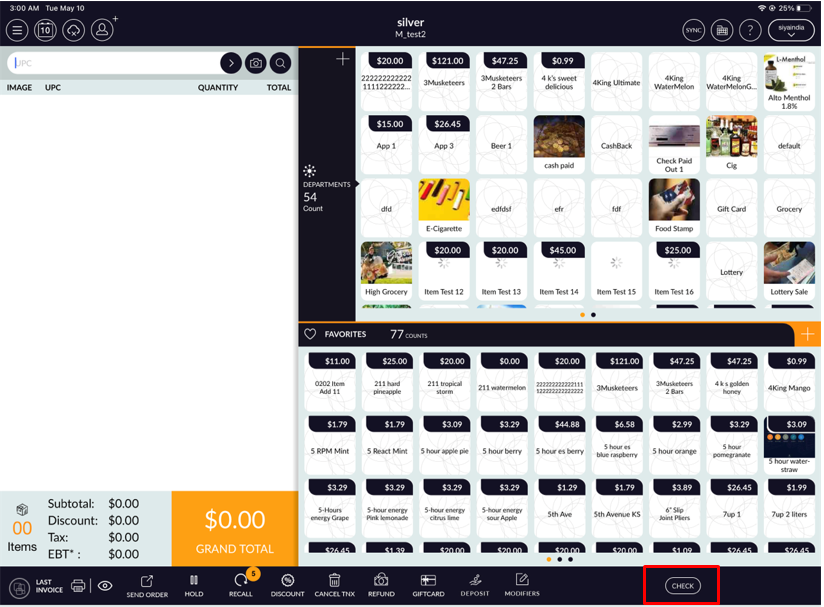
- When you turn on the Tender Shortcut toggle button, the Tender shortcut will appear at the bottom left side corner of the Cash register screen.
- As you can see in the below image, The check tender appears at the bottom left side corner of the Cash
register screen.