Support Document
 Support Document
How to update third-party promotions for RJR scan Data?
- Login to BOS with your user credentials.
- In the top right, click on the three-line hamburger
 menu.
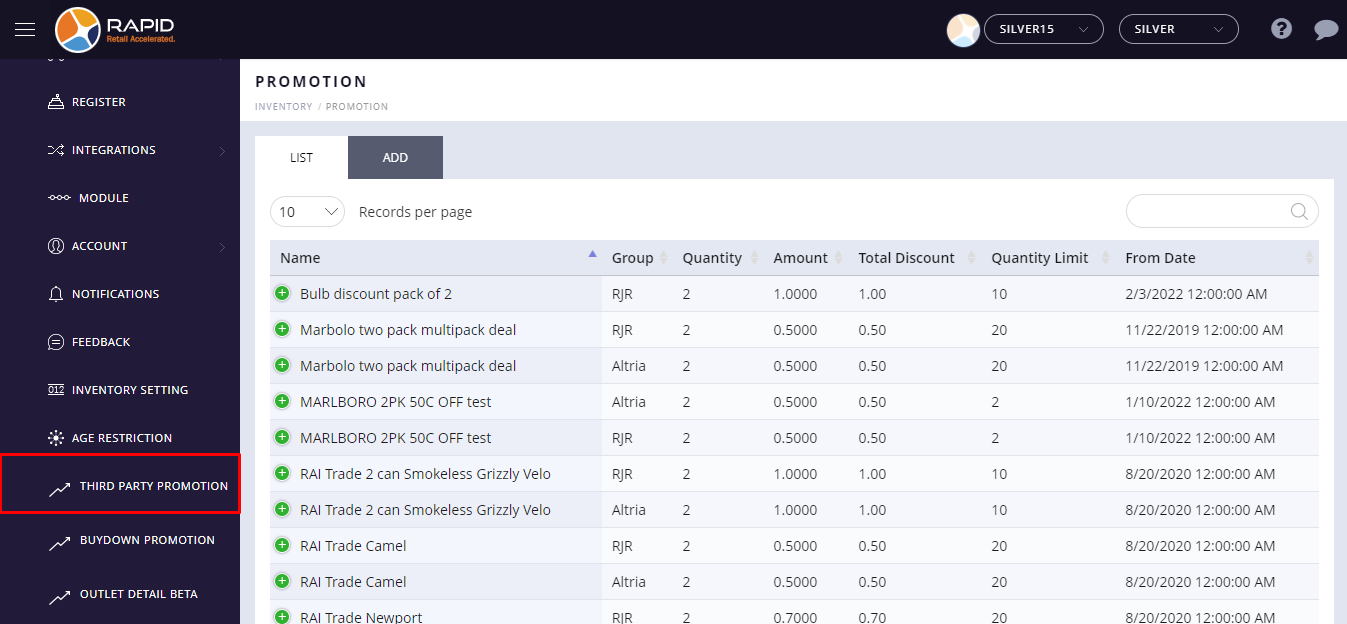
menu. - Choose a Third-party promotion option from the settings.
- 4. Select the existing third party discount from the list.
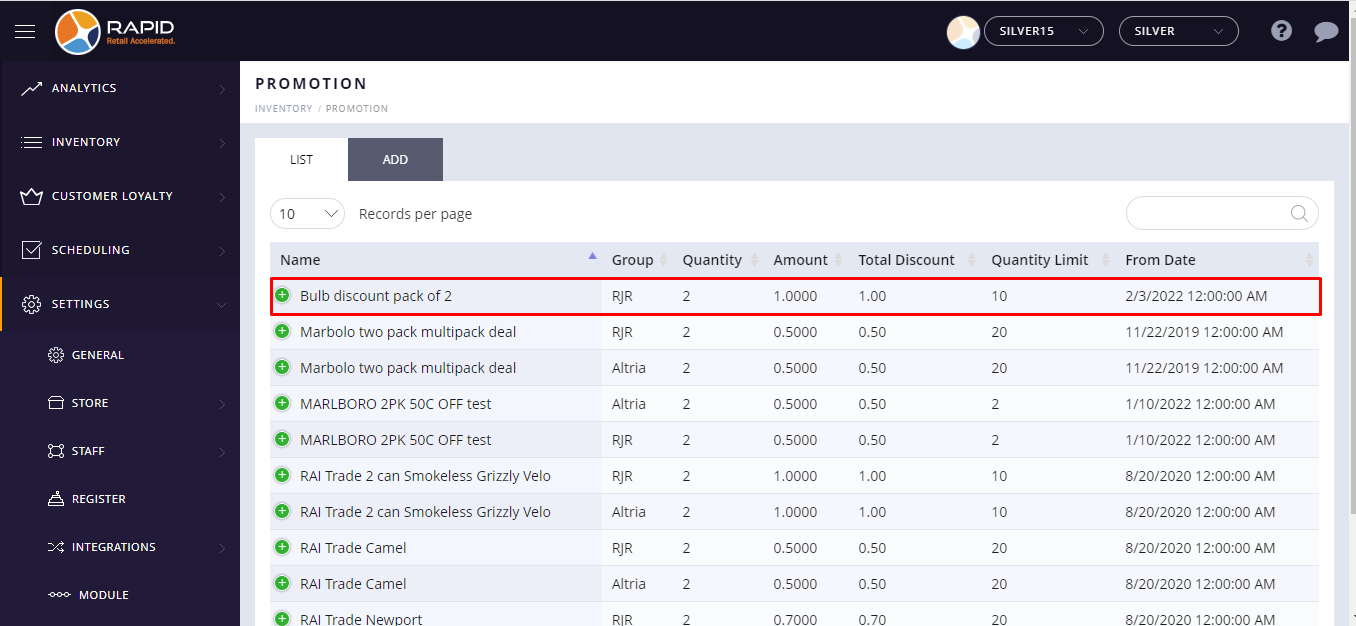
-
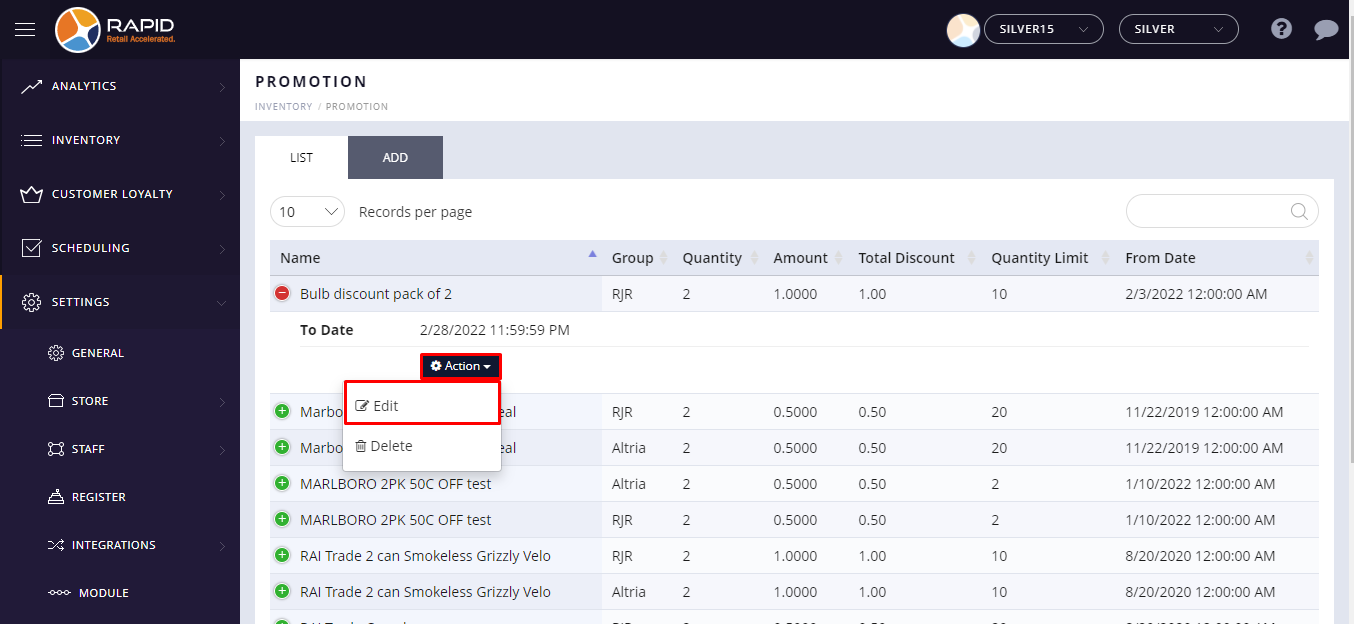
Click on
 plus button is located beside the Item name.
- Click on the action button and select the edit option from the drop-down list.
- Update details.
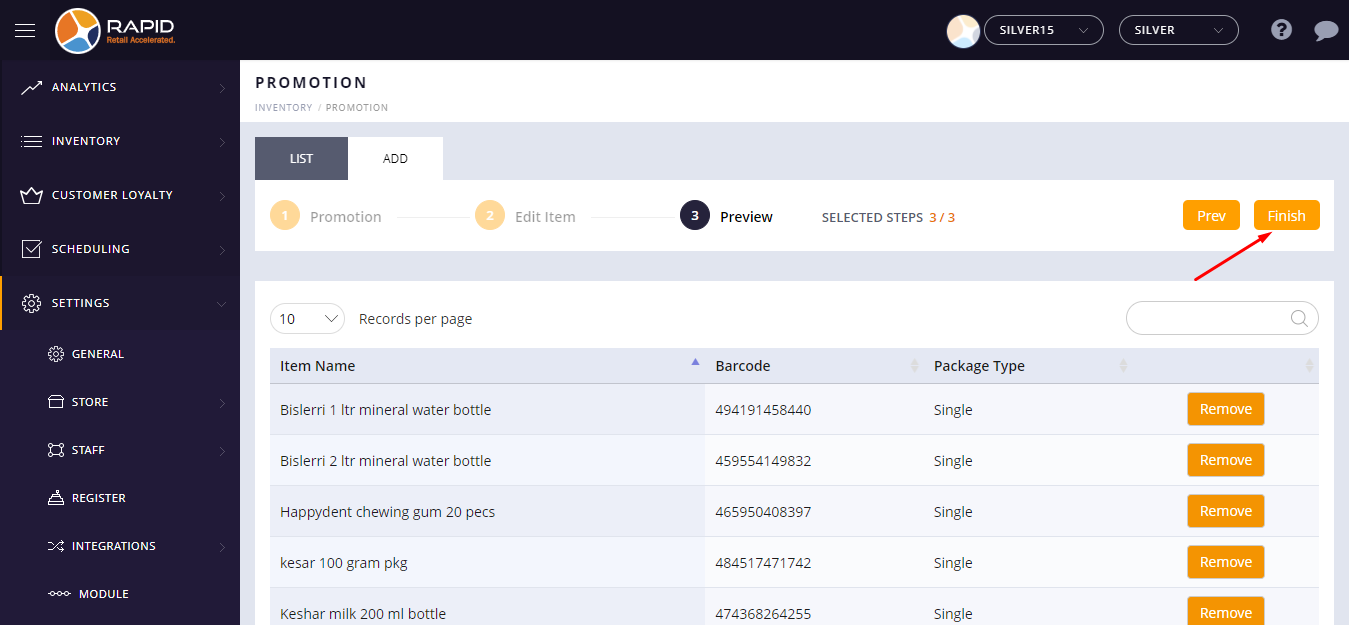
- At the top left side, click on the Finish button.