Support Document
 Support Document
How to transfer pump ?
When there is any issue in pump and fueling is stopped in one pump then it can be transfer to another pump.
When transfer pump then only cart transfer from one cart to another.
Pump transfer can be only possible for pre pay transaction.
For transfer pump go to bellow for below step :
When transfer pump then only cart transfer from one cart to another.
Pump transfer can be only possible for pre pay transaction.
For transfer pump go to bellow for below step :
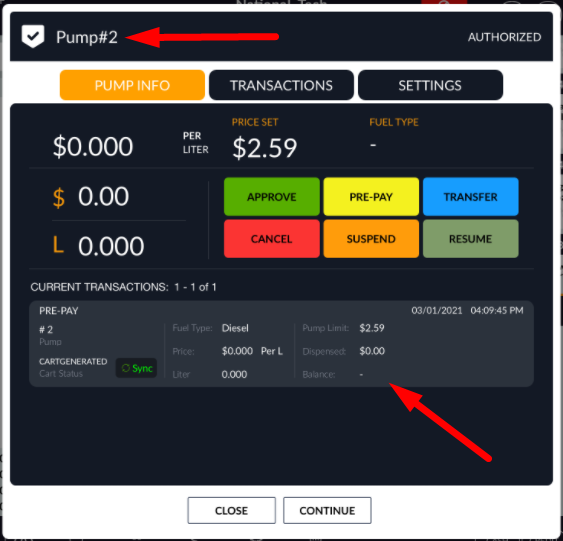
- For transfer any cart from one pump to another pump there is one condition is there, Both pump should be in ideal condition. If pump is authorized then no need to transfer card and another pump is in use then cart can not be transfer to that pump so for successful transfer both pump should be in ideal condition.
- Authorised any one pump and do pre pay transaction.
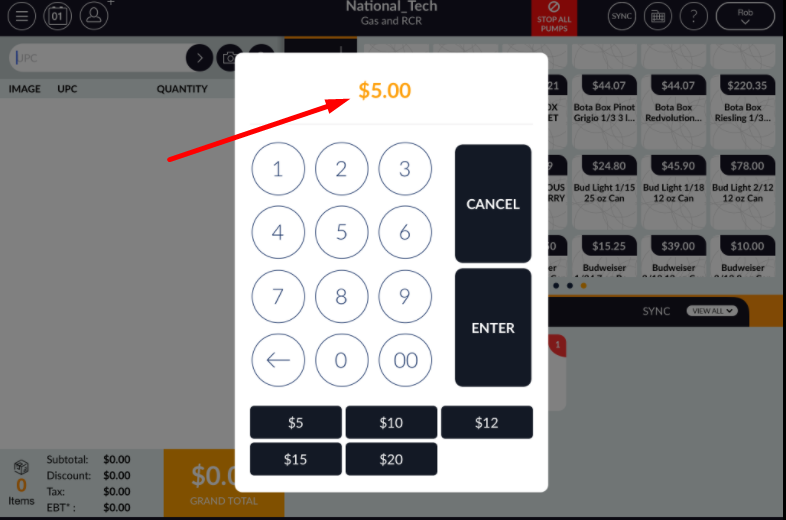
- Complete pre payment for fueling.
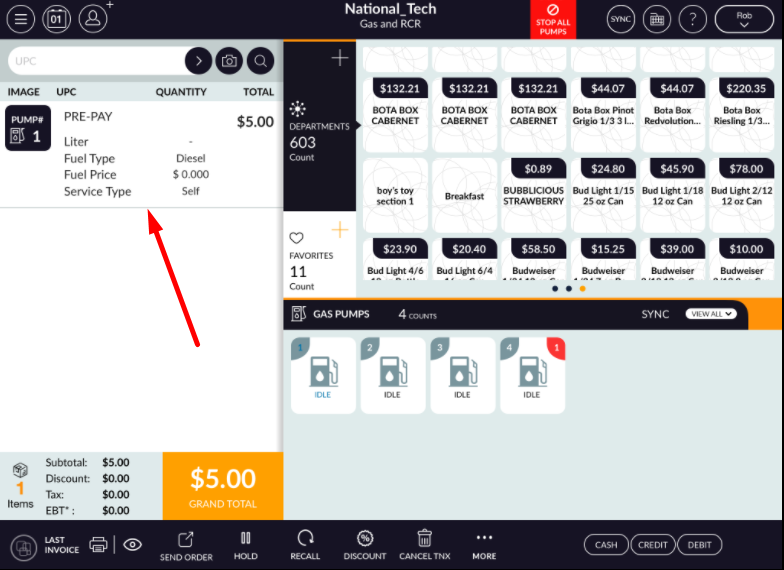
- Complete that transaction. In pump that entry will display.
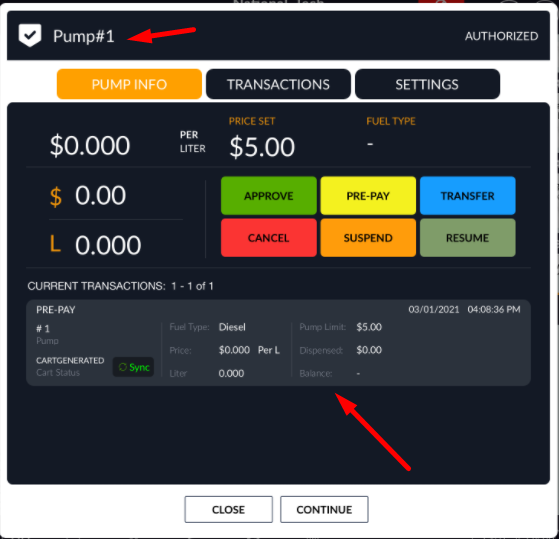
- Now from pump take up nozzle and start fueling.Now after half of fueling keep nozzle down.
- That means total payment fuel is not filling and let suppose you want to transfer that pump then keep
that used pump in ideal mode.
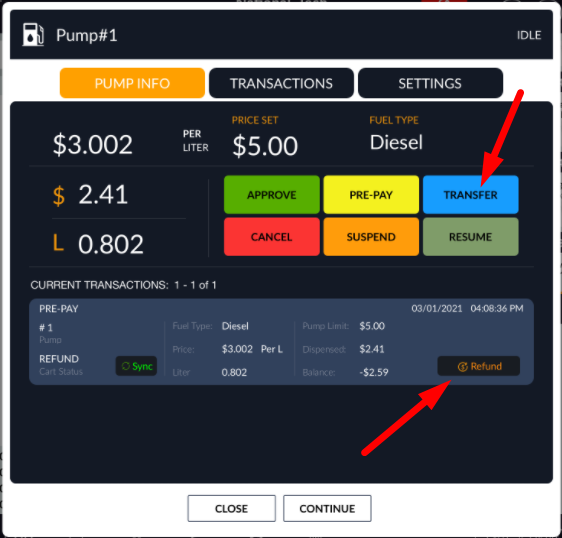
- Select that cart or transaction and apply on transfer button.
- When click on transfer then pop up display with remaining pump.
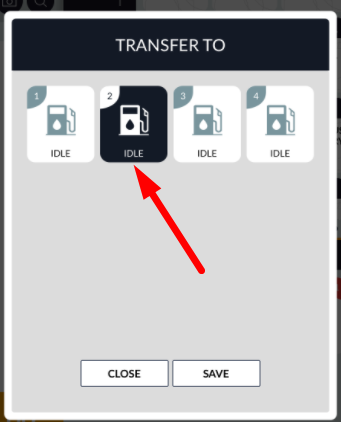
- Select another pump in which you want to transfer fueling.
- When select that pump then remaining transaction transfer to that selected pump.
- Now from transferred pump remaining fueling can be complete.