Support Document
 Support Document
How to Transfer Order from ‘In route Transfer Order list’ to ‘Transfer Order History’ ?
In Route Transfer Order List module is used to view order when in destination store order is in receiving
pending section in Po module.
We can just view order in ‘In Route transfer order list’ module. Only destination store can be done order from receiving Screen.
Follow below steps to Reconcile Receiving qty of source store.
We can just view order in ‘In Route transfer order list’ module. Only destination store can be done order from receiving Screen.
Follow below steps to Reconcile Receiving qty of source store.
- Open Rapid RMS app.
- Active destination store.
- Go to Purchase order module.
- Now go to Receiving pending module.
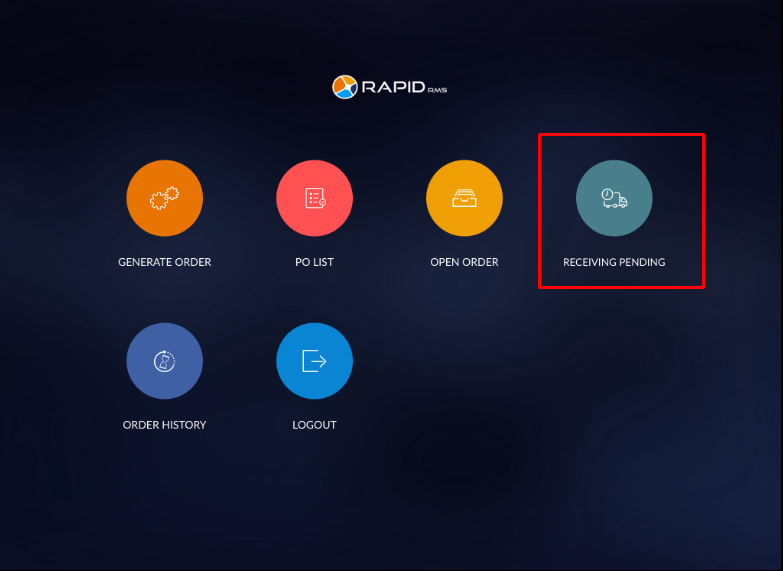
- In Receiving List, Check to receive an order which was Transferred from source store but still not
reconciles from destination store.
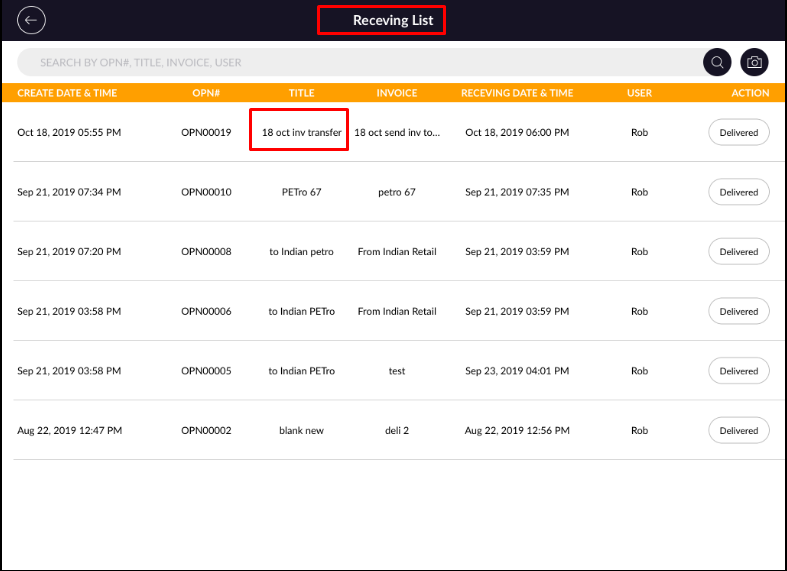
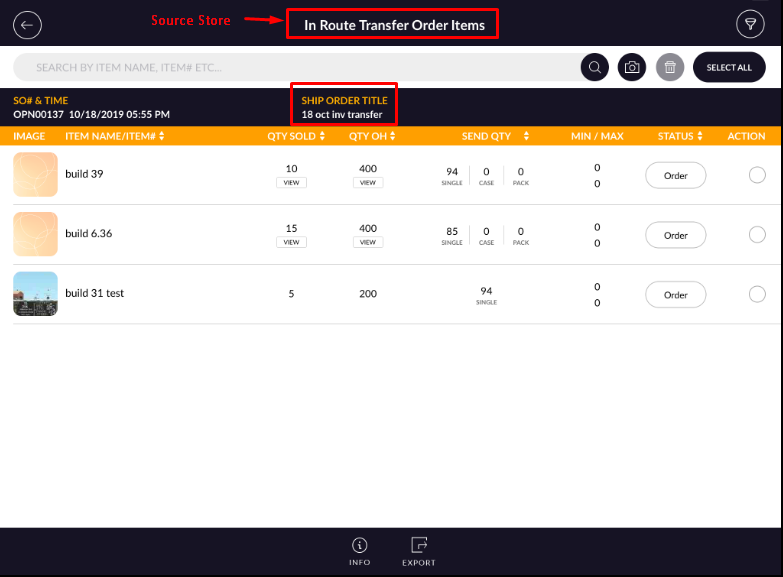
- Check Order in Receiving List of destination store and ‘In-route order’ of source store.
-> Destination Store ->Purchase Order module -> Receiving Pending -> Receiving List.
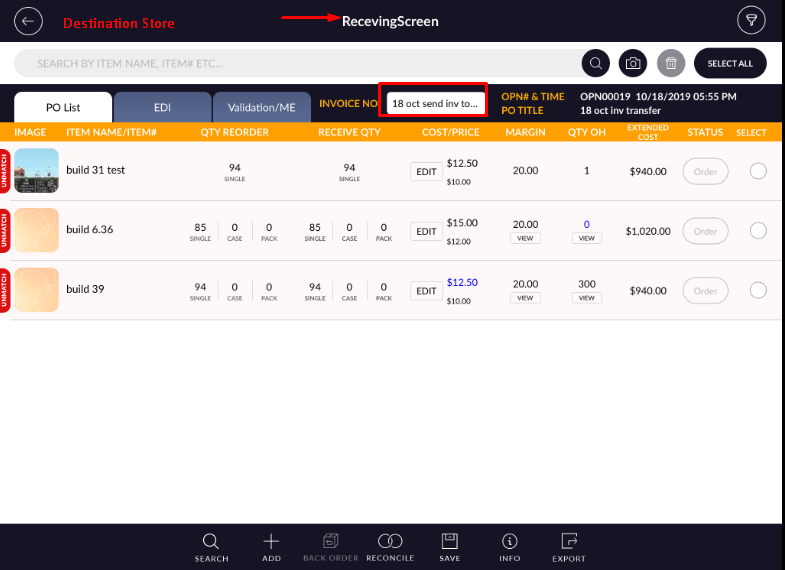 -> Source Store -> Inventory transfer -> In-route order -> In Route transfer Order list.
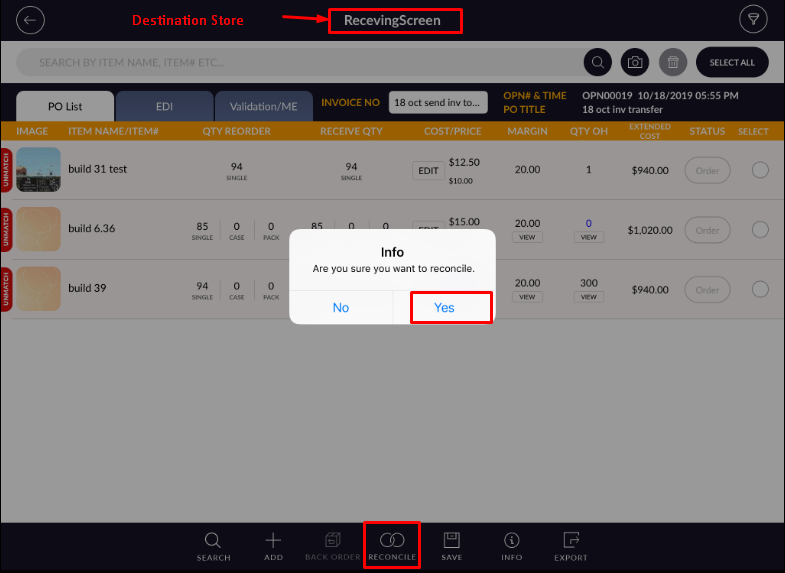
- Now from Receiving Screen of destination store Reconcile Order when destination store receive qty.
- For Reconcile order, tap on ‘Reconcile’ icon and tap on the ‘Yes’ option.
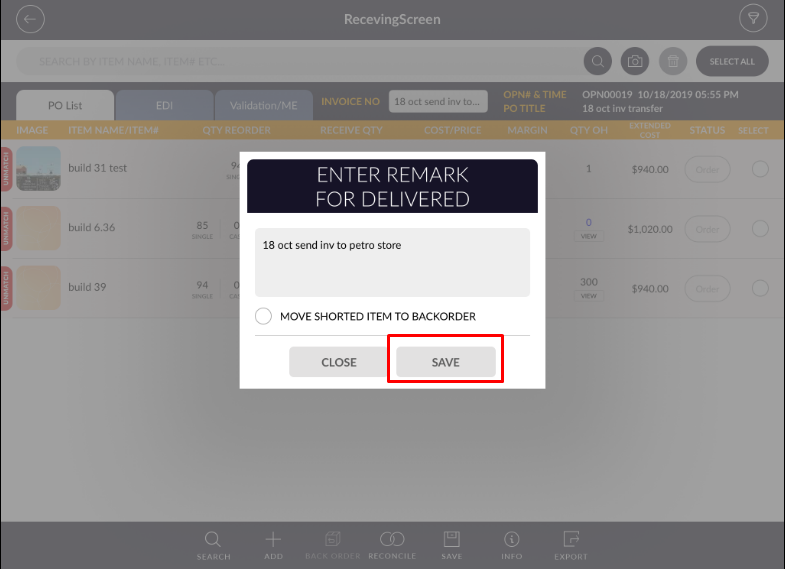
- Now enter remark for delivered and tap on ‘Save’ button.
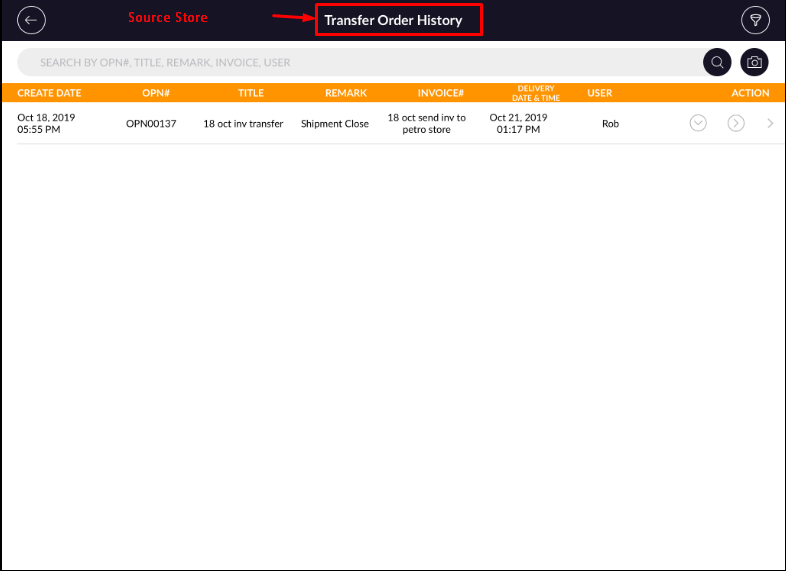
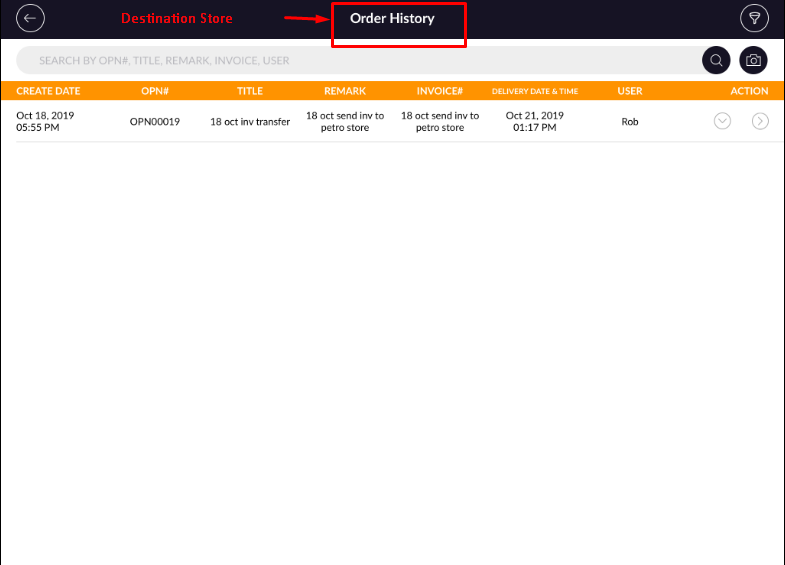
- After Reconcile, Order will complete and order will move ‘Transfer Order History’ of source store and
Order History of destination store.
-> Destination Store ->Purchase Order module ->Order History .
 -> Source Store -> Inventory transfer -> Transfer order history.