Support Document
 Support Document
How store configuration work in dispenser setting?
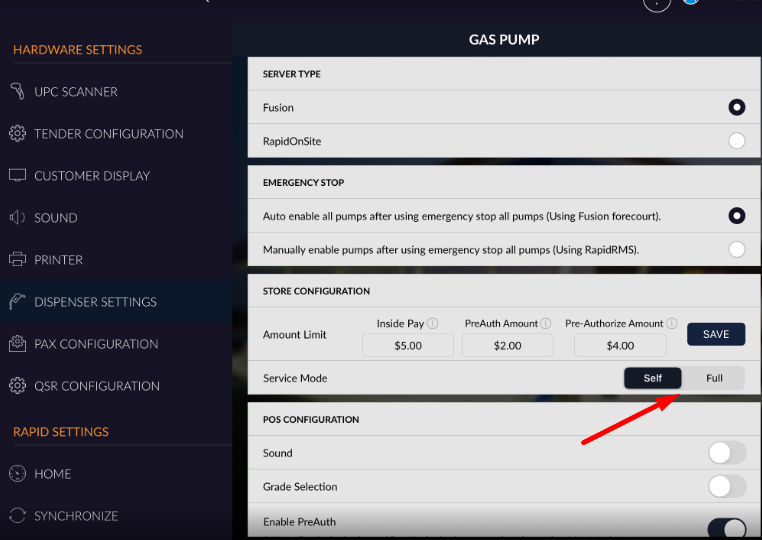
In store configuration there is setting available for amount limit.
- Open rapid rms application.
- Go to setting module.
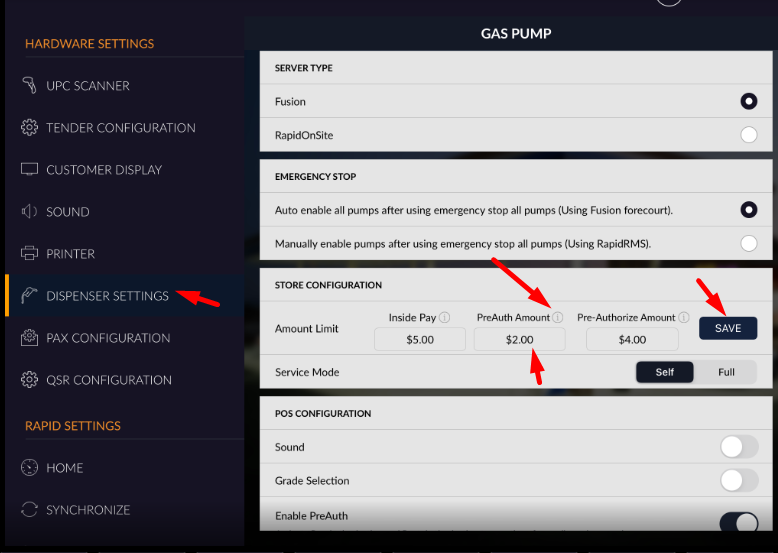
- Tap on dispenser setting.
- There is store configuration available.
- You can set amount limit for fuel pay.
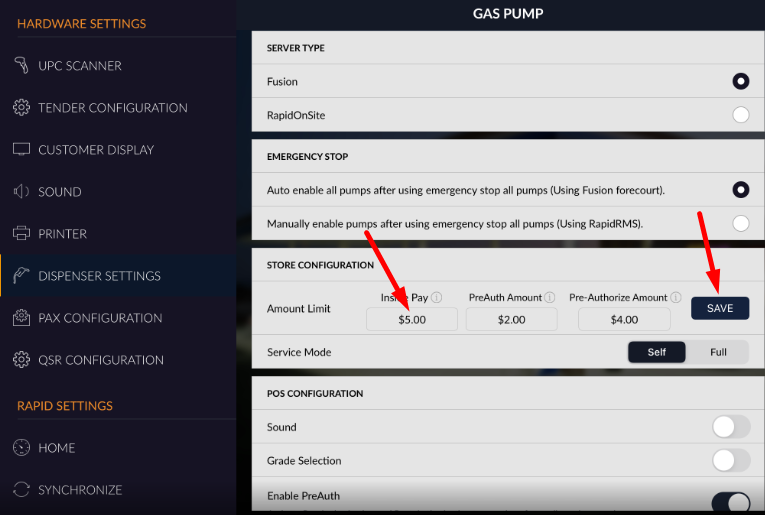
- Set value in inside pay.
- Click on save.
Inside pay : In inside pay Which amount you enter is set for amount limit for post pay transaction.
This limit is for post pay that means if from pump fueling is start the up to set limit fuel will dispense and then after complete dispensing that much amount limit fuel it will stop to dispense.
PreAuth amount : This limit is for credit card auth limit for pay at pump. When you set this limit then in pump it will allow you to auth value in credit card up to set limit.
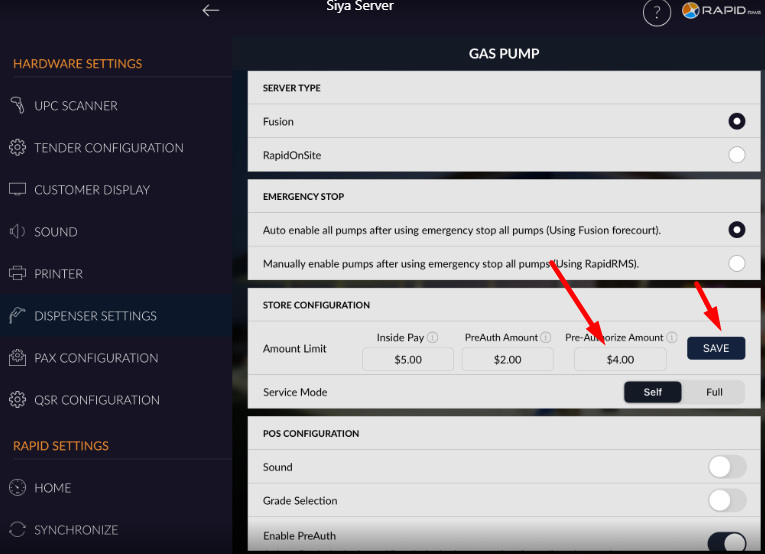
Pre Authorize amount : This is the amount limit for pump authorization for pay at pump.
When you set this amount then for pay at pump amount limit should be as per set limit for fueling.
Service Mode : Service mode selection is for preferred fueling service type. There are two service mode available for fueling. If self mode is selected then you need to fill up fuel by ur self and if full service mode is selected then there should be some one there to fill up fuel.