Support Document
 Support Document
How to Stop Drop Amount Notification?
- Login to BackOffice(BOS) with your user credentials.
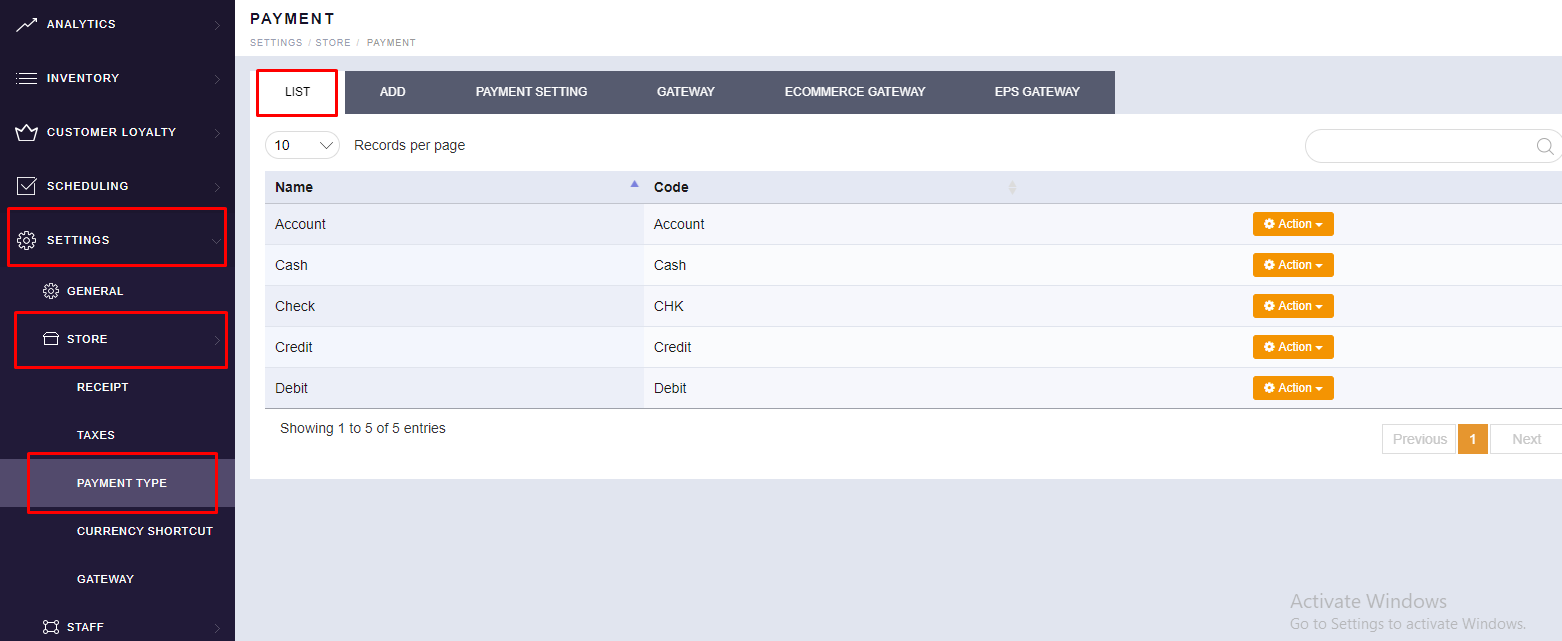
- Tap menu
 (located
on the top left side).
(located
on the top left side). - Tap SETTINGS.
- Tap STORE.
- Scroll to see the “PAYMENT TYPE” option. You will find your existing list of Tender.
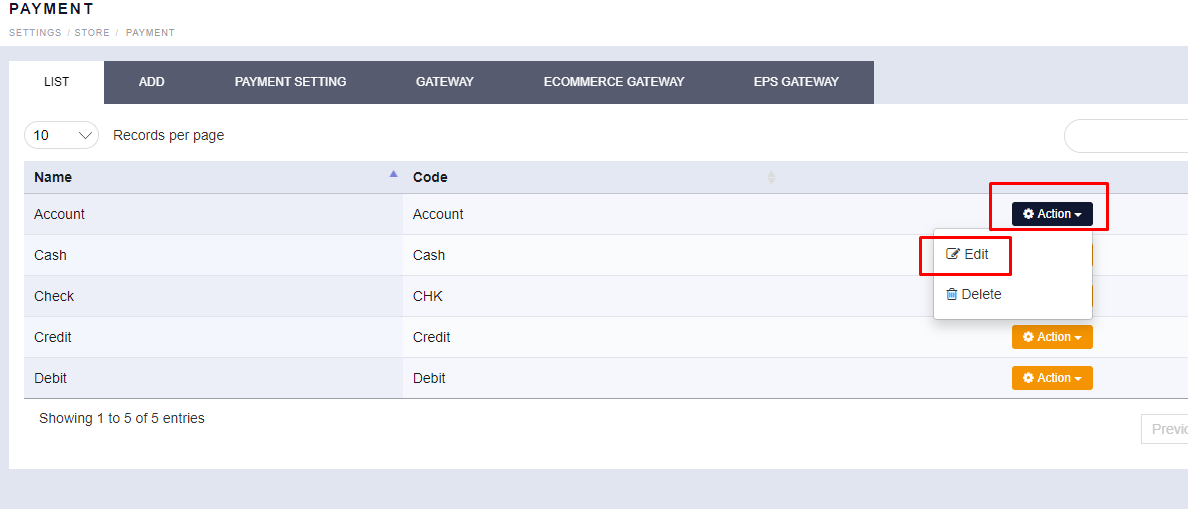
- Click on “ACTION” then click on “EDIT” to check the status of Drop
Amount Notification.
-
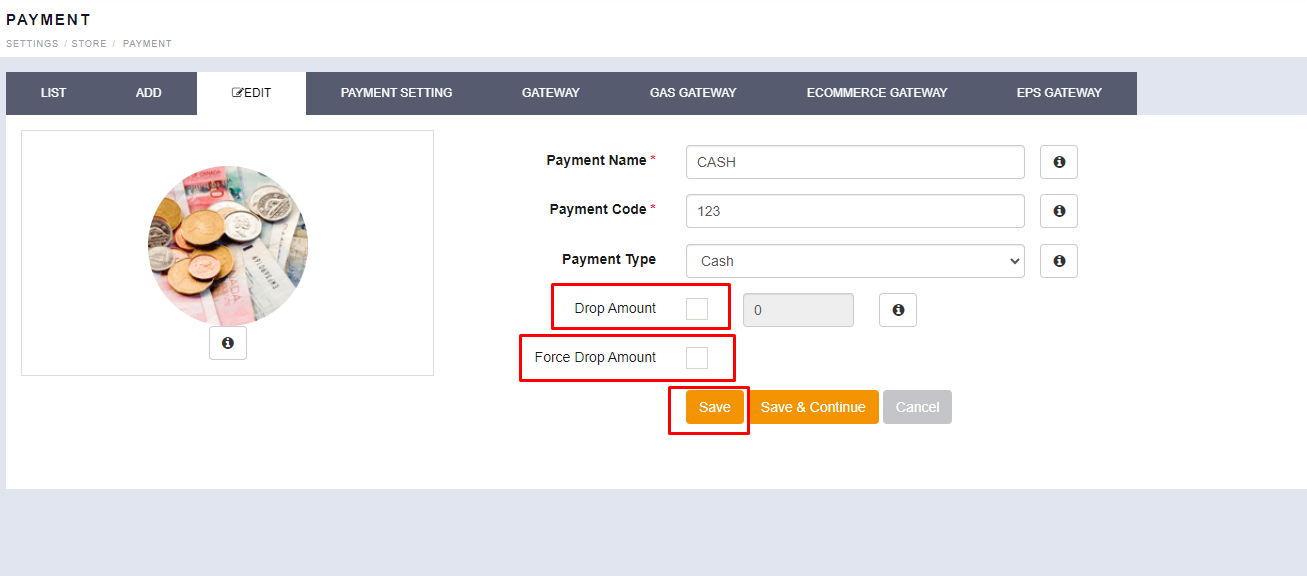
Please uncheck “Drop Amount” option, it will stop “Drop Amount Notification”.