Support Document
 Support Document
How to stop all pumps simultaneously ?
In POS for fuel and all pumps there is one facility available and that is doing stop all pumps together
doesn't matter weather condition of pump is working or in ideal mode.
To stop all pump follow below steps :
To stop all pump follow below steps :
- Open rapid rms application.
- Configure pos with gas module.
- In RCR there is one button available in header with name ‘stop all pumps’.
- If tap trice to that button then all available pumps will be stop together.
- Let suppose pumps are in working condition.
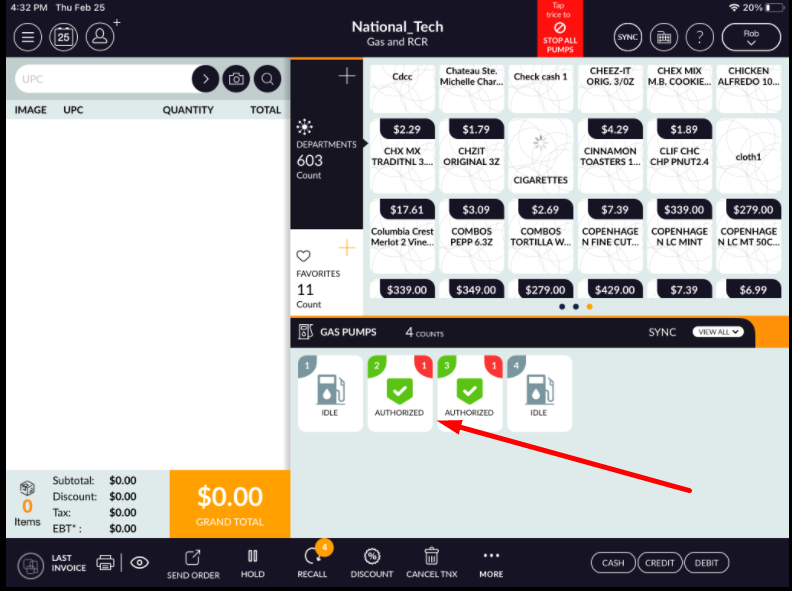
- Now tap trice on button available at header with red color.
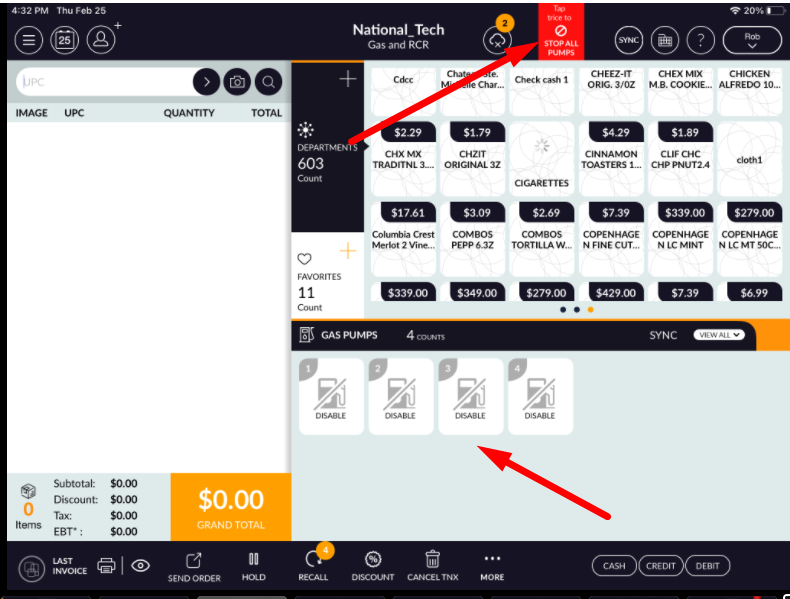
- All pumps will be stop simultaneously and display as disable.
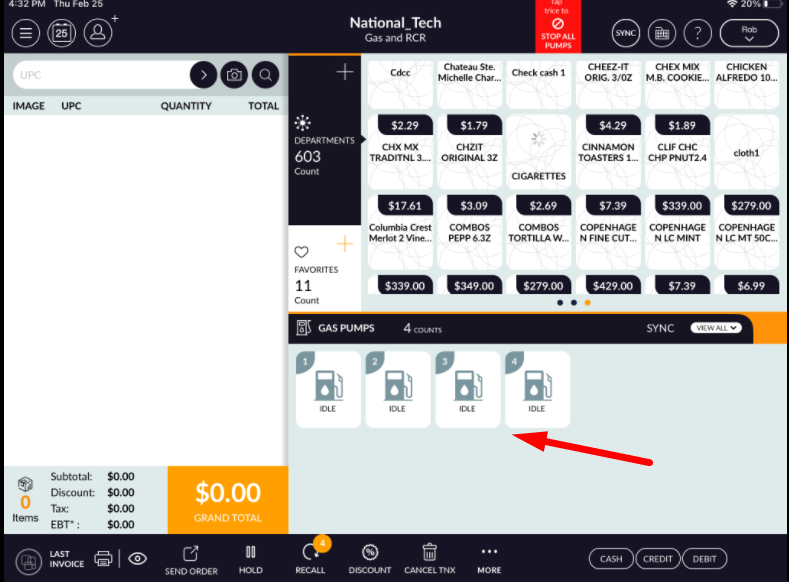
- After few second all pumps will be in ideal condition.
- After stop all pumps again in ideal condition state will depend on configuration from setting module.
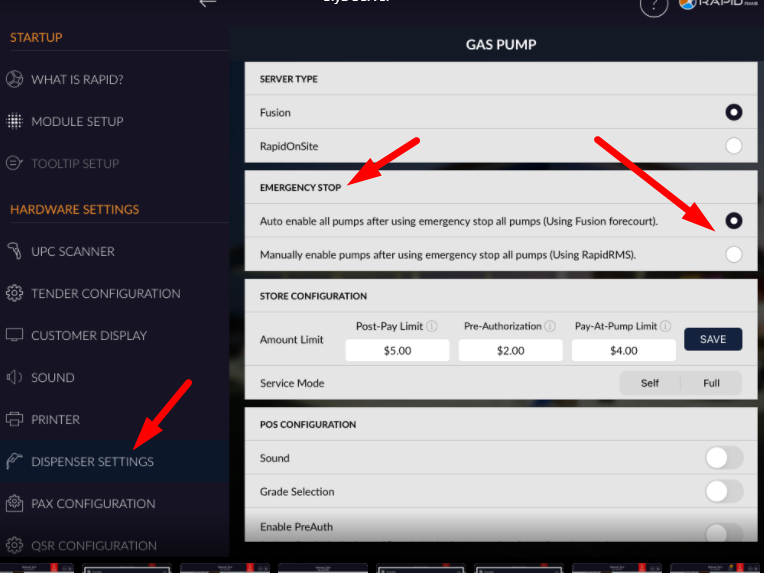
- If auto enable option is selected that means after emergency stop all pumps all pumps would get into idealize condition automatically.
- If manually enable option is selected then after emergency stop all pumps they will not automatically enable, manually need to enable all pumps.
- Thus by this way all pumps can be stop if there is any emergency condition.