Support Document
 Support Document
How to set tax on price ?
In bill when any kind of tax is applied either is from item or bill it will apply according to tax set from
setting.
- Open rapid RMS application.
- Go to the setting module.
- Tap tender configuration.
- There is one option to apply taxes on with two radio button original price and discounted price.
- Select the original price. At a time you can select only one option.
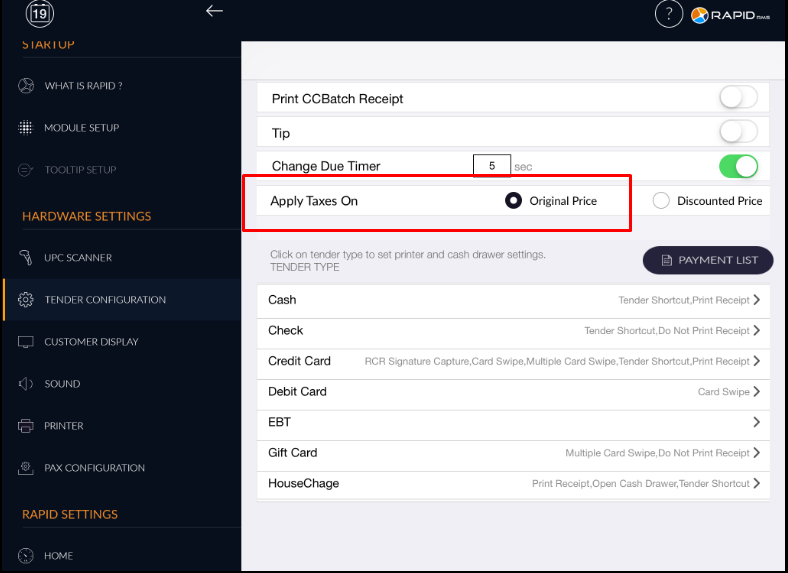
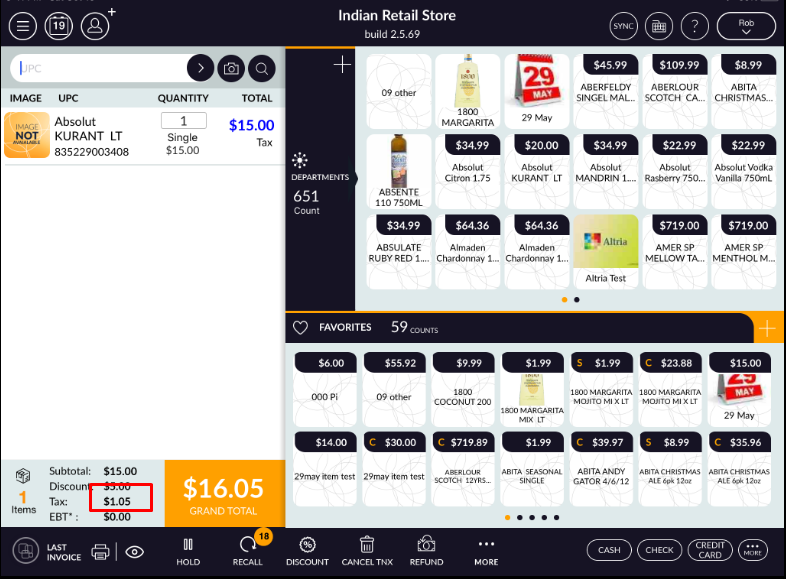
- When the original price is selected that means when ring up the item in the bill then applied tax is
on the original price of the item, if the discount is applied then also tax is on the original price.
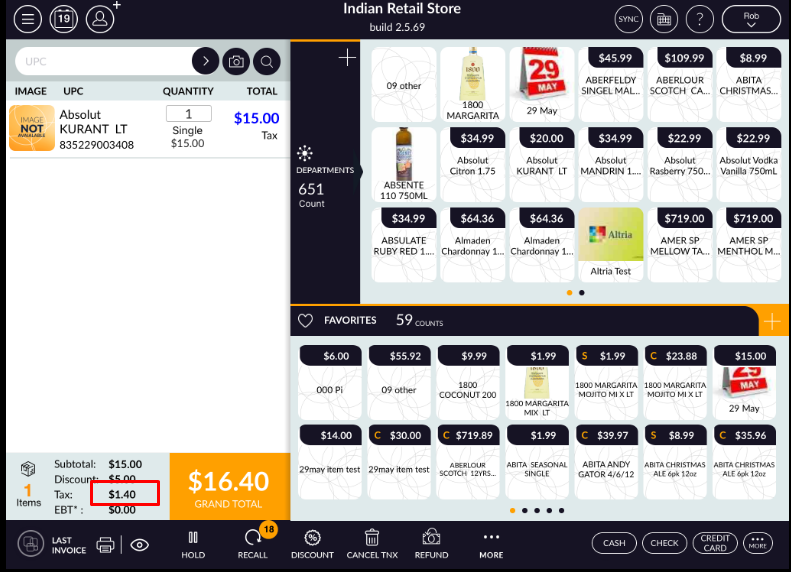
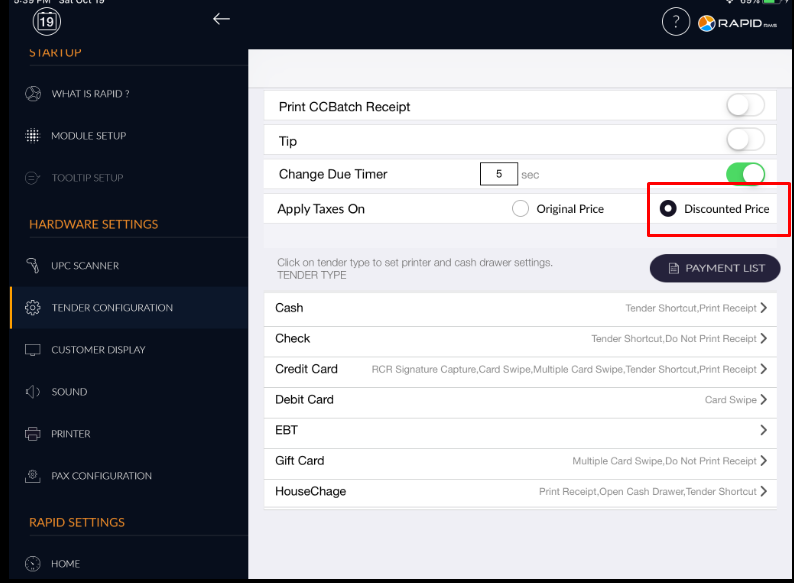
- Now selected discounted price.
- Go to the cash register and ring up the item in the bill.
- Apply discounted.
- Tax is applied on discounted price, however, the discount is vary as according tax value will change.