Support Document
 Support Document
How to set print receipt for payment?
In bill when complete transaction than one receipt for payment will print.
A print receipt can be set from setting.
A print receipt can be set from setting.
- Open rapid RMS application.
- Go to the setting module.
- Tap on the tender configuration.
- There is all payment list available in the store.
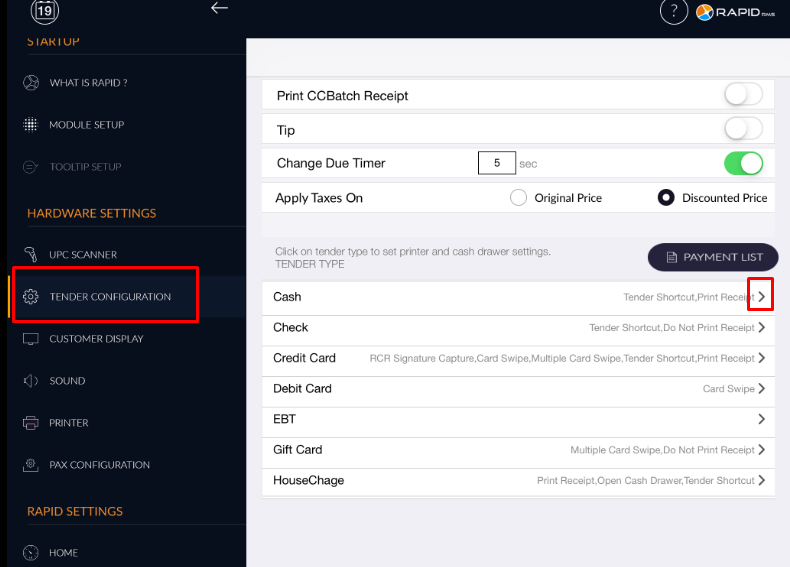
- Open any of payment type by arrow button. Whatever settings are set in that payment type would display in that payment row.
- There will be two option available for print receipt.
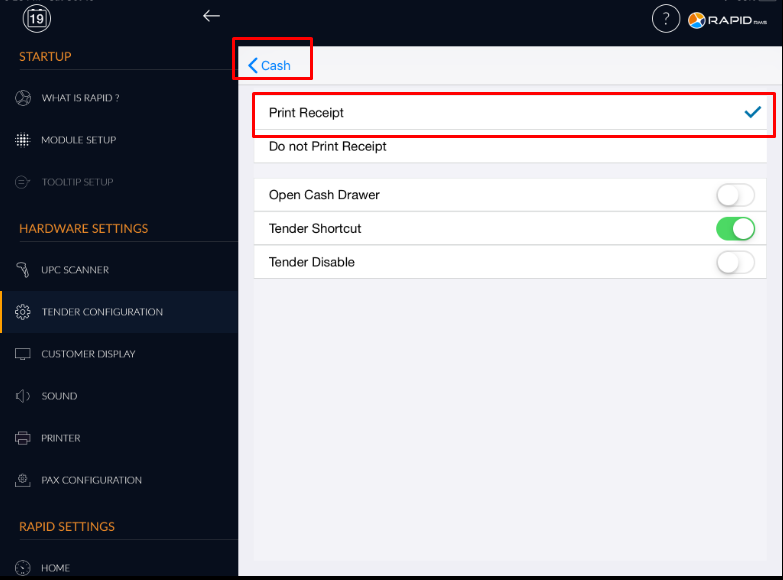
- Select print receipt and hit back arrow.
- When hit back arrow then only settings remain save.
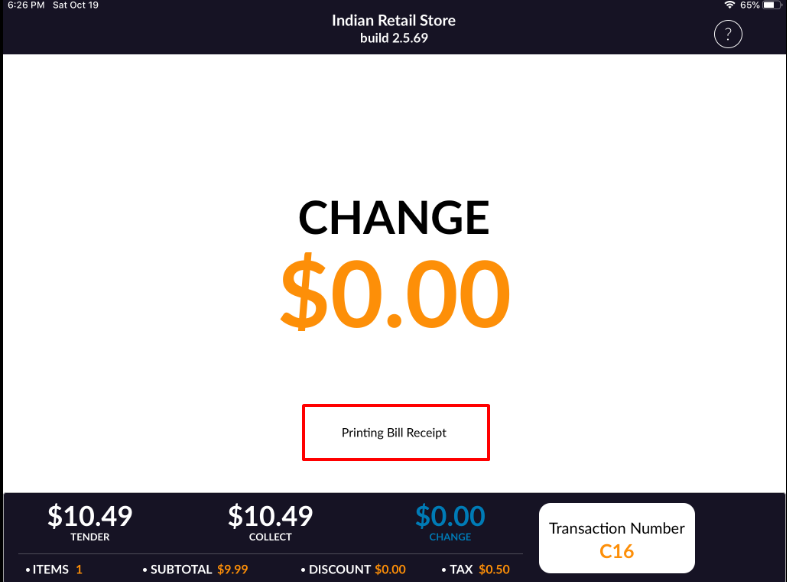
- If you select print receipt then when transaction by that payment type and printer is connected then
receipt of payment will print.
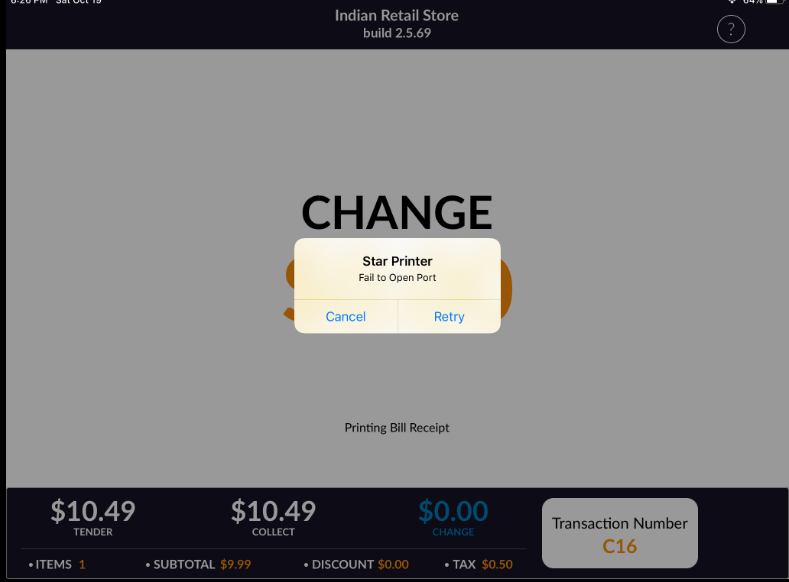
- But if the option is On and the printer is not connected then there would alert for printer connection
fail.
- When from setting if there is the option selected do not print receipt then a receipt will not print whether the printer is connected or not and also there is no alert for the failure of printer connection.