Support Document
 Support Document
How to set POS configuration in dispenser setting?
In gas section there are POS setting available to set various gas option and settings.
- Open rapid rms application.
- Go to setting module.
- Open POS configuration section.
- There are various ON/OFF option available and its effect reflect in RCR.
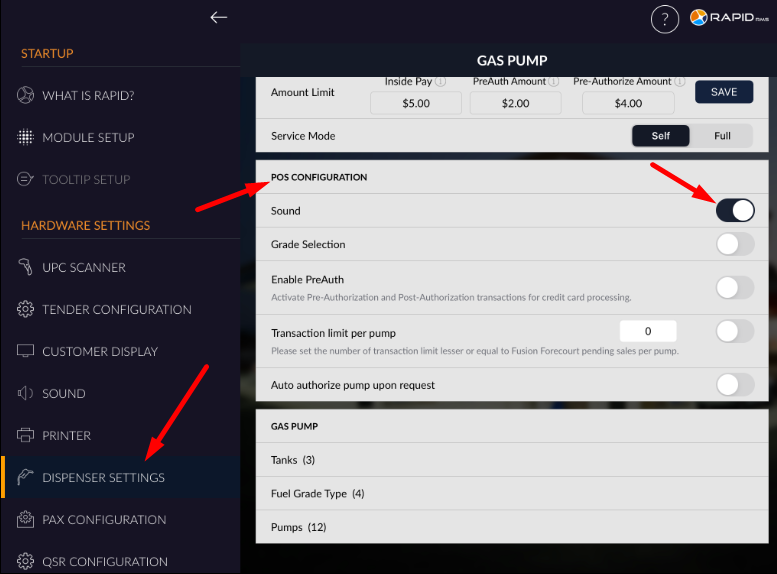
- When sound option is ON then in RCR gas module sound bip will ON.
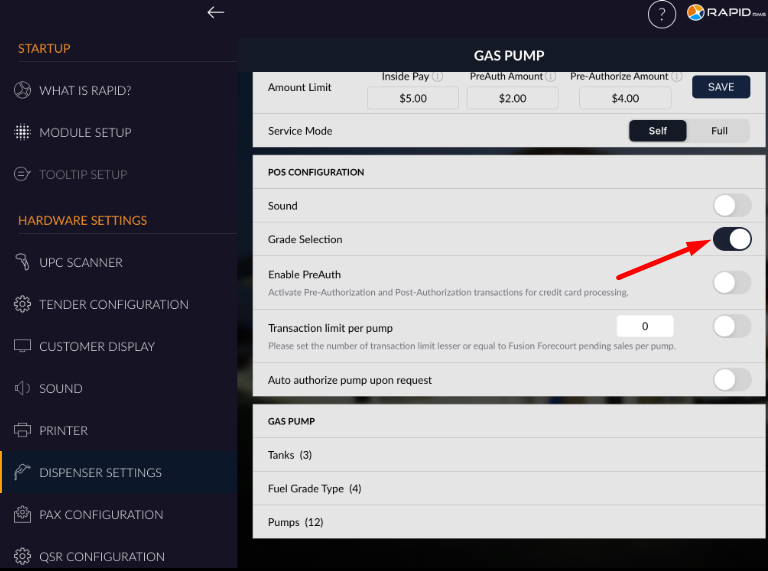
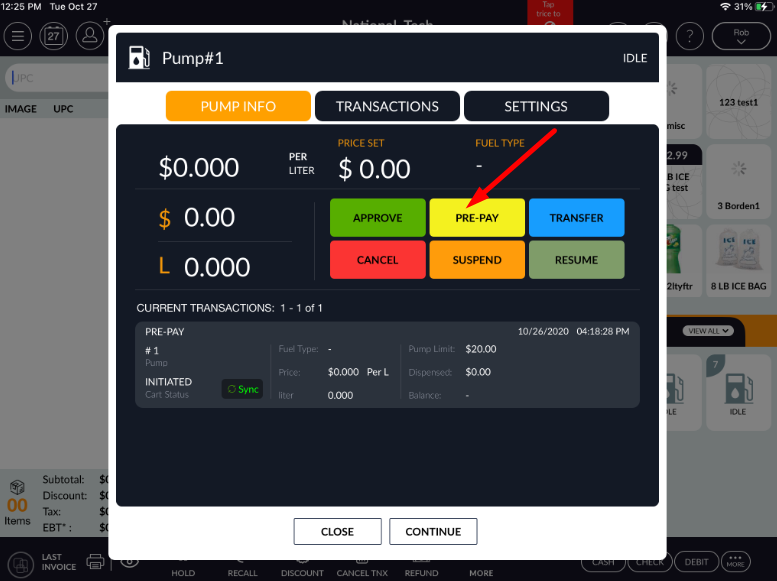
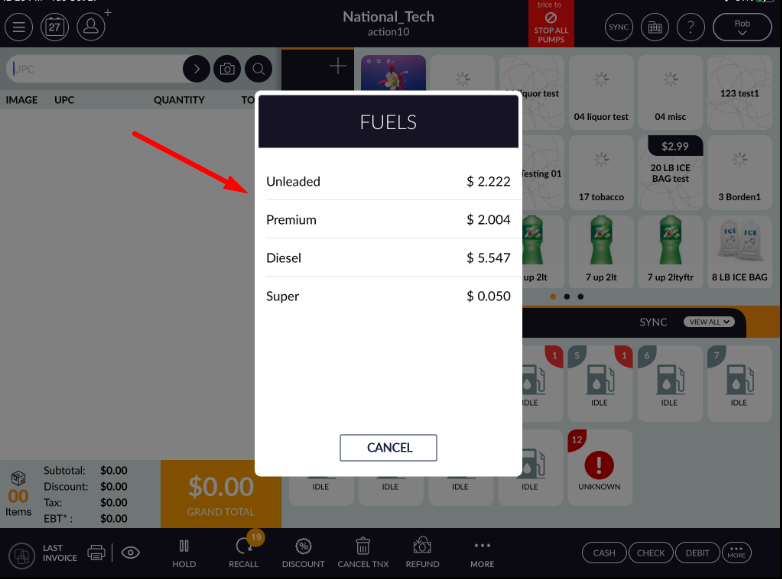
- Grade selection is for select grade at the time of fueling.
- If grade selection option is ON then one pop up is blink at the time of pay at pump and from there
you can select fuel grade.
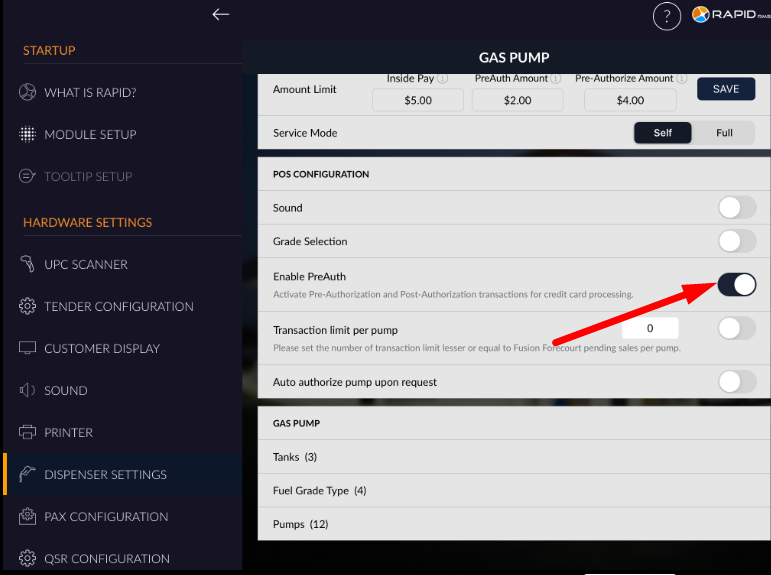
- When enable pre auth option ON that means it start activation for pre authorization and post authorization transaction for credit card.
- When this option ON then user can set auth amount in credit card and then according to fuel dispensing
value will capture.
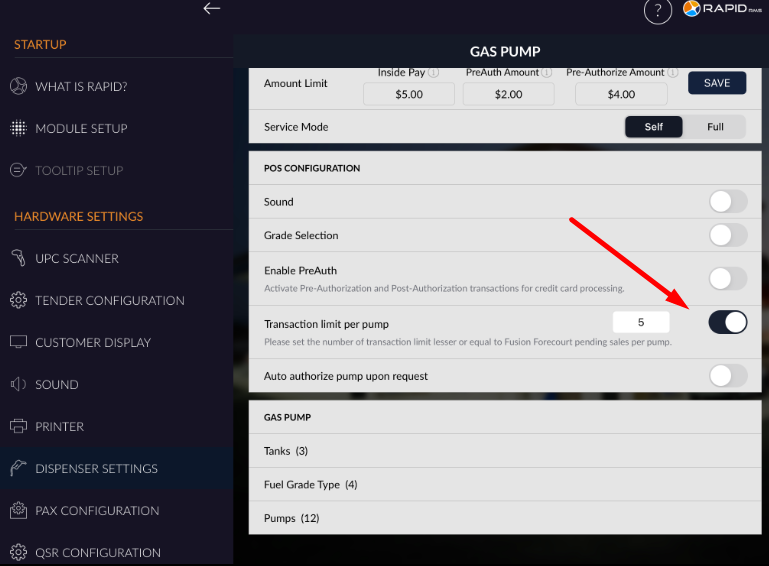
- When Transaction per limit option ON then for particular pump you can set transaction limit for pending payment.
- If transaction limit is set as 5 then on that pump more then 5 transaction can not be pending.
- When this option is ON then equal or up to that set limit pending transactions are allow to keep.
- When you set this limit then for every pump
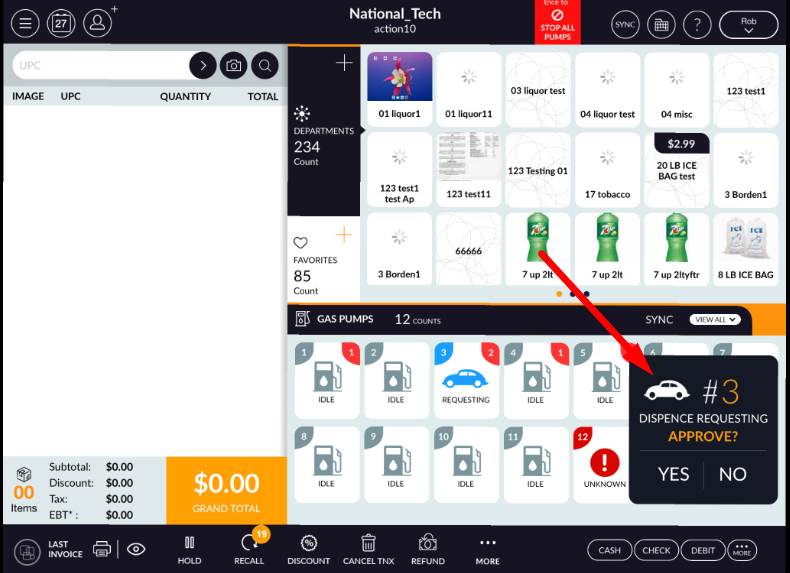
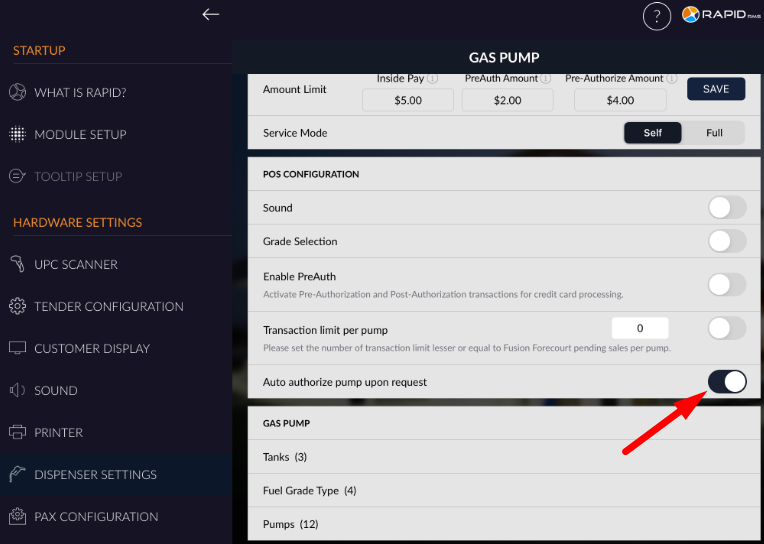
- There is one option available ‘auto authorization pump upon request’, When this option is ON and pump
is authorized and when select pump then in POS it will not asking for dispensing permission and start
fueling
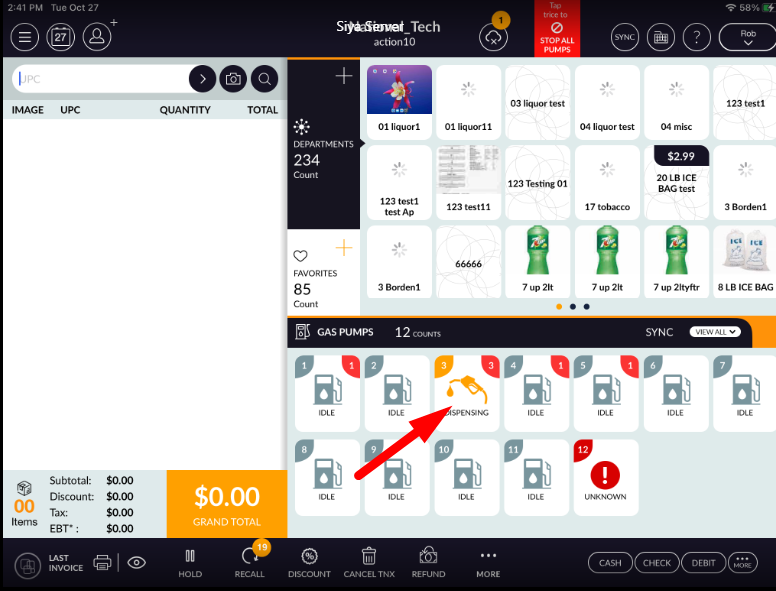
- And if option is enable then if select any pump then in POS it will ask for permission for start
fueling.