Support Document
 Support Document
How to set order status ?
In purchase order we need to set status of item at the time of order creation as according to we want to
order, return, free goods, swap etc.
- Go to rapid RMS application.
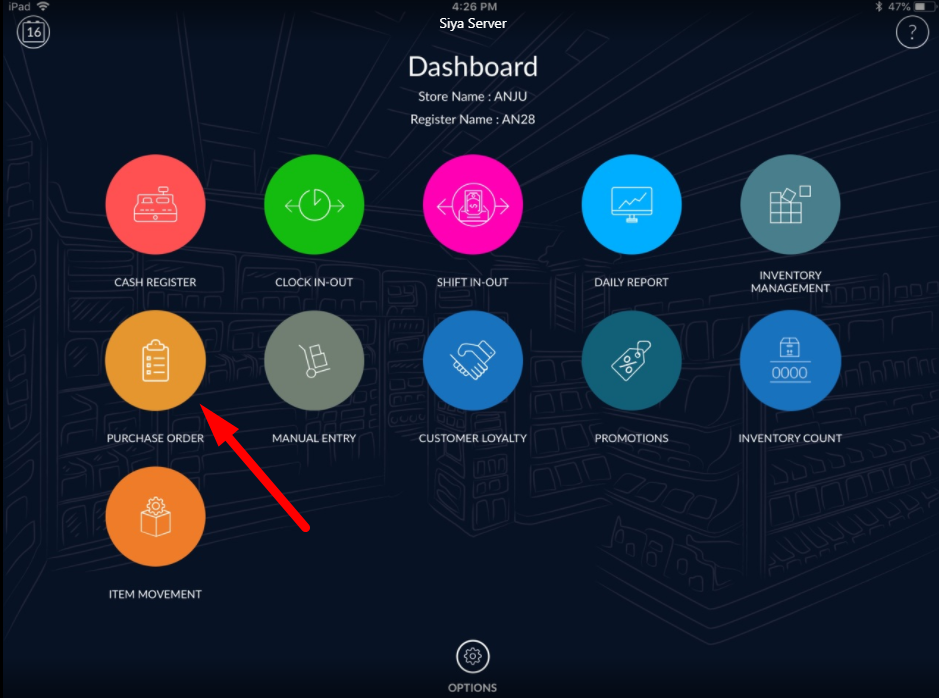
- Open purchase order module from the dashboard.
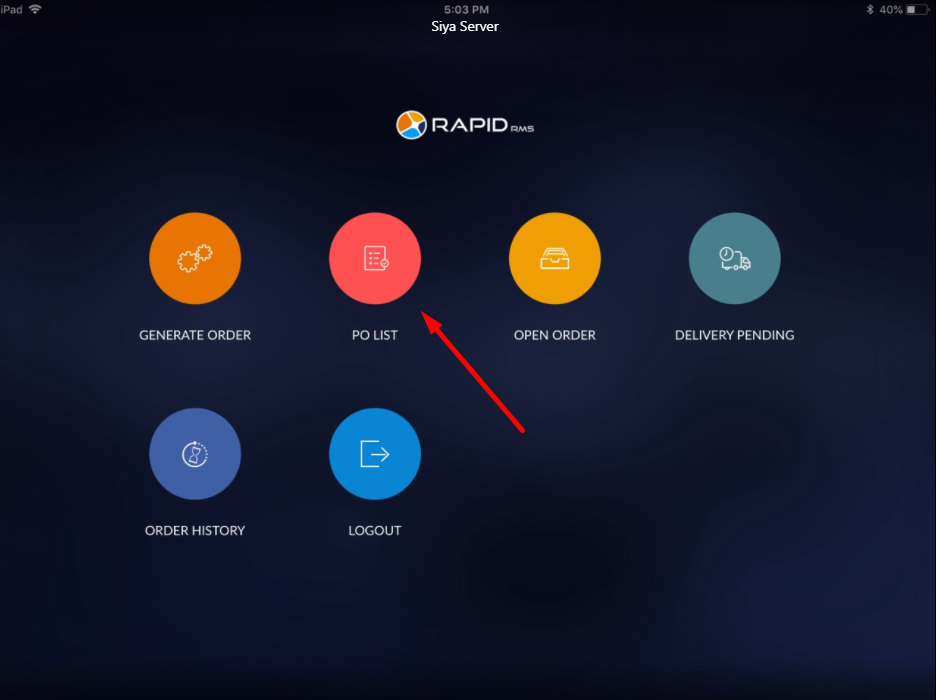
- Click on PO list.
- Add some items in PO list.
- In item detail there is one column name as status.
- Default it would display order.
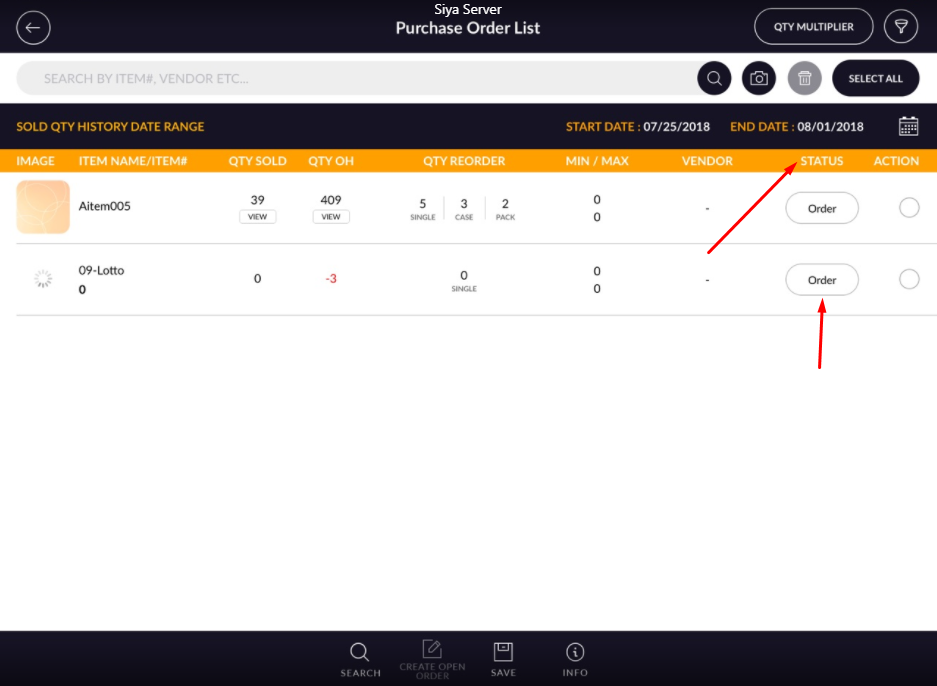
- Click on order.
- One pop up window will open with different status.
- At a time only one status can set in a particular item.
- Set any of status and apply done.
- As according to the status set item would behave in order.
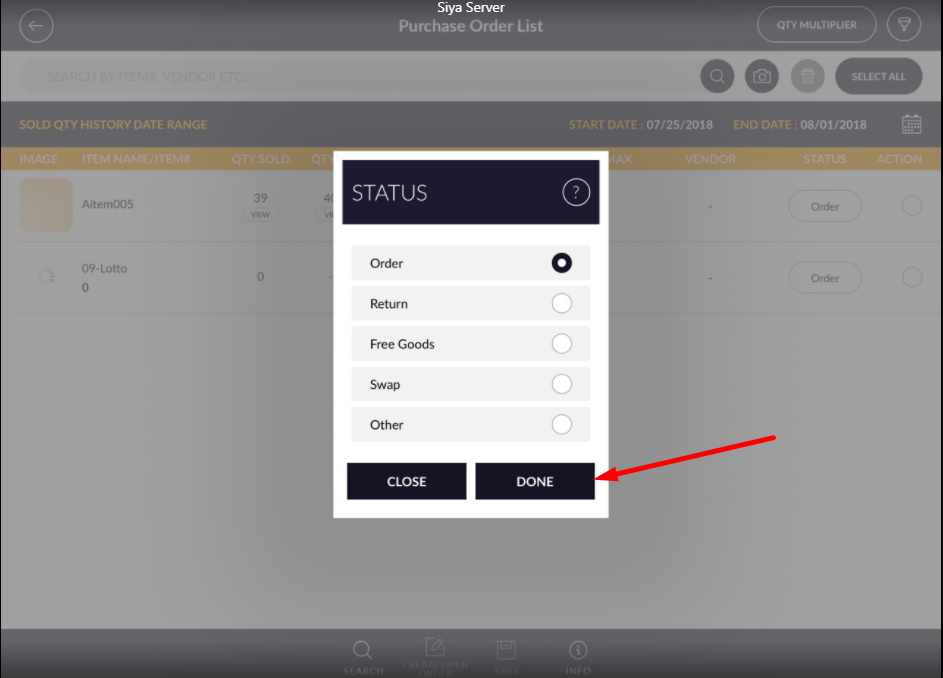
- Order: Item would set for receive.
- Return: Item would set for a return.
- Free goods: Item would free in order. Rather then PO list module order status can change from open order module.