Support Document
 Support Document
How to set memo for discount ?
When user want to add memo pop up for discount then it can be set from BOF.
Follow below procedure to set memo for discount.
Follow below procedure to set memo for discount.
- Log in with web URL.
- Go to setting tab.
- Select memo option.
- When memo open then many of ON/OFF switch display for different option./li>
- Review there is one option for discount.
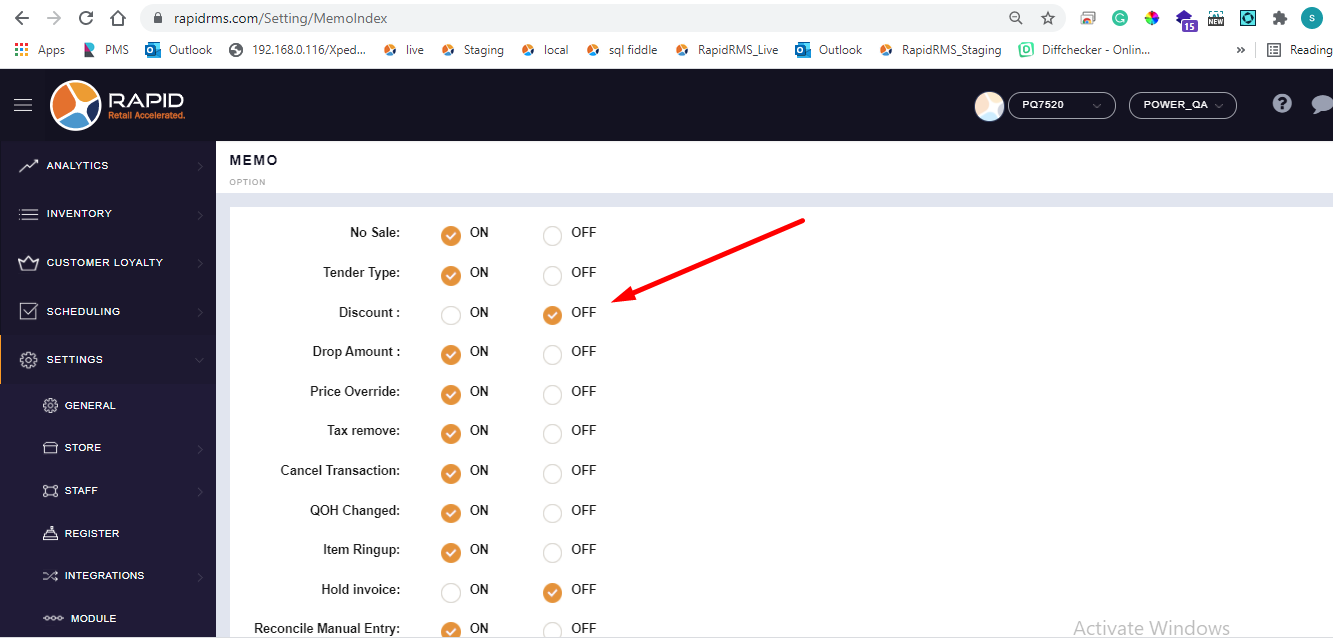
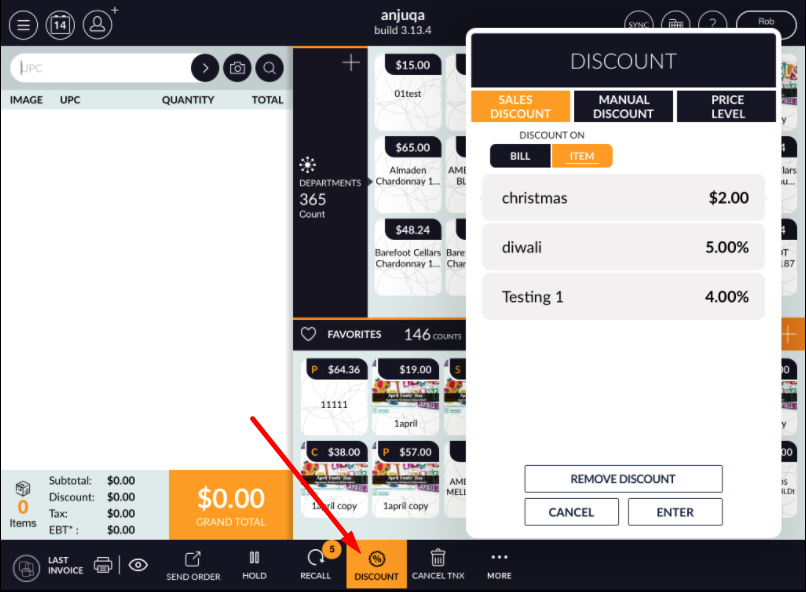
- When discount memo option off from BOF then in pos when give discount from discount then there is no
pop up for memo.
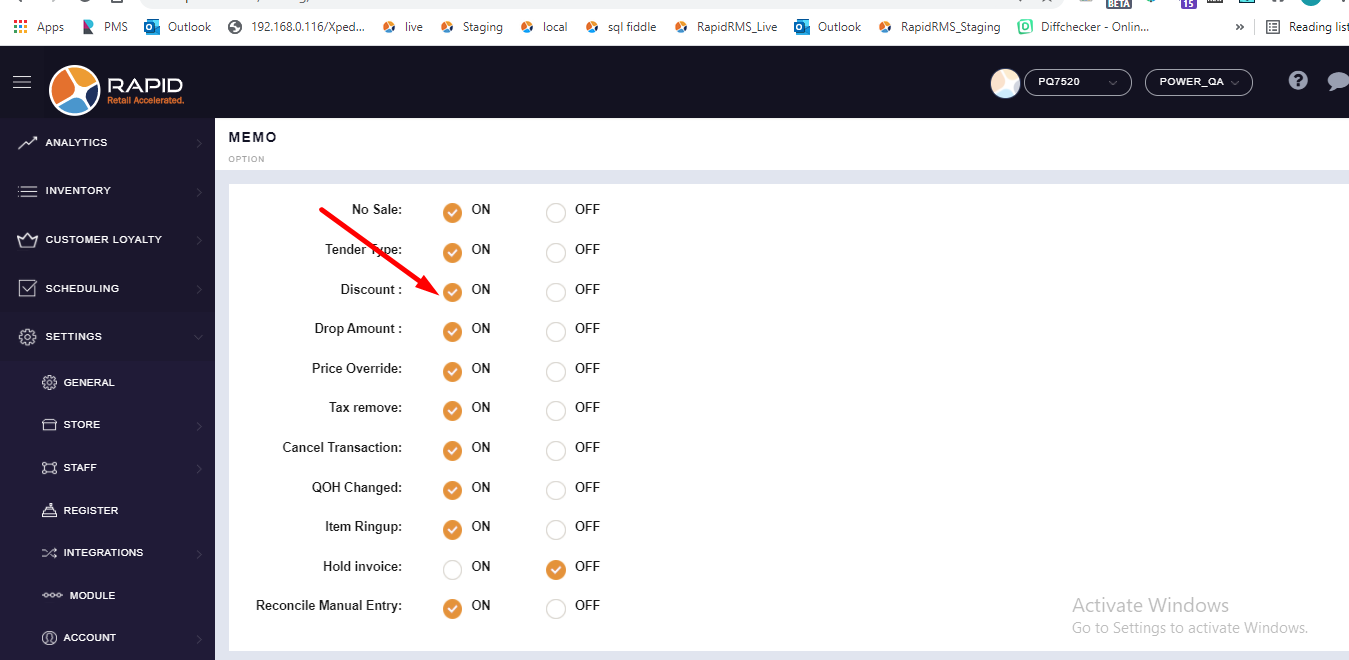
- Now from BOF , keep discount memo option ON.
- Now open application and open cash register.
- Apply discount on item.
- Click on discount pop up.
- When click on discount button then memo pop up dould open.
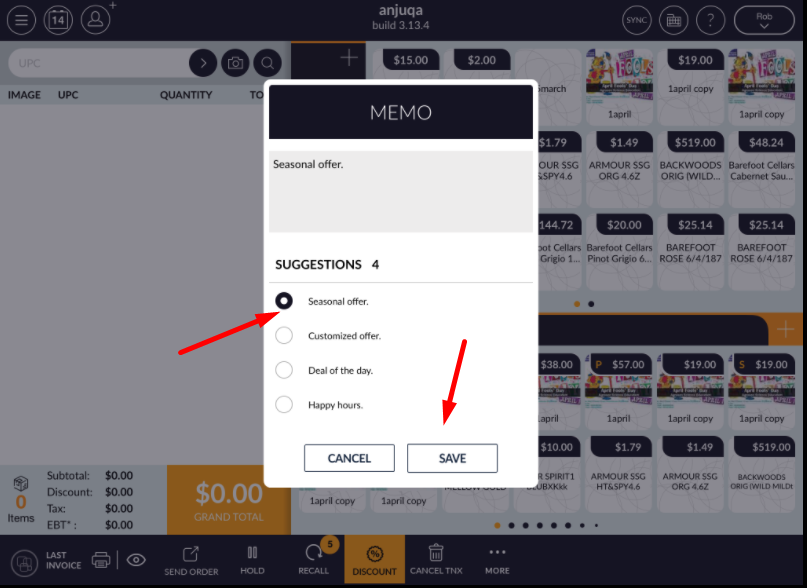
- Select proper memo text for discount.
- Click on save.
- Memo text would save in discount.