Support Document
 Support Document
How to set Item as food item ?
In inventory when item is food item then only modifier can be added at the time of ring up.
To set item as food item follow below procedure.
To set item as food item follow below procedure.
- Open inventory management module.
- Go to Item list.
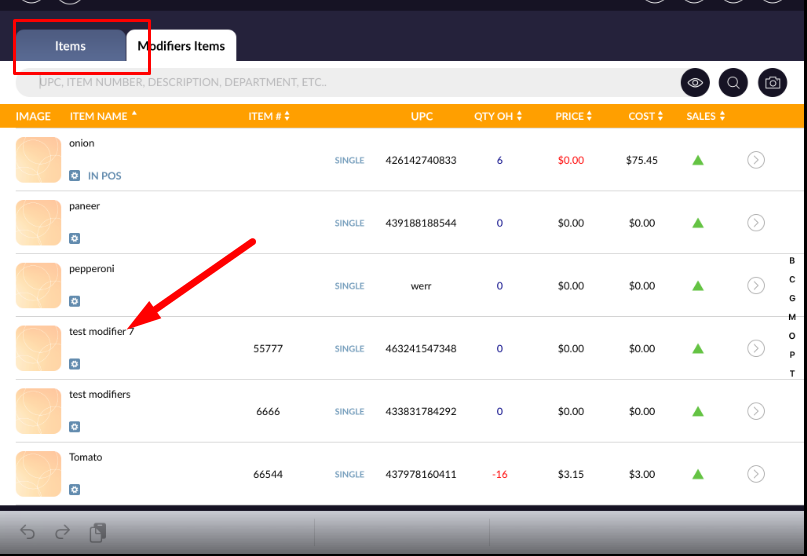
- Open any of item in edit mode.
- In option section there is one option named as “Is food item”.
- Default this option is OFF.
- Keep this option ON.
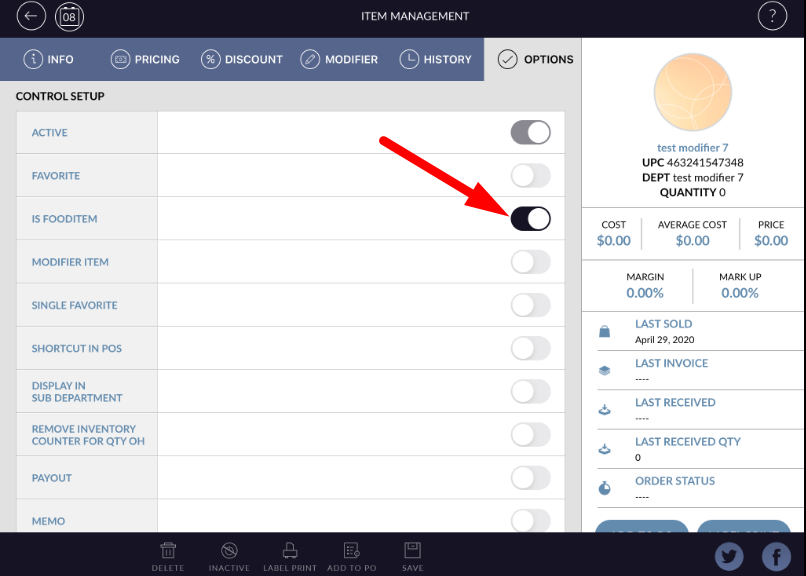
- When in any time if food item option is ON and in cash register ring up that item then modifier can be added into that item.