Support Document
 Support Document
How to set the Dashboard shortcut in RCR?
When want to go instantly from cash register in any other module then dashboard shortcut is there.
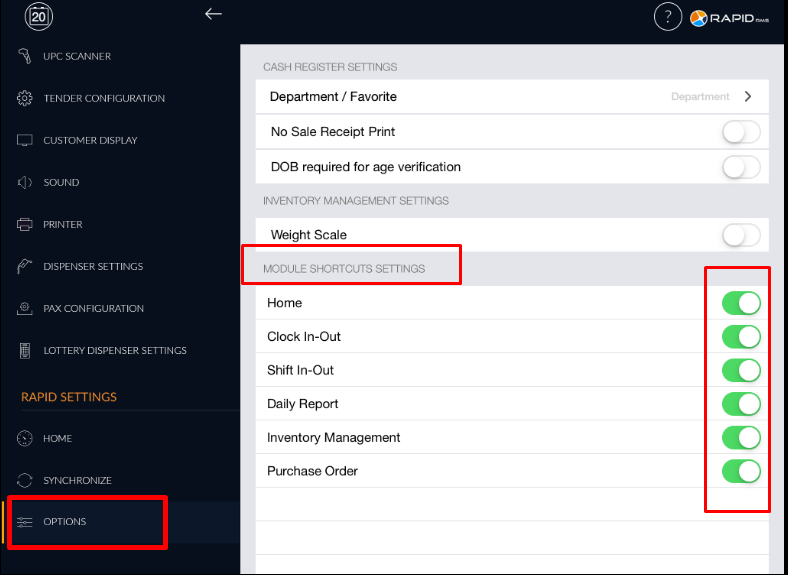
- Go to a setting module.
- Open “options”.
- There are module shortcut setting.
- Either Keep all option ON or keep option ON which you want to use as a shortcut in RCR.
- Now go to the cash register.
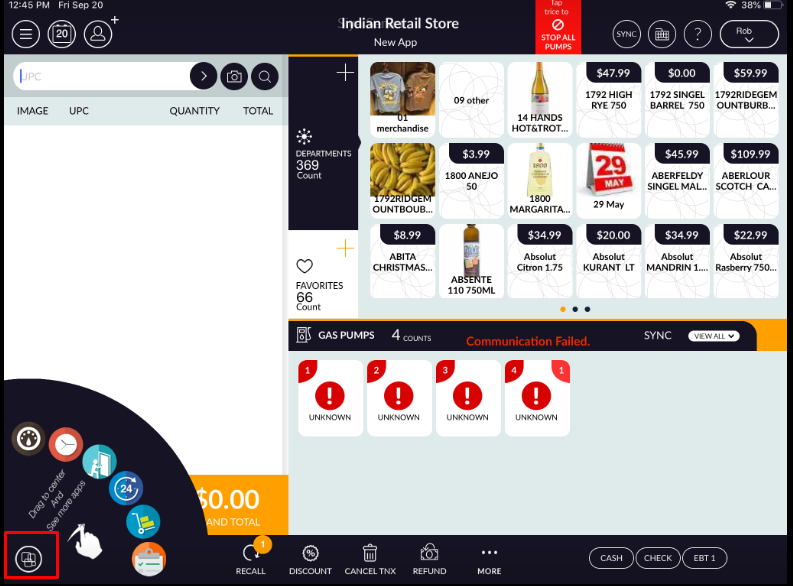
- In bottom bar left side there is one icon available.
- Click on that it will show all set module shortcut.
- By selecting that item you can directly move to that particular module.