Support Document
 Support Document
How to set credit limit for house charge ?
House charge is a payment type by which customer can buy items on credit. Abd store borrows that item to the
customer which after time customer need to pay.
The store can set credit limit for customers so the customer can buy that much limit through house charge.
I.e if the credit limit is set as 50$ and customer want to take an item of 55$ then it is not possible.
For set credit limit follow below step.
The store can set credit limit for customers so the customer can buy that much limit through house charge.
I.e if the credit limit is set as 50$ and customer want to take an item of 55$ then it is not possible.
For set credit limit follow below step.
- Open rapid RMS application.
- Go to the customer loyalty module.
- From a customer list, a view that customer for whom store want to set a credit limit.
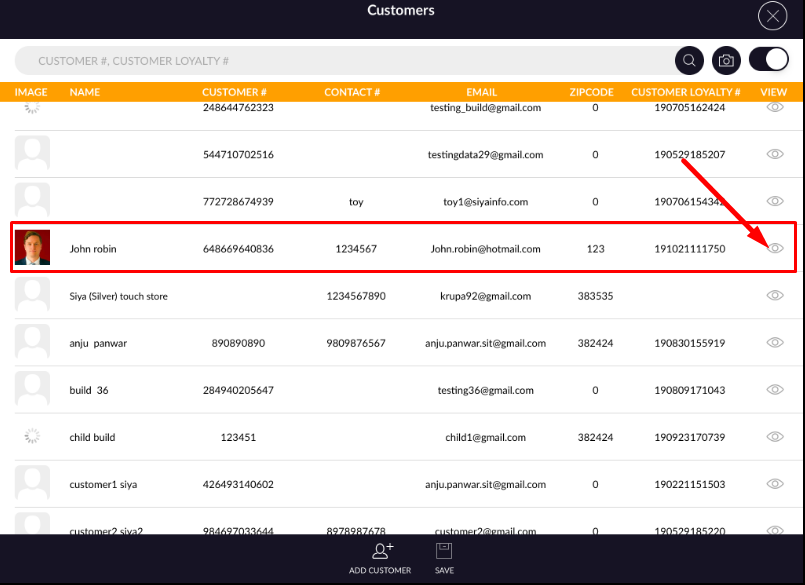
- From profile, tap to house charge tab.
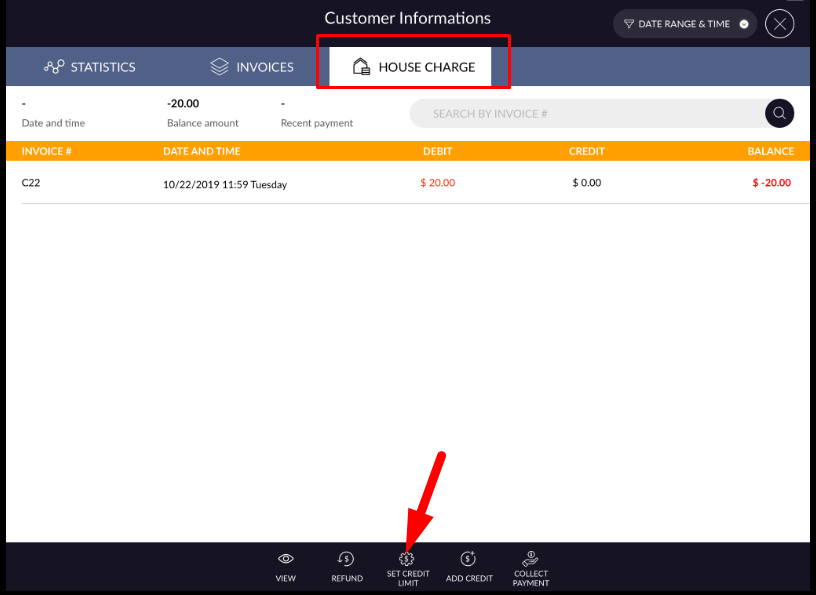
- The open set credit limit which is available at the bottom bar.
- One pop up will open.
- Enter Limit in that.
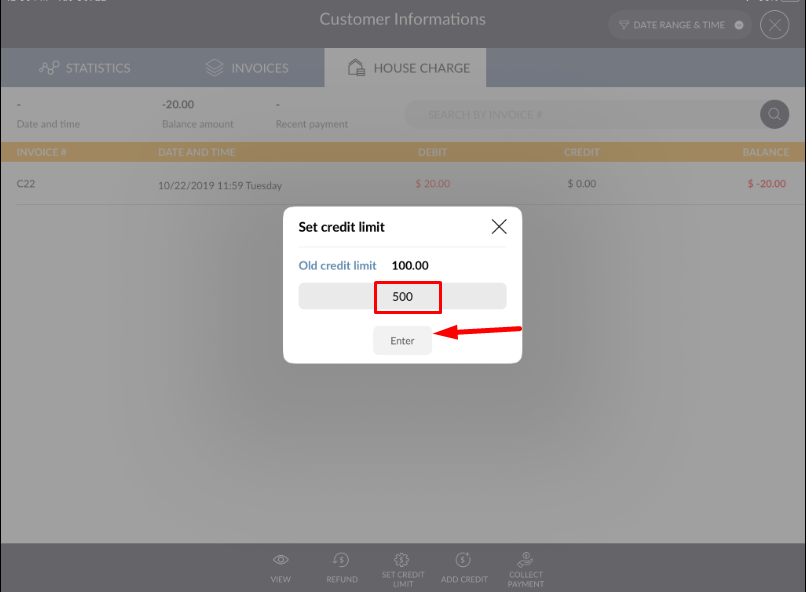
- Now user can purchase up to 500$ from house charge more than that he/she can not buy from house
charge.
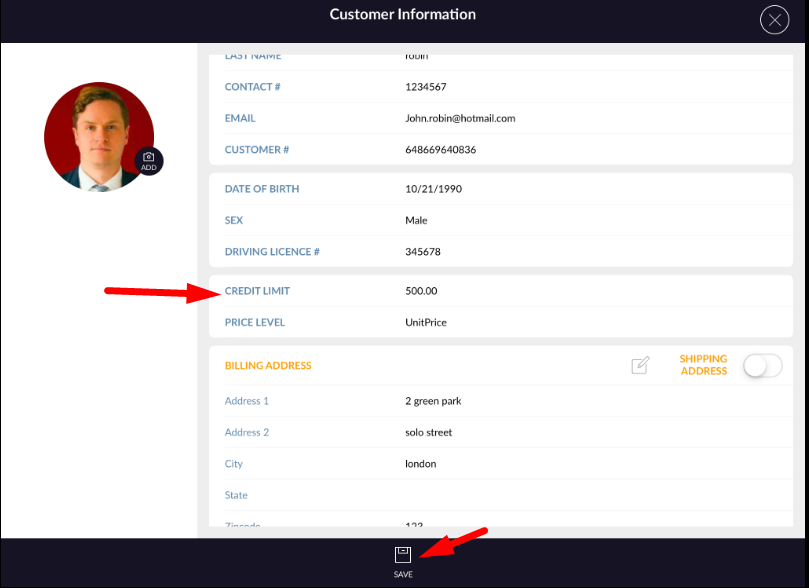
One another way to set credit limit is to add limit from customer profile by edit profile.