Support Document
 Support Document
How to set change due timer ?
Change due timer is for setting time duration after complete transaction how much change due to screen
display.
Change due timer can be set from the setting module.
Change due timer can be set from the setting module.
- Open rapid RMS application.
- Go to the setting module.
- Open tender configuration.
- There is one option change due to timer.
- Keep that option ON.
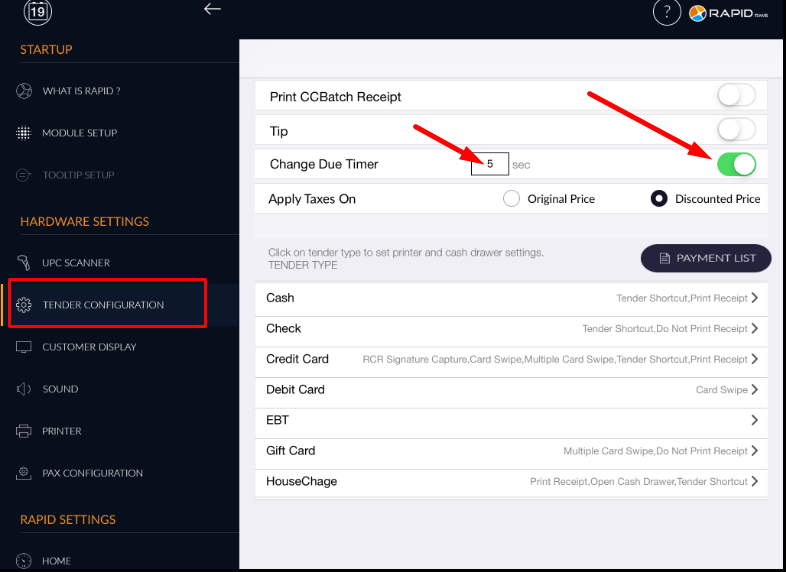
- There is one menu for set timing.
- How much time is set in change due to timer, in cash register after complete transaction change screen
display for that much time.