Support Document
 Support Document
How server type setting works in dispenser?
In RapidRMS setting there is one section for dispenser setting from where pump setting can be configure and
change according to requirement.
- Open rapid rms.
- Go to setting module.
- Click on dispenser setting.
- In that there is one section available for server type.
- In server type there should be two option available fusion and RapidOnSite.
- If fusion device is use for gas transaction then select fusion.
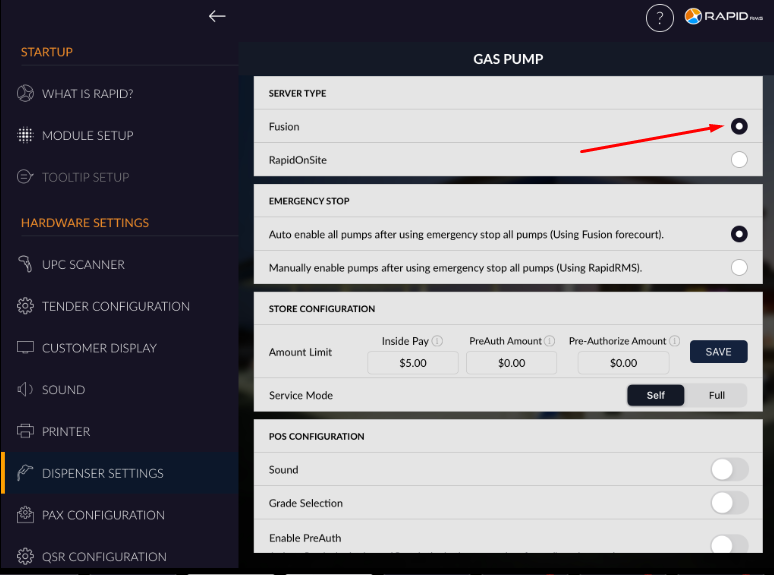
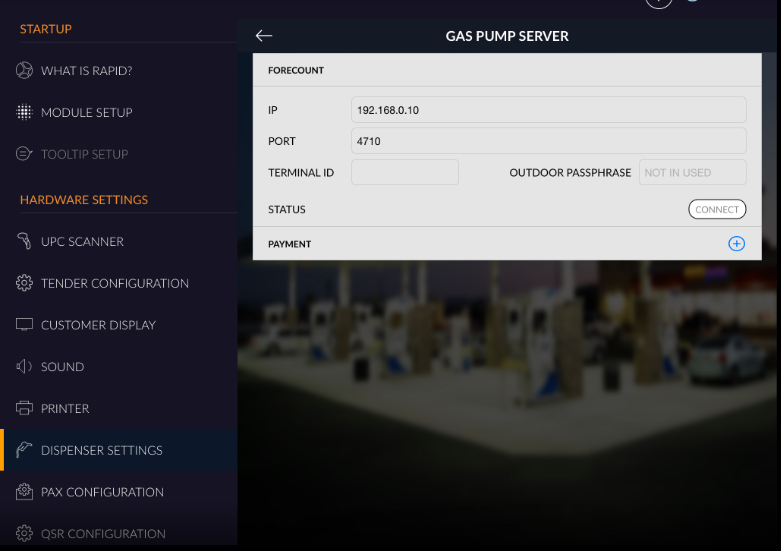
- If fusion is selected then there is one window for ip and port to connect rapidrms with fusion device.
- Enter IP and port address.
- Click on connect button.
- If fusion device is connected then fusion server is connected to rapidrms.
- If want to connect with paris On site then select rapidrmsonsite.
- Enter local URL and port address.
- Click on connect.
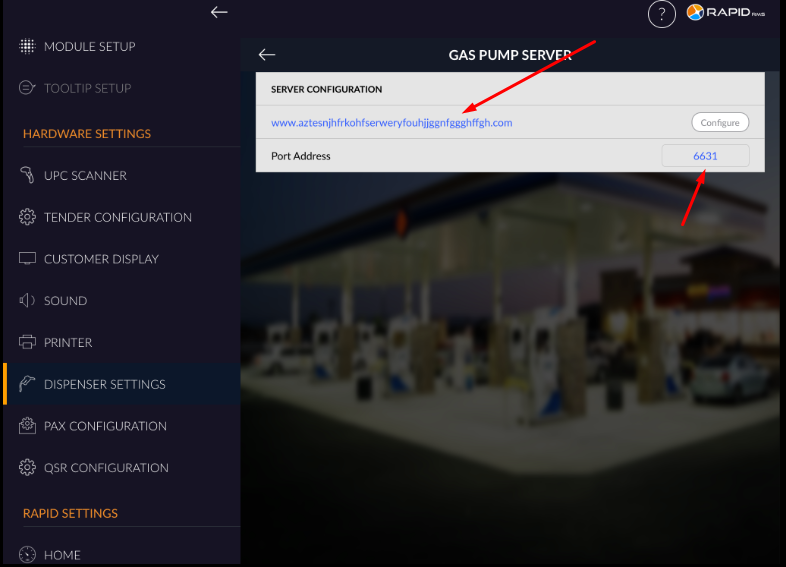
- By this way server can be connect with Rapid RMS gas system.