Support Document
 Support Document
How “SERVER OFFLINE SWITCH” work in POS?
What is Server Offline Switch ?
The Server Offline Switch in a POS (Point of Sale) system is a functionality that allows the system to continue operating even when the connection to the central server is lost or disrupted.
It serves as a failover mechanism to ensure uninterrupted service and transaction processing in case of server downtime or network issues.
What is Server Offline Switch ?
With the help of “Server Offline Switch”, RapidRMS supports Cash Register (RCR) module working in offline mode. Rest of the modules work only in online mode.
When App goes in offline mode, only following icons are available in Dashboard:
Please follow the below steps:-
The Server Offline Switch in a POS (Point of Sale) system is a functionality that allows the system to continue operating even when the connection to the central server is lost or disrupted.
It serves as a failover mechanism to ensure uninterrupted service and transaction processing in case of server downtime or network issues.
What is Server Offline Switch ?
With the help of “Server Offline Switch”, RapidRMS supports Cash Register (RCR) module working in offline mode. Rest of the modules work only in online mode.
When App goes in offline mode, only following icons are available in Dashboard:
- Cash Register
- Select inventory management from the Dashboard.
- • Retail
- • Petro
- Clock-In/Out
- Sign-In/Out
- Settings
Please follow the below steps:-
-
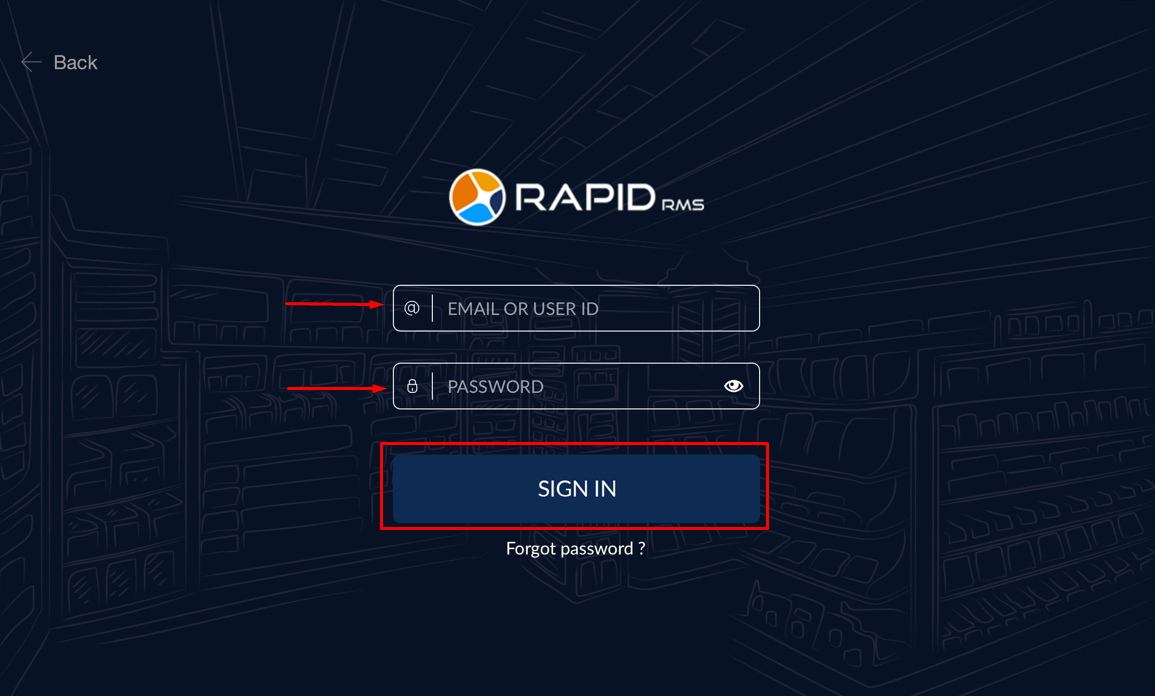
Login to RapidRMS Application with your credentials.
- • Enter your Email OR User ID.
- • Enter your Password.
- • Click on SIGN IN button.
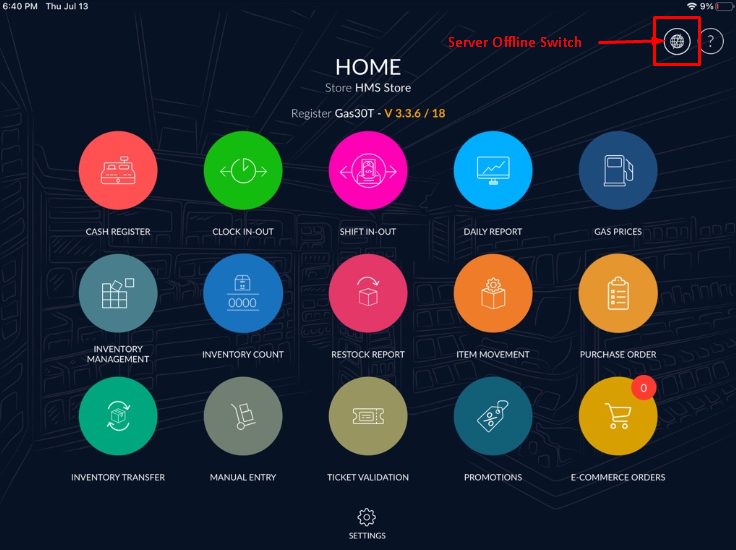
- In Rightside upper corner, you will find “SERVER OFFLINE SWITCH”. Click on it.
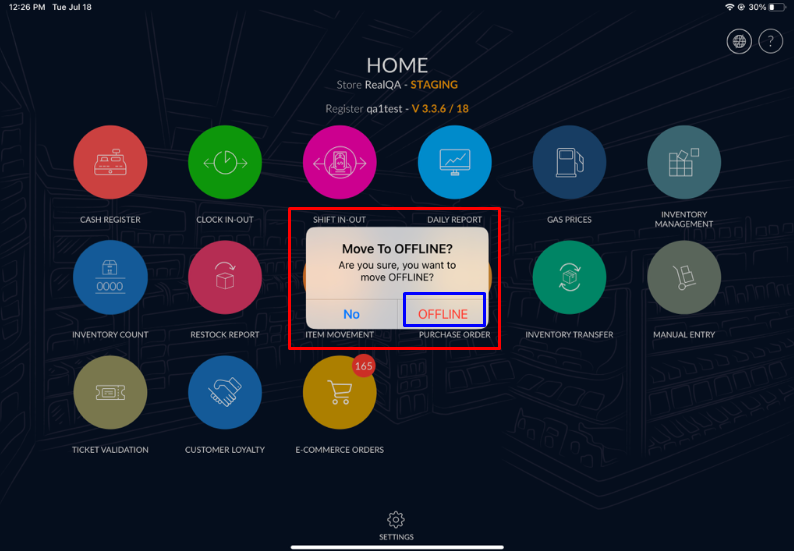
- Once you click on “Server Offline Switch”, it will give you popup message for
confirmation.
Please click on “OFFLINE” button.
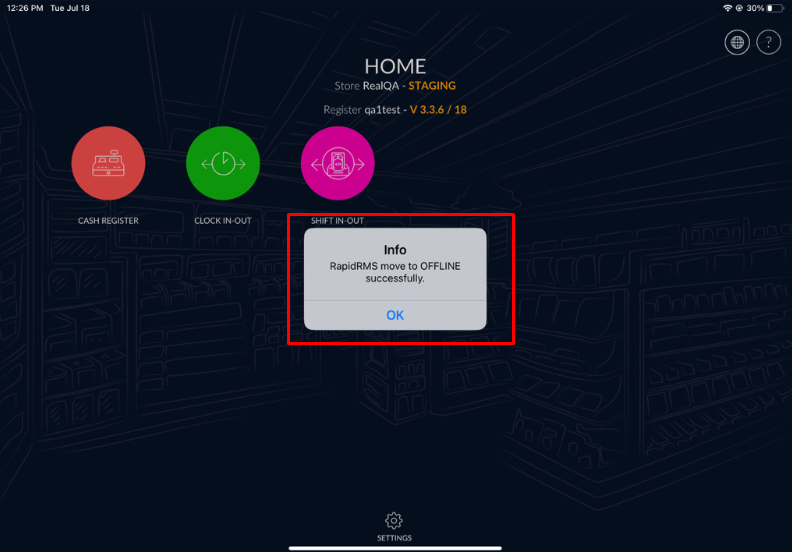
- Once you click on “OFFLINE” button then RapidRMS move to OFFLINE
mode with successfully popup message.