Support Document
 Support Document
How to ring up the item in the bill?
In bill ring, up the screen all items which need to sale ring up from different places via department list,
favourites and item list etc.
In Dashboard, Select Cash Register module and enter 4 digits quick access.
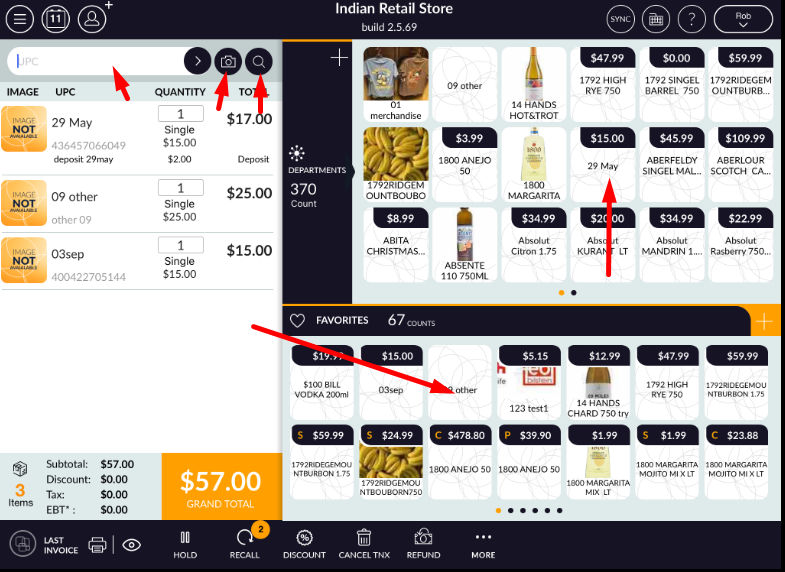
In POS, screen user can ring up items from a different way.
In Dashboard, Select Cash Register module and enter 4 digits quick access.
In POS, screen user can ring up items from a different way.
- Department List -> Select items from department list.
- Select items from the favourites list.
- To ring up an item, you can scan the item with your scanner.
- Ring up an item from the item list.
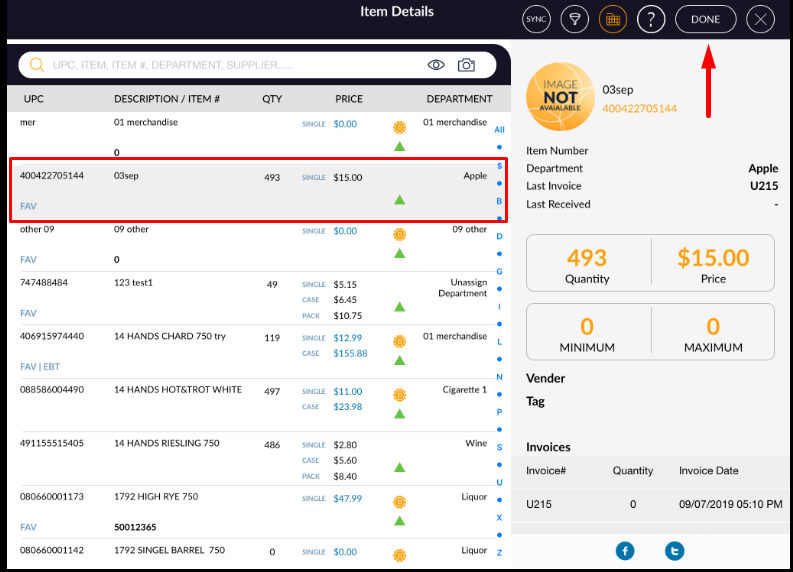
- In the ring up screen click on item list icon.
- Select those items which you want to ring up.
Click on Done button.
Now popup appears for package type (Single Item, Case, Pack ).
Select any one type and click on the Save button.
Observe, selected items appear in ring up the screen.