Support Document
 Support Document
How to review ZZ history from manager report?
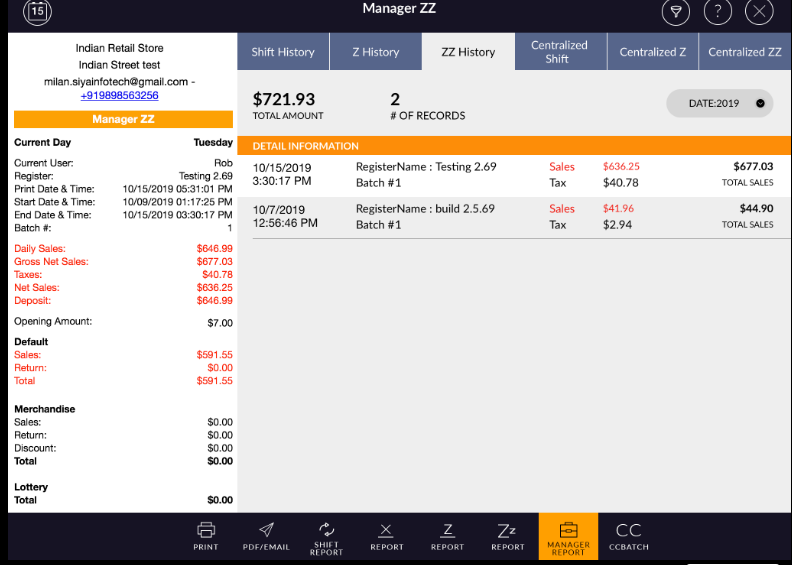
In ZZ history all the ZZ reports which are applied by different register will display with related data.
- Open rapid RMS application.
- Go to daily report.
- Open manager report.
- Tap to ZZ history which is placed in the third column.
- Generally, ZZ is applied once a month.
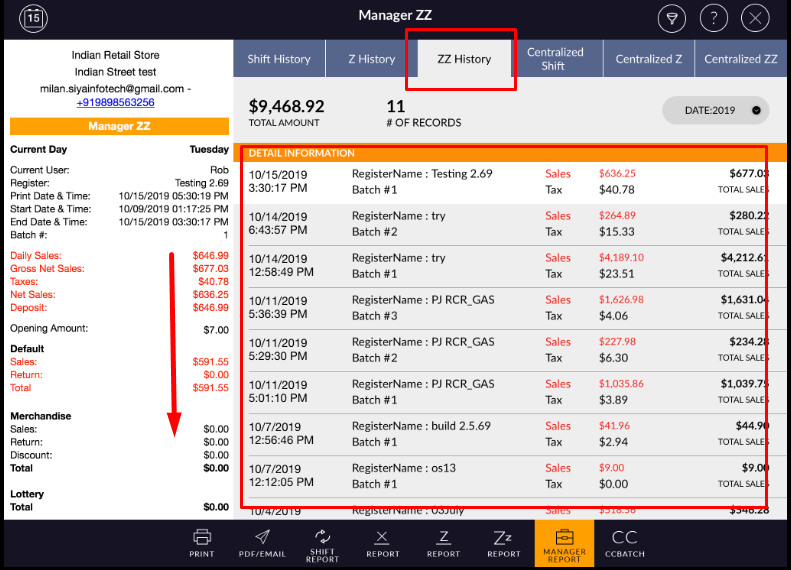
- In ZZ history all applied ZZ reports display.
- In right-side, all Z are listed with ZZ applied to date, register name, batch #, Sales amount, tax
amount and with total sales amount.
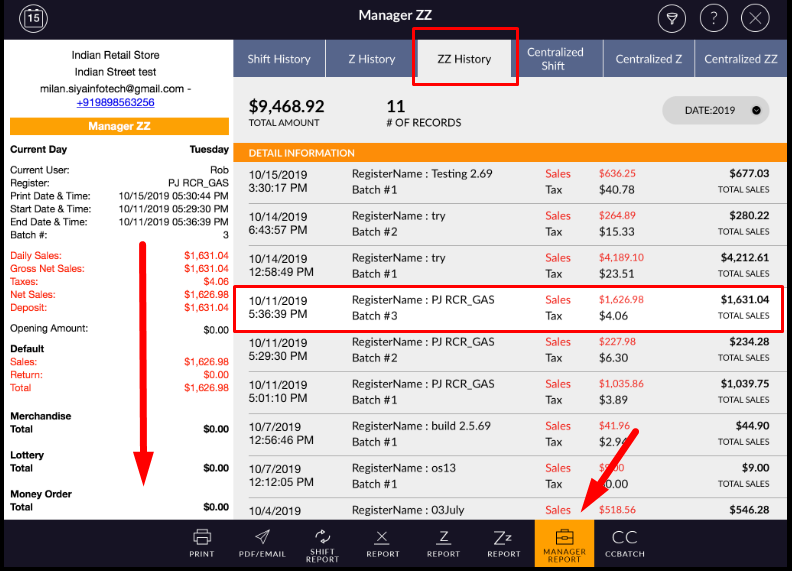
- Whichever ZZ report you select, in left side all detail information of that particular report will display.
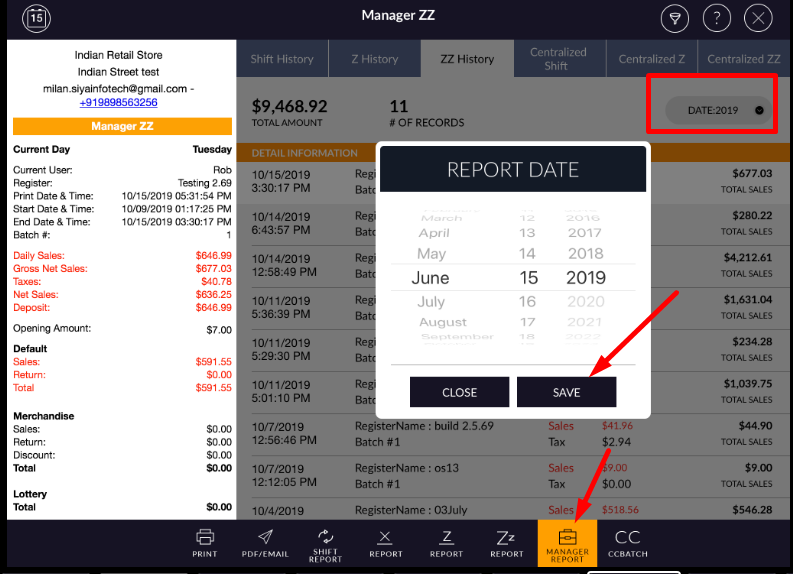
- If you want to see another month ZZ report then there is one menu named as a date.
- Select month and year in the scrollbar.
- And apply to save.
- Selected month ZZ will display in the list.
- In ZZ history all the ZZ reports are listed but if you want to review particular register’s ZZ then you can filter by the register.
- Apply filter.
- Select register.
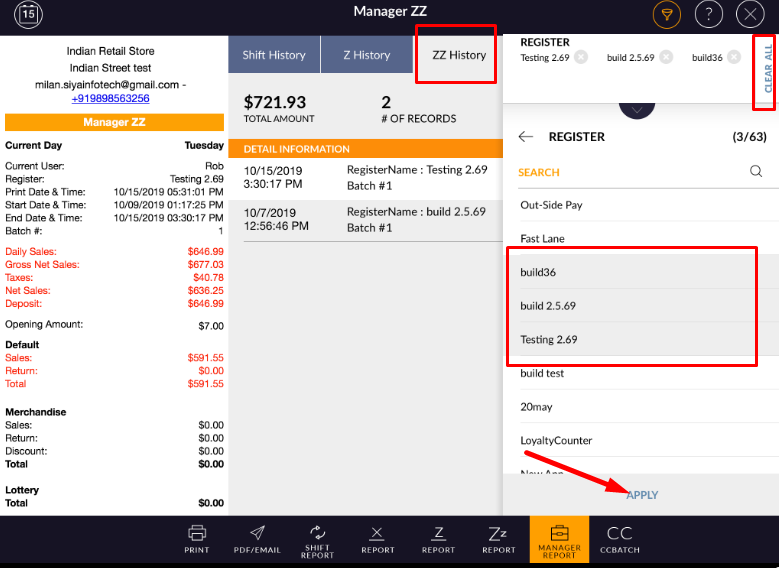
- Selected registered ZZ report would display.
- Register filter will remove from clear all option.