Support Document
 Support Document
How to review centralized Z from manager report?
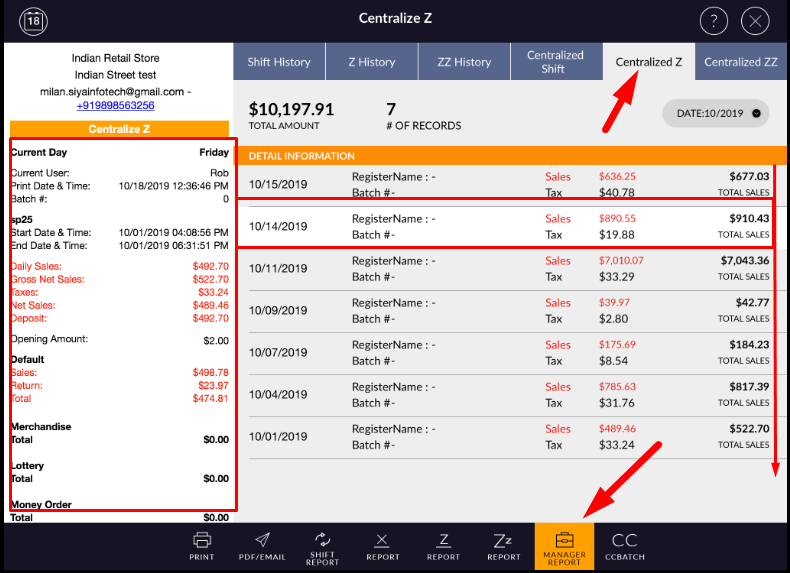
In the daily report, centralized Z is the reporting section for all applied Z.
In centralized Z report, entries are displayed according to all z applied.
Day wise one entry is a display and in that one entry, all the Z which are applied would display.
In centralized Z report, entries are displayed according to all z applied.
Day wise one entry is a display and in that one entry, all the Z which are applied would display.
- Open rapid RMS application
- Go to the manager report.
- Open centralized Z.
- All the Z report entry display day-wise when the last Z applied. In one entry all the z applied
display according to register wise.
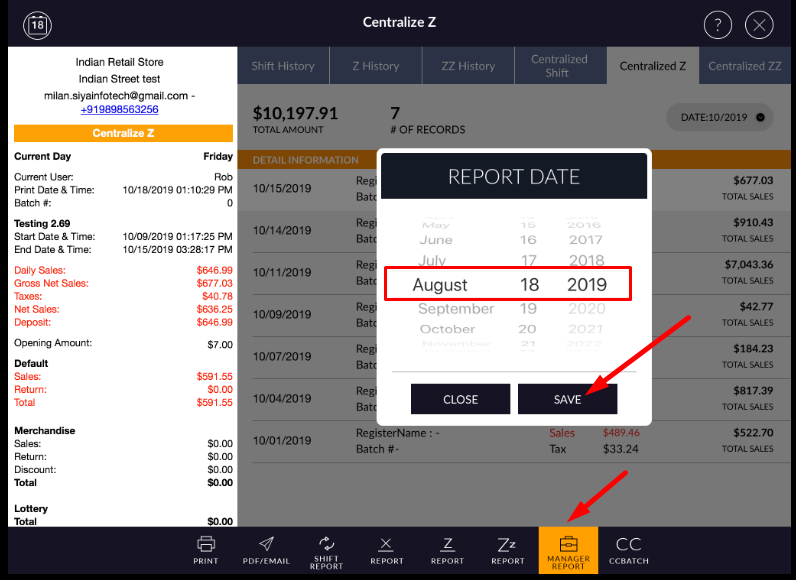
- If you want to view previous month Z history then you can do by date filter.
- In centralize Z it will not filter by date its only filter by month.
- In centralized z you can view register wise history.
- Tap on any z report.
- There is a two-section display.
- History and custom.
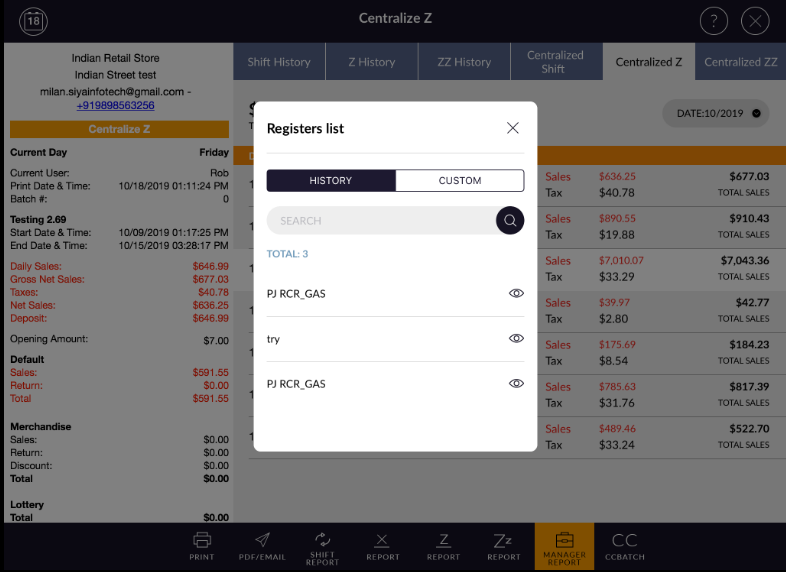
- In history all viewed history display according to register.
- In custom you can select different register and can view z history of applied z by that register.
- Select custom.
- It will display all the registers by which z applied.
- Select some register.
- Apply done.
- Combined register total data will display and that history will be added to the viewed history list.
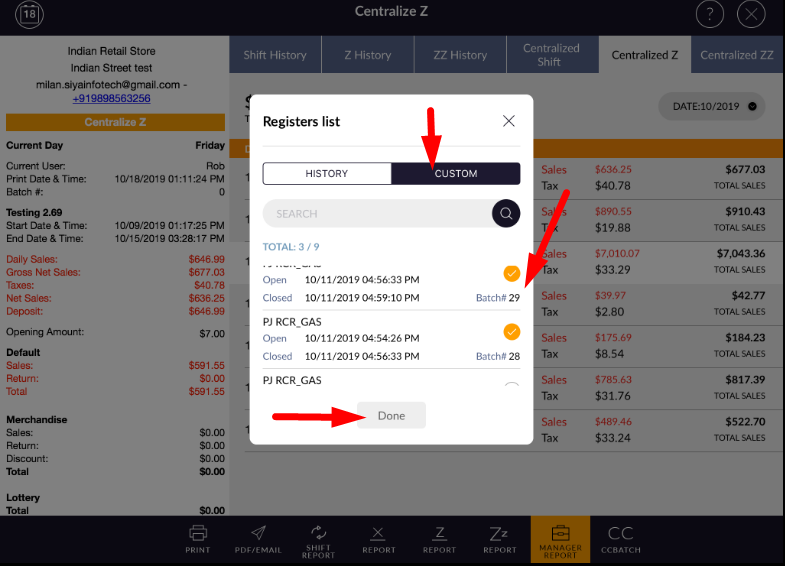
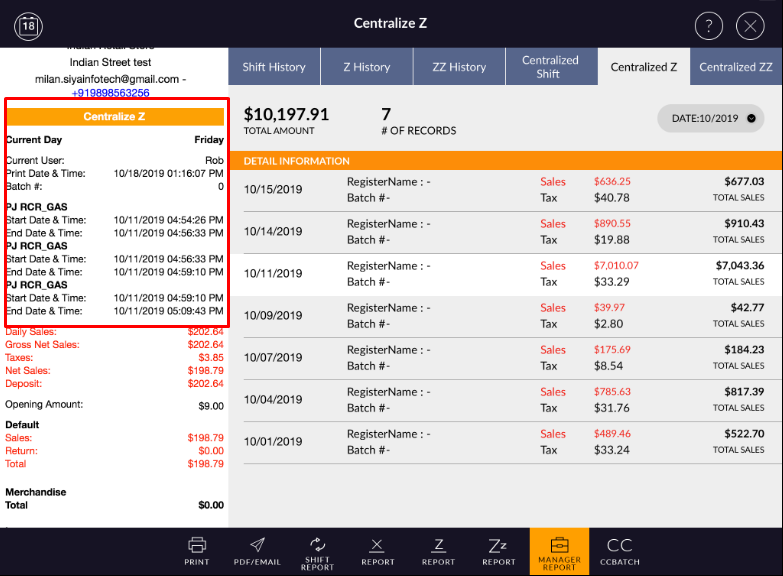
- And in z report selected register combined z report data display.