Support Document
 Support Document
How to review CC batch?
All credit, debit and EBT transactions listed in cc batch.
- Open rapid RMS application.
- Go to daily report module.
- Open CC batch.
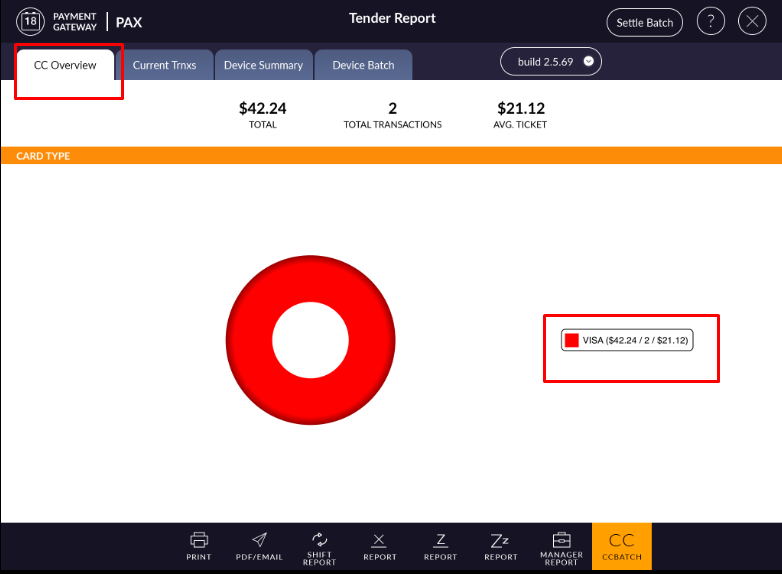
- In cc overview graphical representation display of all transaction with a total number of transactions
and total transaction amount.
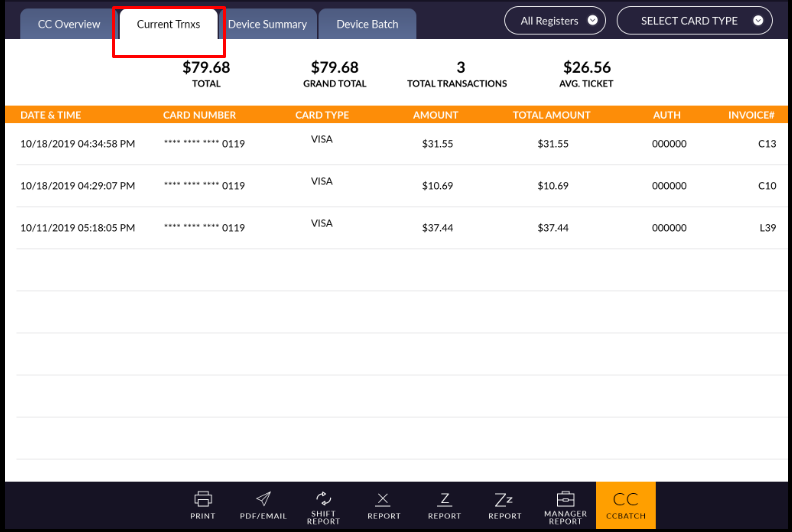
- In current transaction all the transactions of the current device and all register will listed with
date & time, card number, type, total amount and invoice number.
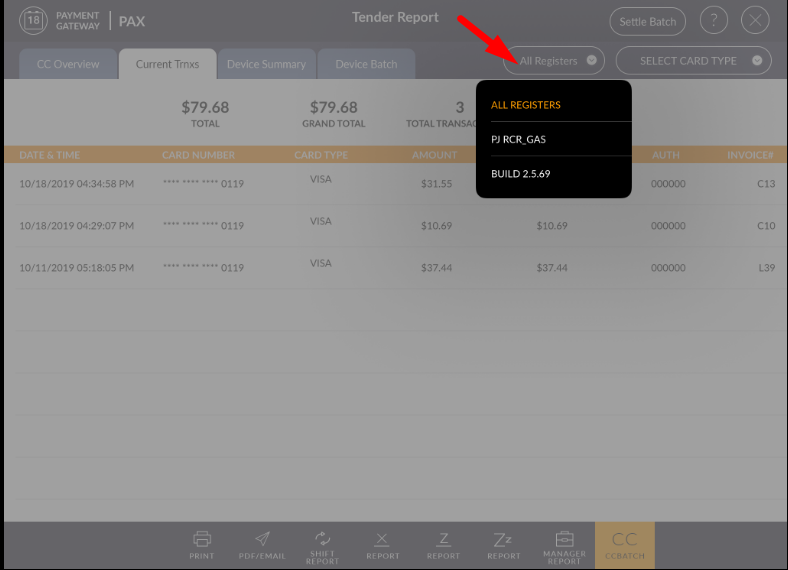
- If you want to filter data register wise then you can filter it by register filter.
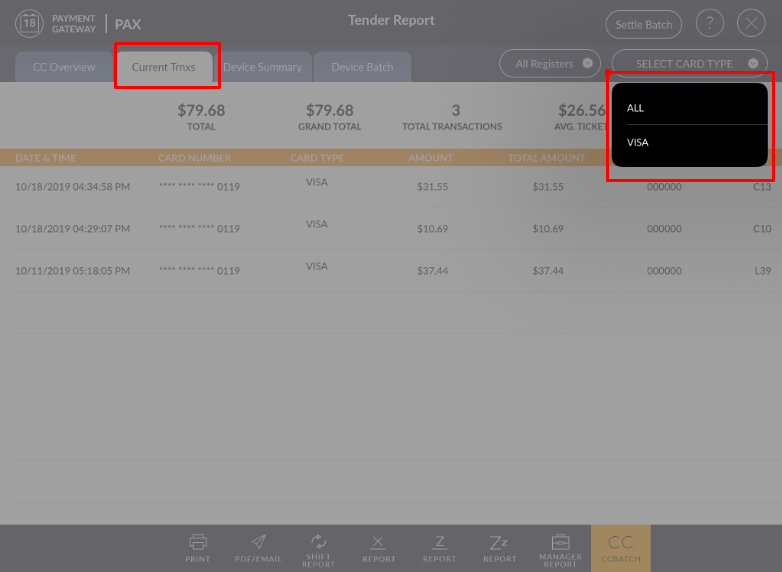
- From card type also you can search transaction.
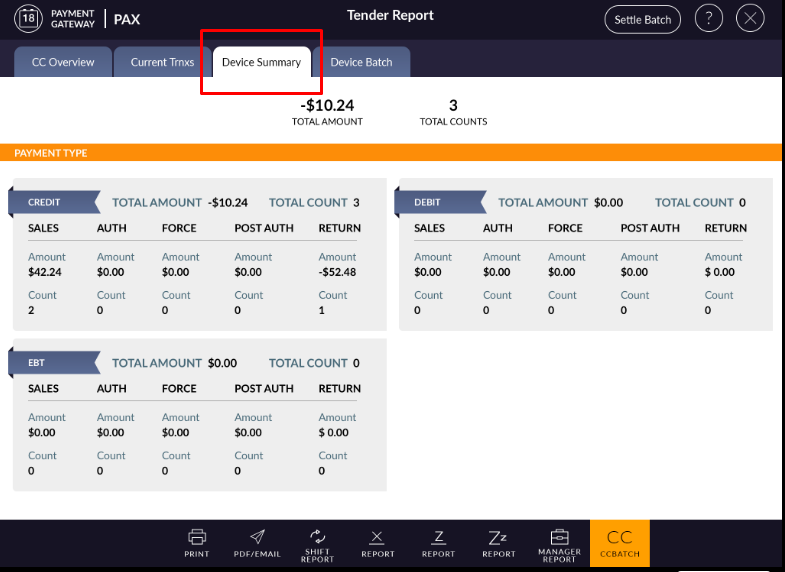
- In device summary, all the transactions of credit, debit and EBT would display after settle batch.
- When a batch is settled then all entries removed.
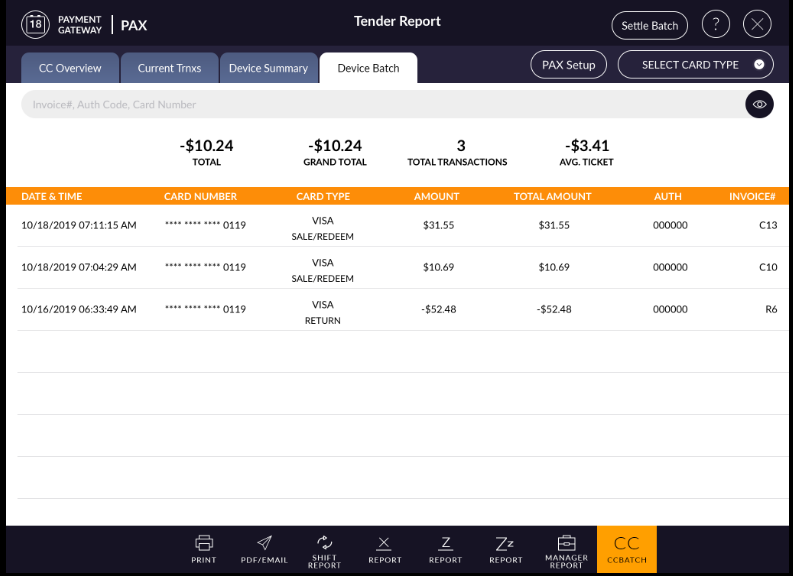
- In device batch, all cars transactions display with date & time, card number, amount and invoice number.
- The transaction can be filtered by card type and also can be searched by invoice#, Auth Code and card number.