Support Document
 Support Document
How to restock item from restocking history ?
In sales history, all the items that are sold are displayed.
In restocking all the items which are restocked from sales history will display, But after restock items will remove from restocking history also.
In restocking all the items which are restocked from sales history will display, But after restock items will remove from restocking history also.
- Open rapid rms application.
- Go to restock report module.
- Open restocking history.
- Selected items which you want to remove from the list and already add to stock.
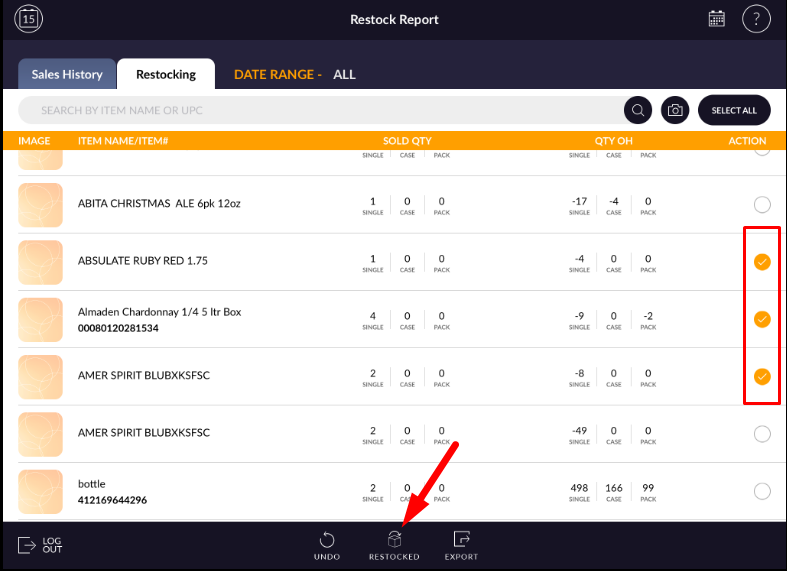
- Apply option restocked.
- Without the selection of an item, the restocked icon won't be enabled.
- Items will be removed from the list.
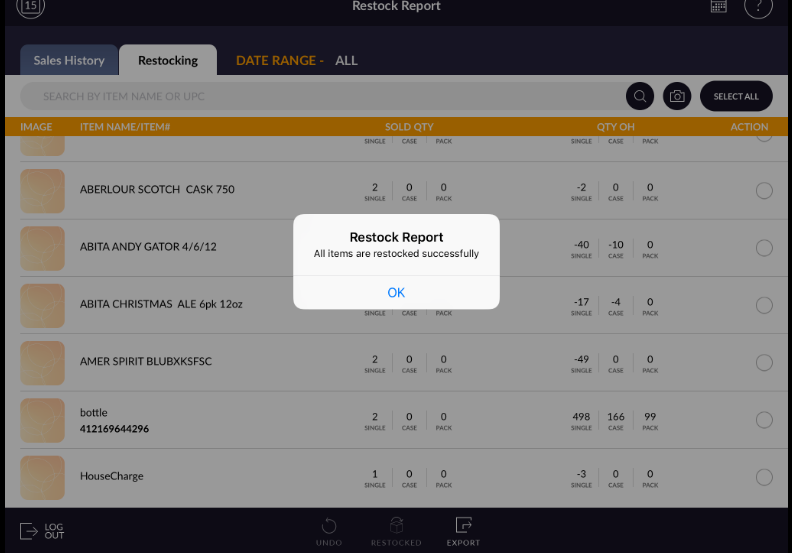
Note: If item will again sell then it will be listed in sales history and the whole process goes further.