Support Document
 Support Document
How to restart the iPad?
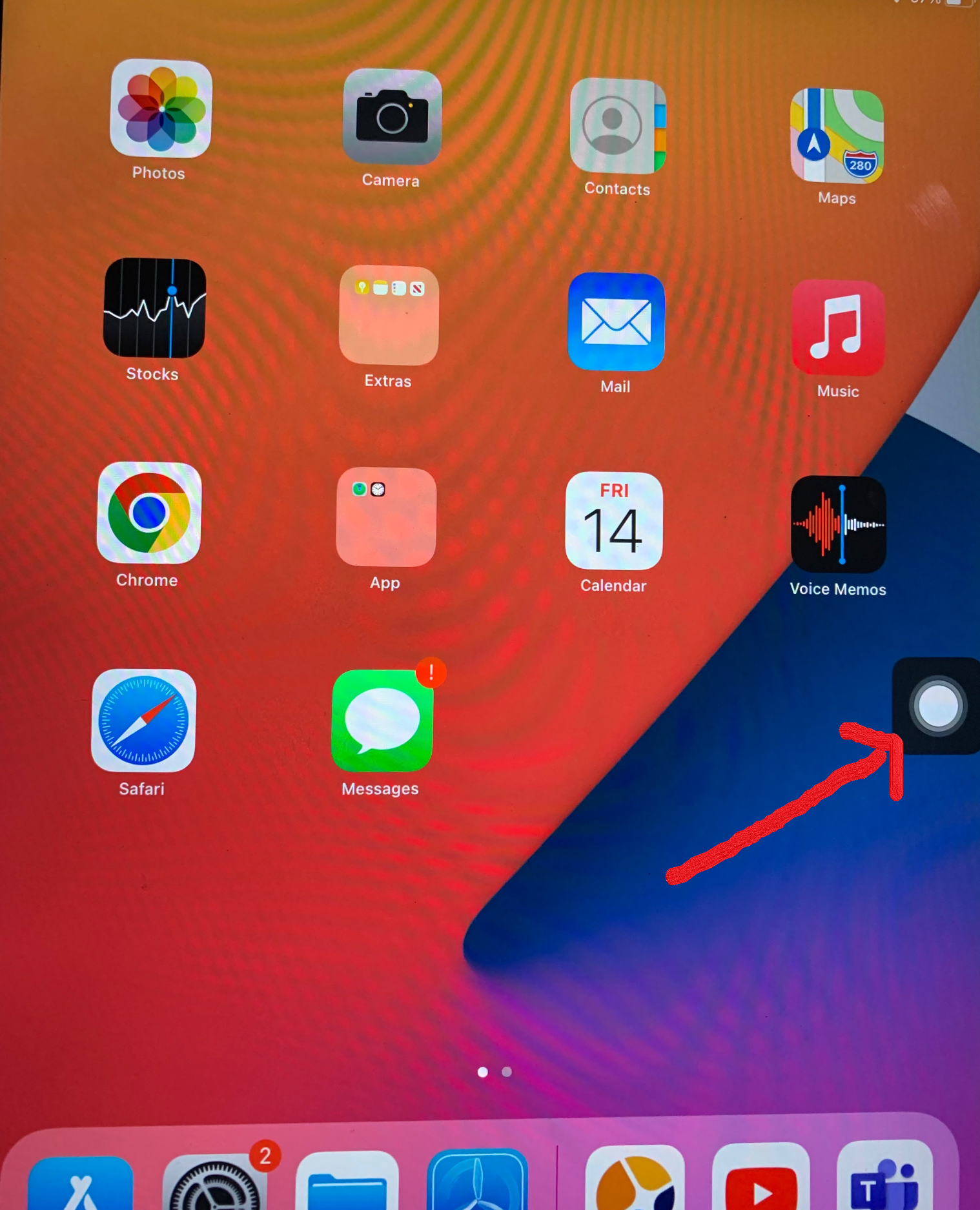
- Click on the “Switch Control” icon on iPad.
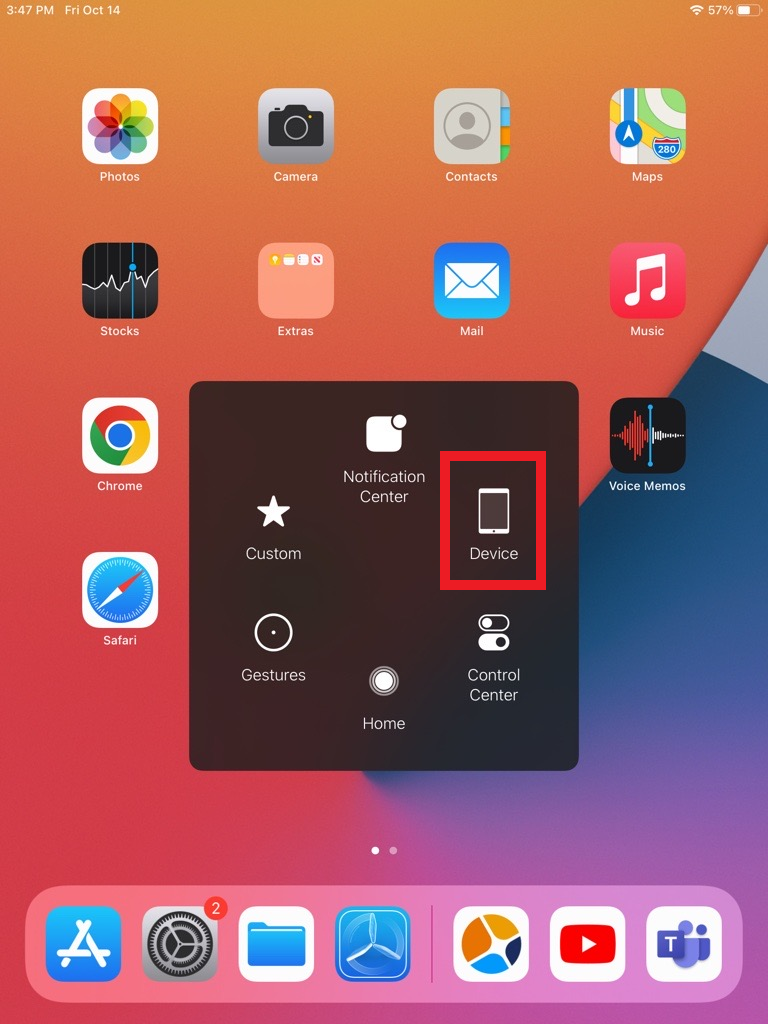
- After clicking on switch control, you will find the “Device” option.
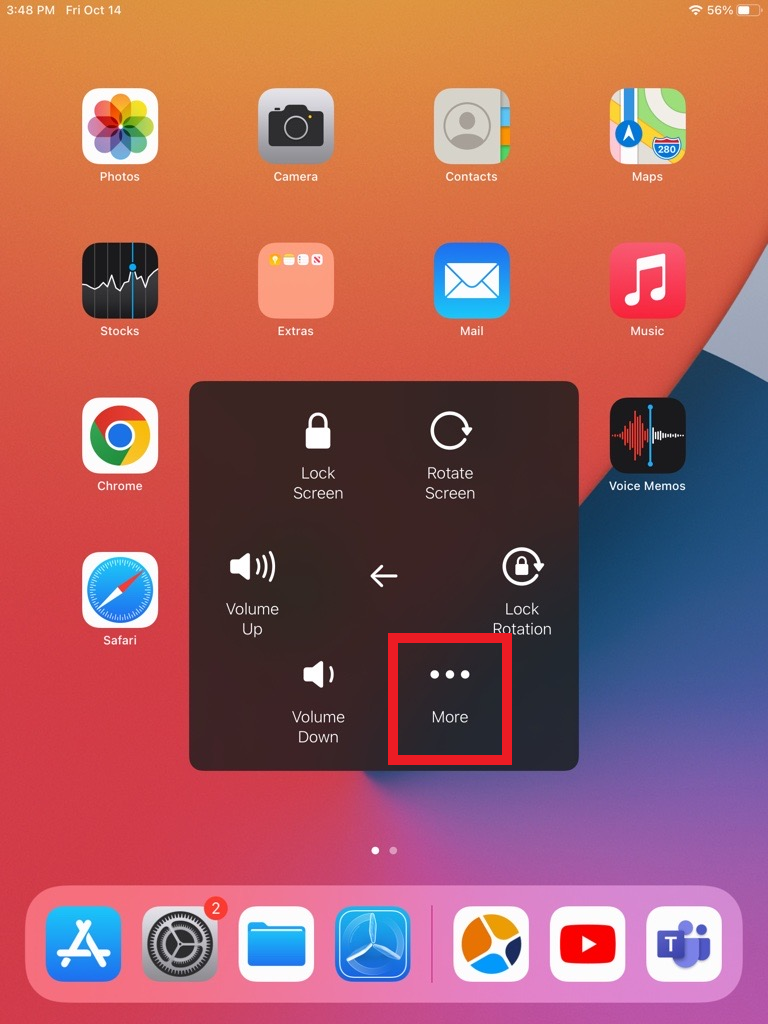
- After clicking on the device, you will find the “More” option.
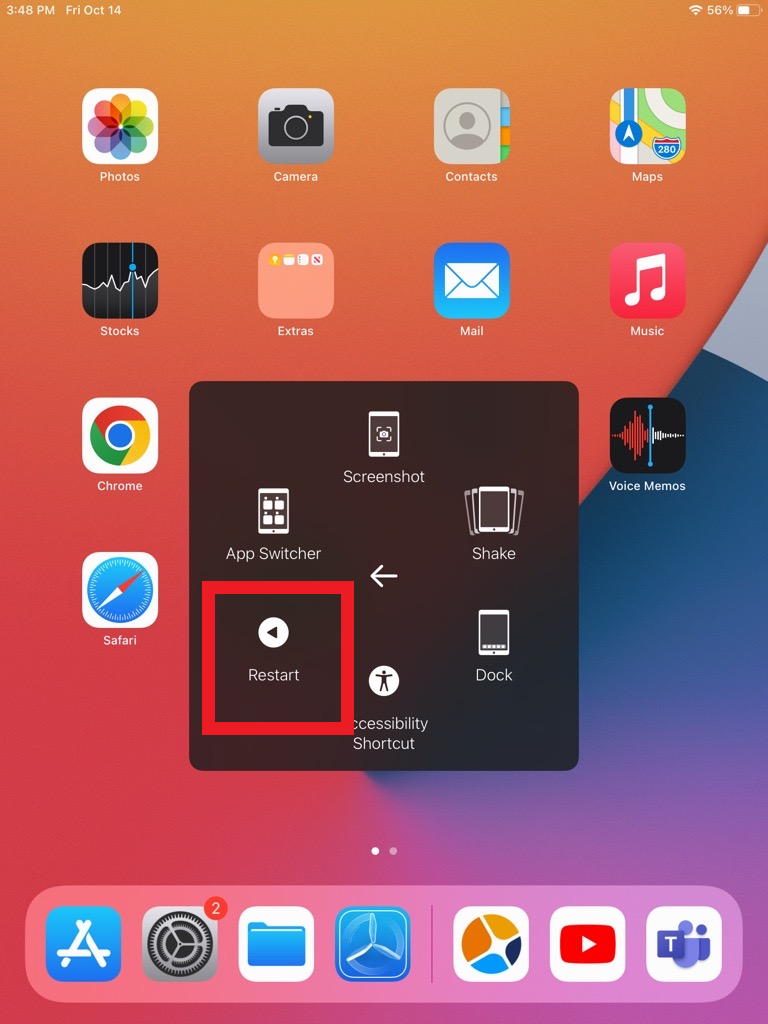
- After clicking on More option, you will find the “Restart” option.