Support Document
 Support Document
How to remove tax from specific items or bill?
How to remove tax from specific items or bill?
- Select the cash register icon. Enter the 4-digits password.
- Click the menu button in the top left-hand corner.
- Select tax remove from left side pan.
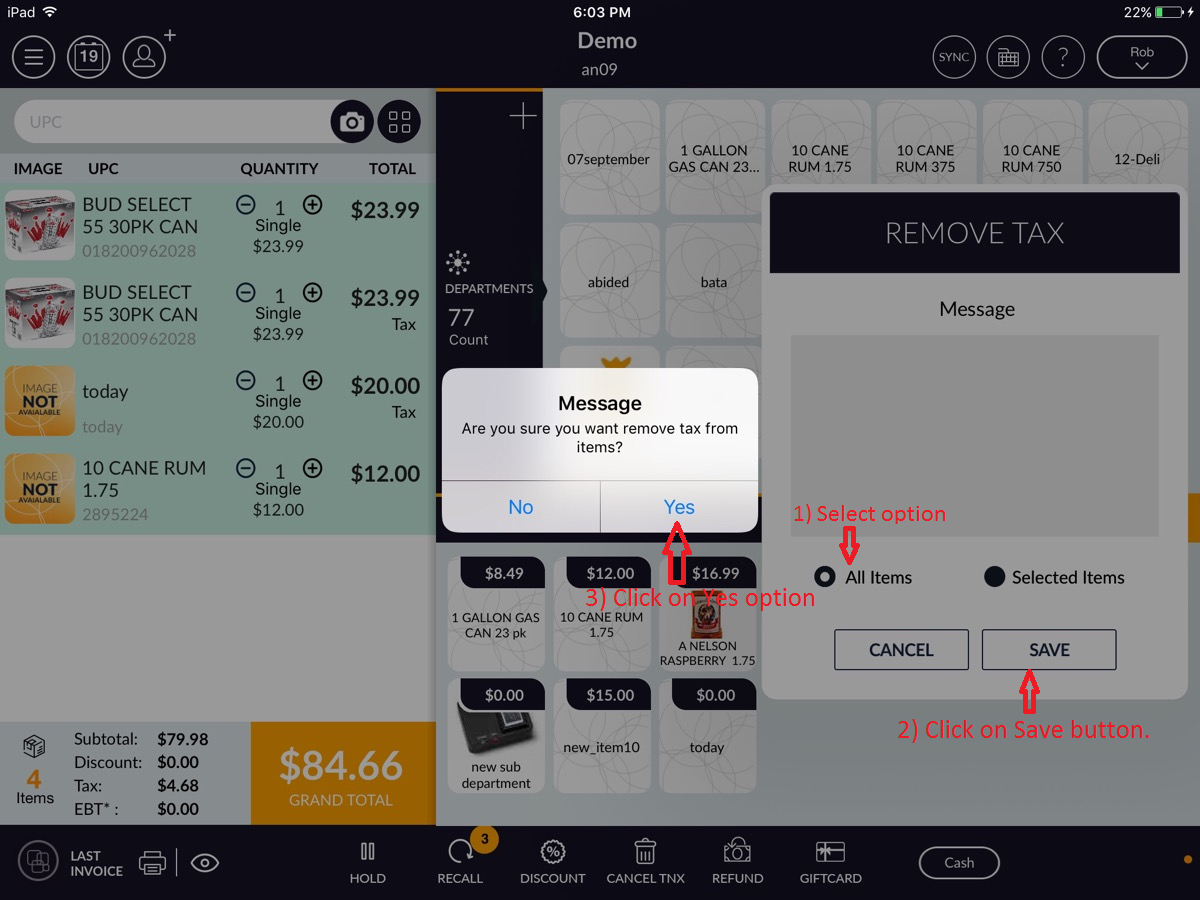
- A message will prompt do you want to remove tax for all items or selected items.
- Select any one option then save.
- A message will prompt are you sure you want to remove tax from items.
- Select yes.