Support Document
 Support Document
How to add QSR operations for modifier ?
In any of item when modifier is added then need to specify how much quantity require for modifier addition
and for that in inventory need to add operation for modifier.
For adding operation follow below procedure.
ADD OPERATION
EDIT OPERATION
DELETE OPERATION
For adding operation follow below procedure.
- Open rapid rms application.
- Go to Inventory management module.
- Open side pan.
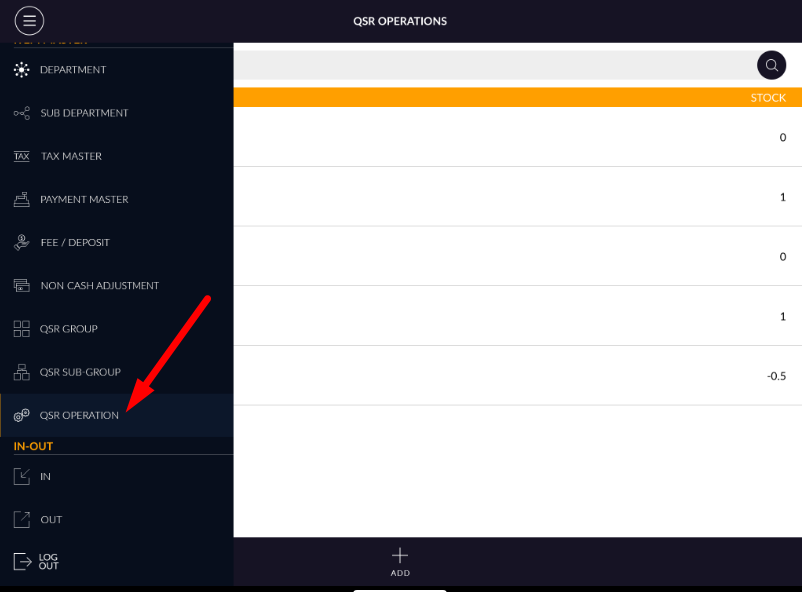
- There is one tab named as QSR operation.
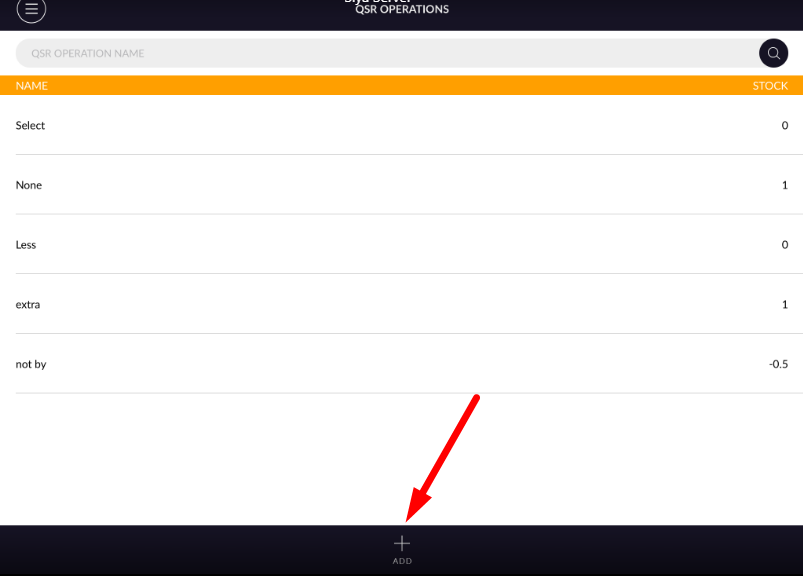
- There is display list of all available operations.
- There is search bar available to search operation.
ADD OPERATION
- Click on add button which is available at bottom bar.
- Screen for adding new operation will open.
- Enter detail like operation name, Operation name is compulsory field to create new operation.
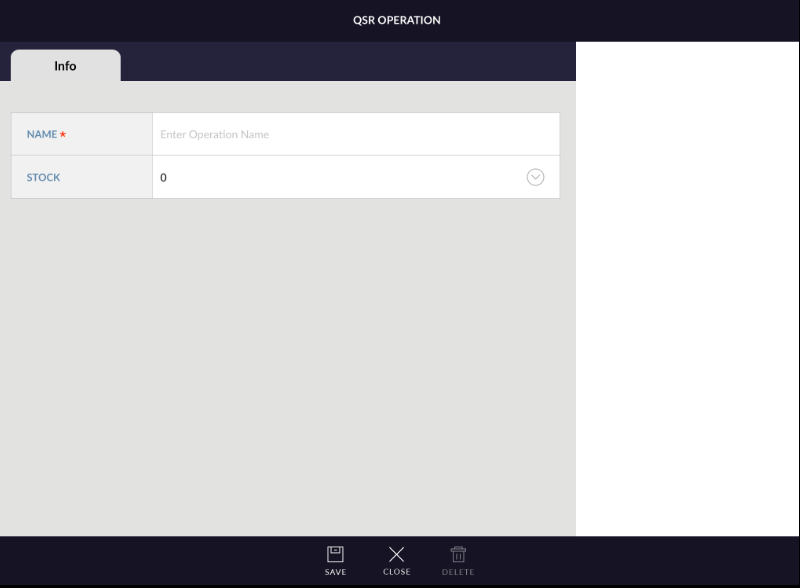
- After that there is one field name as stock. In stock there is pop up.
- Value is 1,-1,0,0.5-0.5.
- As according value selected modifier is selected at the time of modifier added into item.
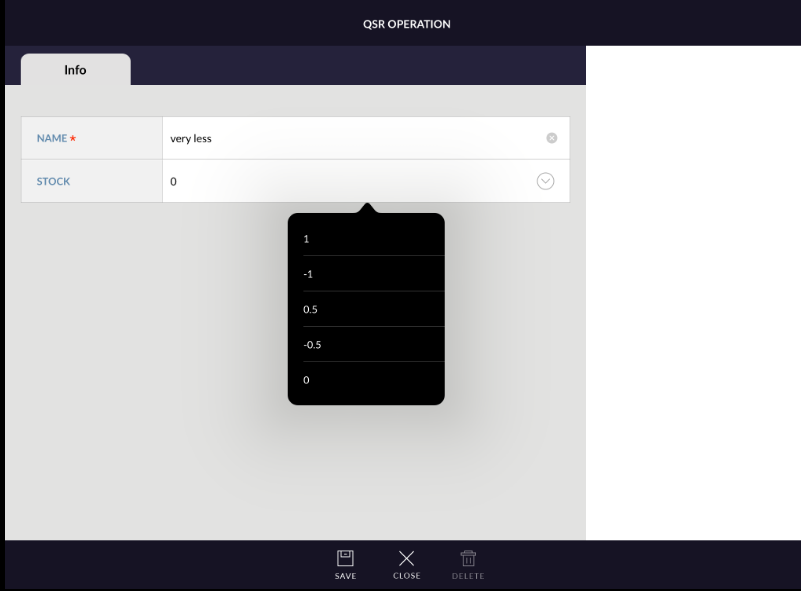
- Now click on save new operation will be added.
EDIT OPERATION
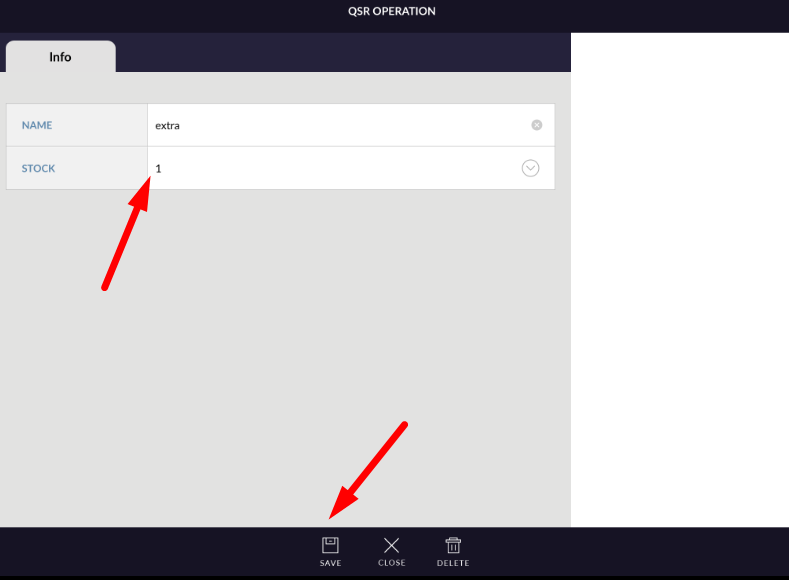
- Open any operation in edit mode.
- Do changes.
- Apply save button.
- Operation changes will be save.
DELETE OPERATION
- Already available operation can be deleted, At the time of new creation operation can not be deleted.
- Open any operation in edit mode.
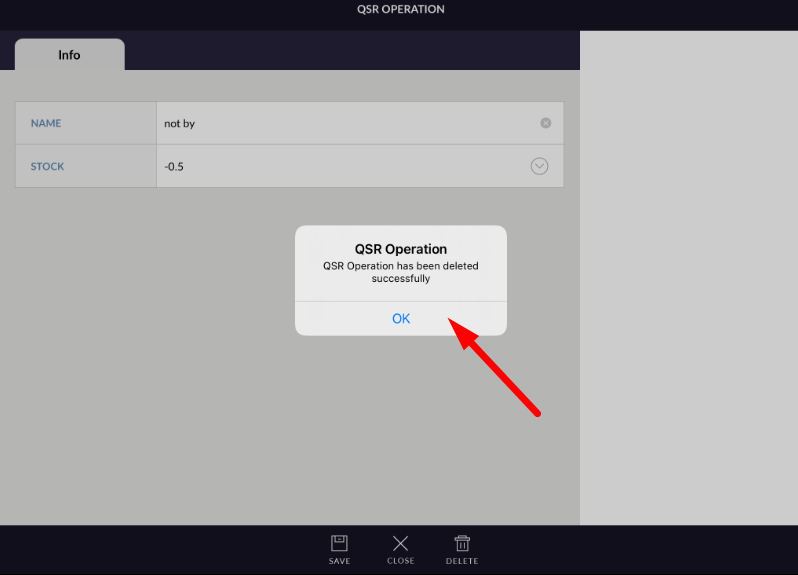
- Apply delete button.
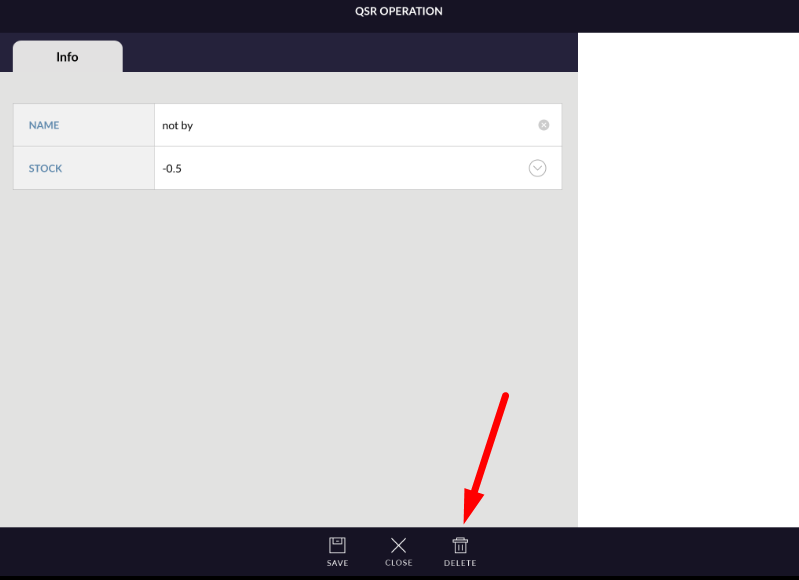
- Operation will be deleted and disappear from operation list.