Support Document
 Support Document
How Prompt Qualification Works with Point to Promotion?
- First we have to set Prompt Qualification at item level.
- Login on the Back-Office website.
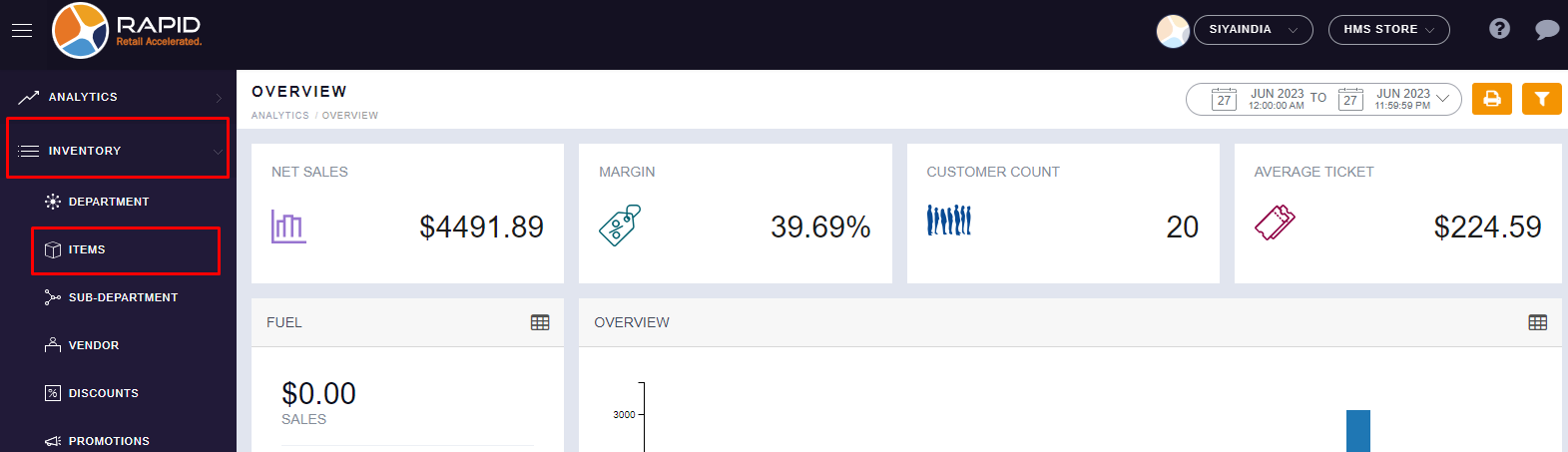
- Left side, you will find the “INVENTORY” section, Click on it.
- In the Inventory section, you will find the “ITEMS” option, Click on it.
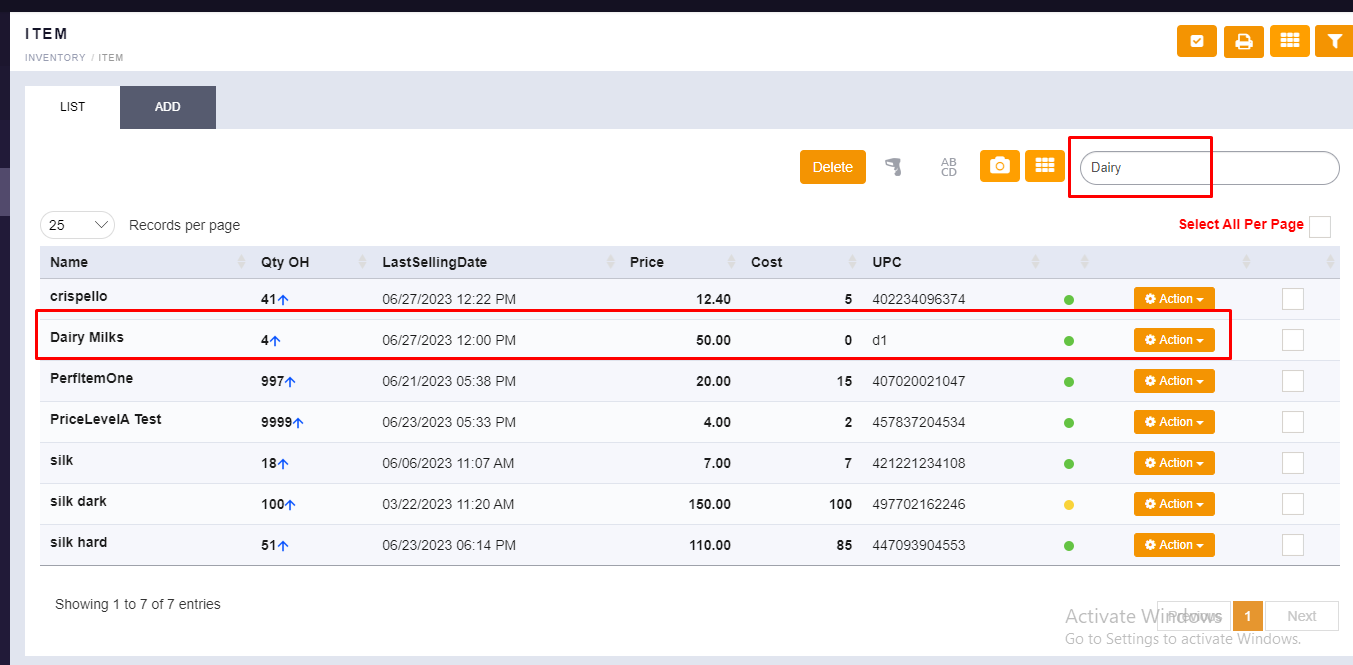
- Search your item from your items list.
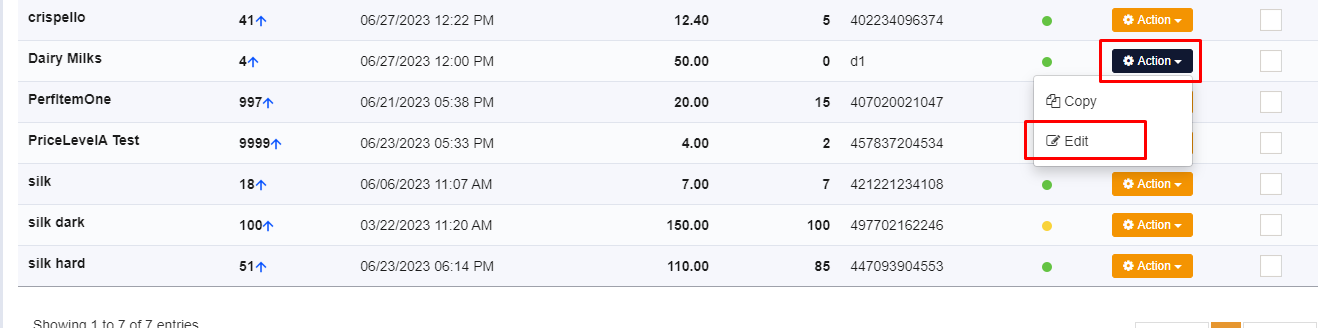
- Right side, you will find the “ACTION” button then click on the “EDIT” button.
- Here, you will have the “Prompt Qualification” option at the bottom side in item details. Please
select this option with the checkbox.
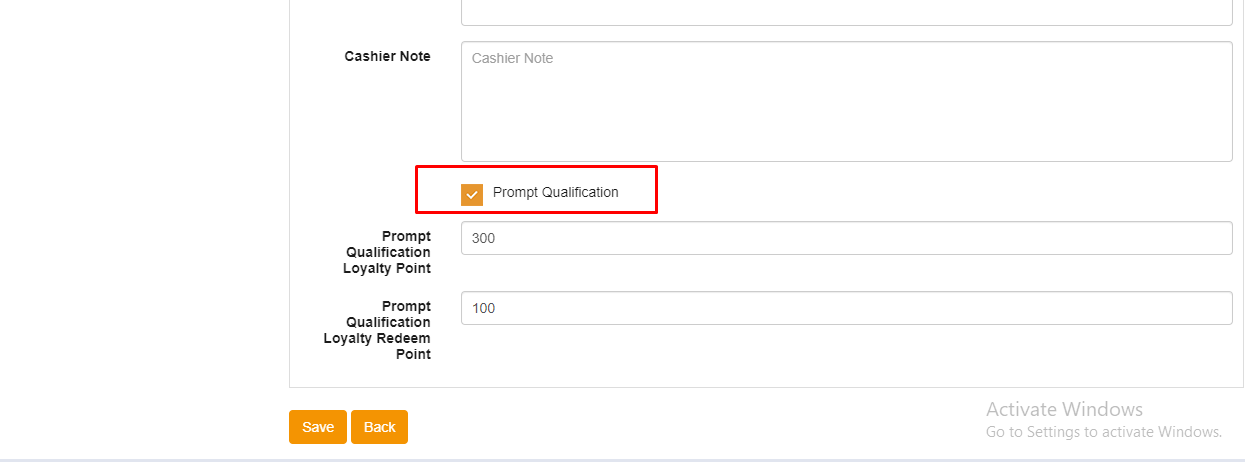
- In Prompt Qualification, you have 2 options to set your point limit and click on the “SAVE” button.
● Prompt Qualification Loyalty Point
● Prompt Qualification Loyalty Redeem Point
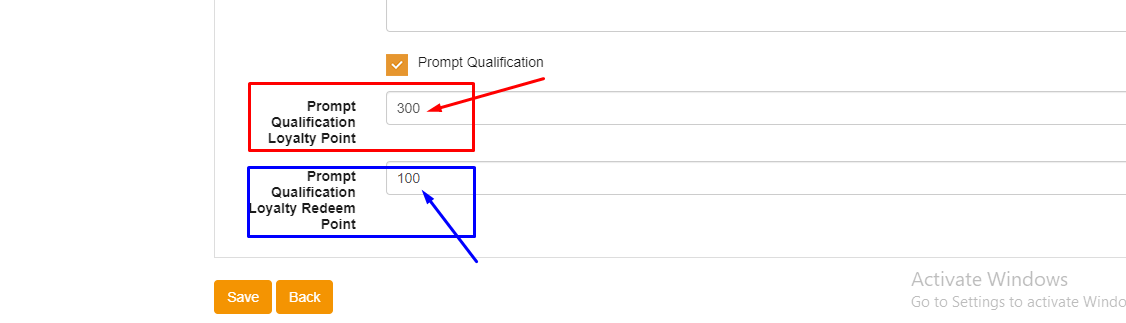
Prompt Qualification Loyalty Point: Minimum Point to Eligible for Buying this Specific Item.
(For Example : We have set 300 points here for Dairy Milk items, it means, whoever has a total more than 300 points then only he/she will be eligible to buy this item.)
Prompt Qualification Loyalty Redeem Point: Customers have to spend this much point to buy this specific item.
(For Example : We have set 100 points here for Dairy Milk Items. It means, whoever customer buys this item then 100 points will be reduced from his/her total points.)
- Now, we will check the effect on the Cash Register in POS while doing transactions for the same items.
- Open RapidRMS application on iPad.
- Go into the Cash Register Module (RCR).
- Ring Up items for generating customer invoices.
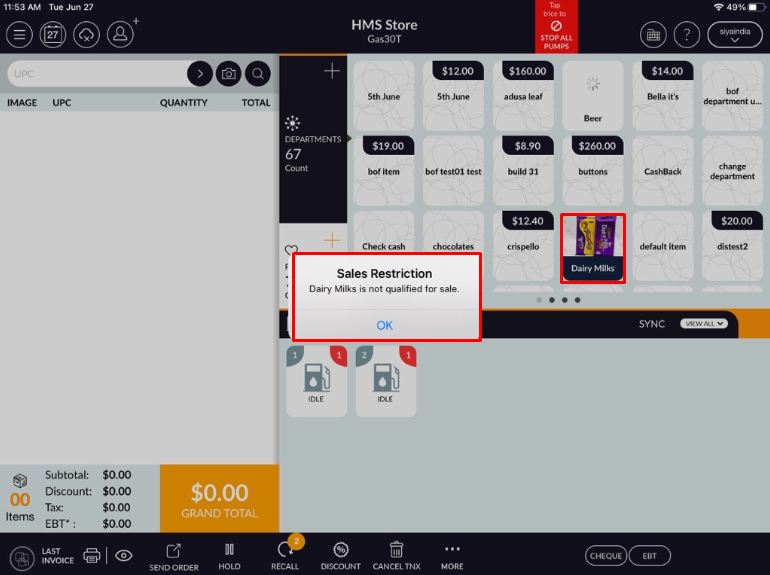
(For Example : Dairy Milk Item which we set Prompt Qualification at item level in BackOffice) - If we are trying to sell “Dairy Milk” items then we will get a popup message for Sales
Restriction “Dairy Milks is not qualified for sale”.
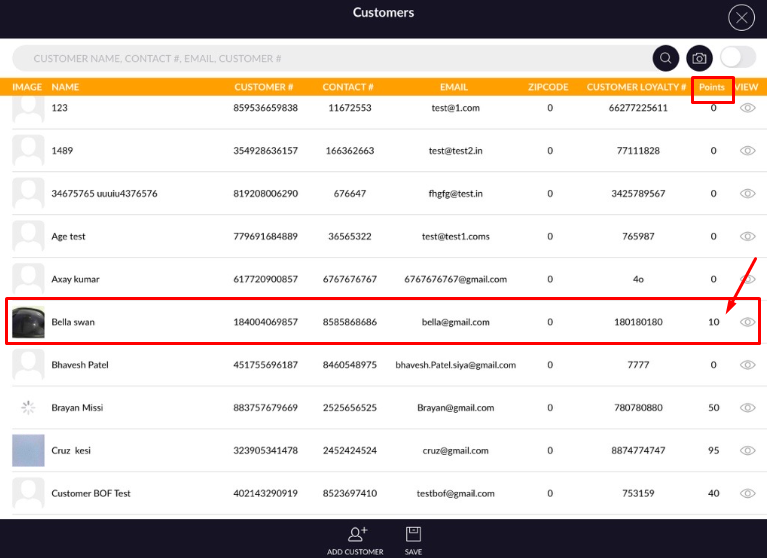
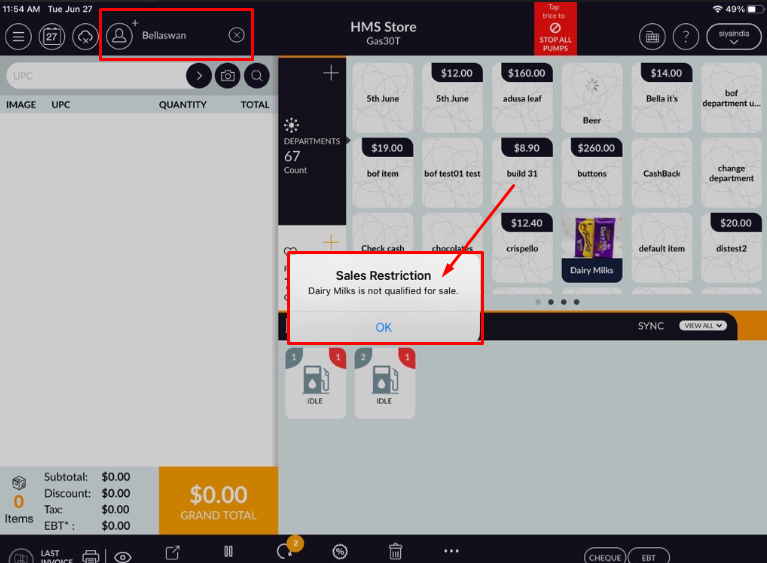
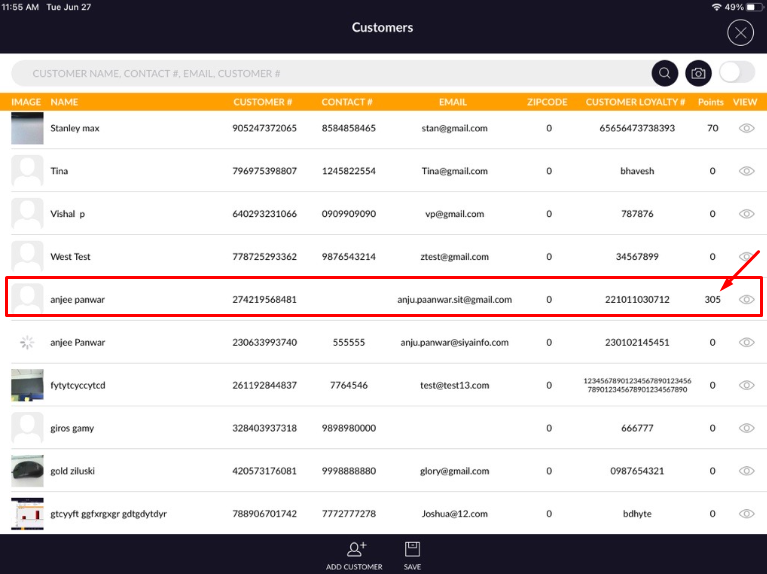
- Suppose if we are trying to sell the same item to one customer who has below 300 points then also we
will get a popup message for Sales Restriction “Dairy Milks is not qualified for sale”.
- Now if we sell the same item to one custom who has more than 300 points then we will be able to ring
up that item.
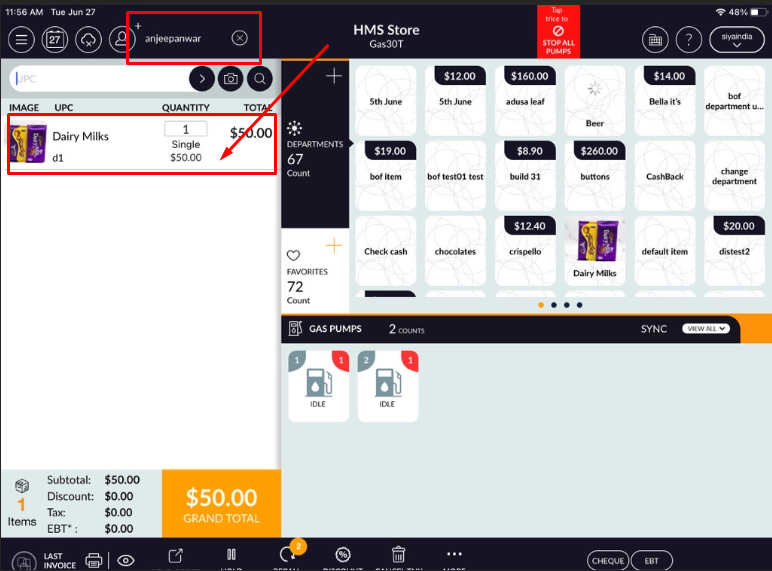
- you can finish your transaction for that item.