Support Document
 Support Document
How to do pre pay transaction ?
In gas system there are two type of payment system pre pay and post pay.
In pre pay first need to complete payment and then after according to payment need fueling
If pump is in ideal mode then only pre pay transaction is possible if pump is already authorized then pre pay is not possible as pump is ready to dispense.
For prepay transaction follow below procedure.
Case: 1
Nozzle down in between dispensing and fueling is not up to entered pre pay amount.
Case: 2
When fuel is automatically stop when amount is reach up to that pre pay transaction limit.
In pre pay first need to complete payment and then after according to payment need fueling
If pump is in ideal mode then only pre pay transaction is possible if pump is already authorized then pre pay is not possible as pump is ready to dispense.
For prepay transaction follow below procedure.
- Go to cash register.
- Take one pump which is in ideal mode.
- Now click on that pump.
- There is one option pre pay.
- Hit that option.
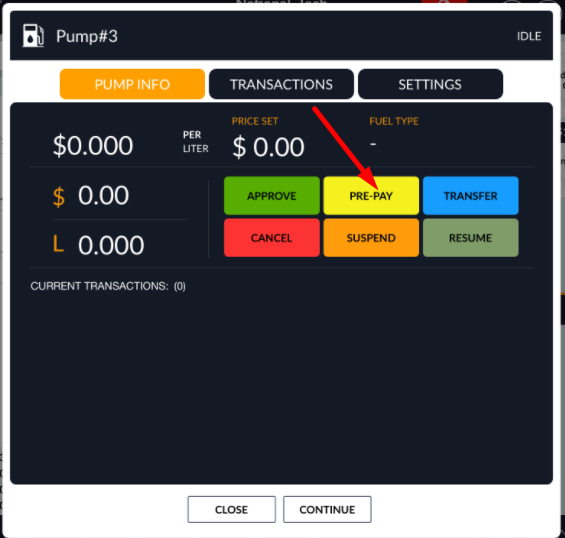
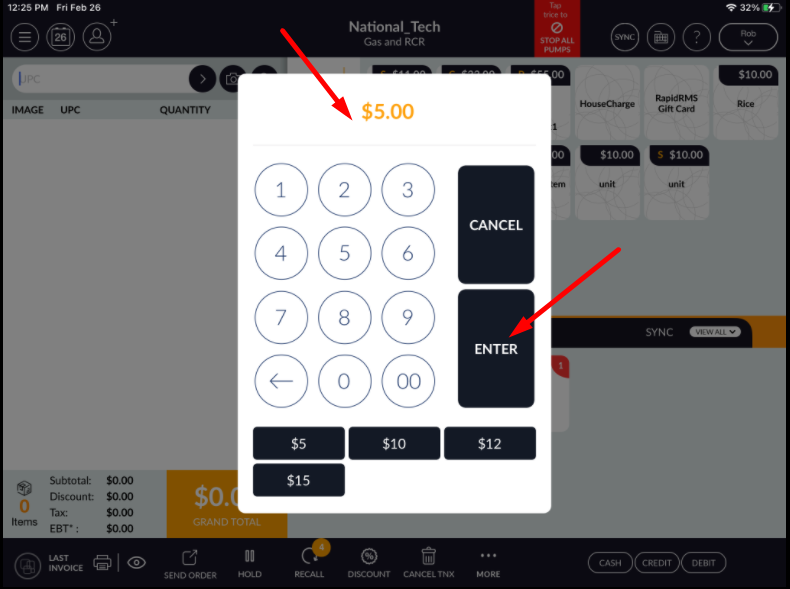
- When pre pay selected then pop up display for enter amount which need to pay before start fueling.
- Enter amount.
- Click on enter button.
- If from setting option for grade selection is on then ask for fuel selection other wise pop up display
for enter amount.
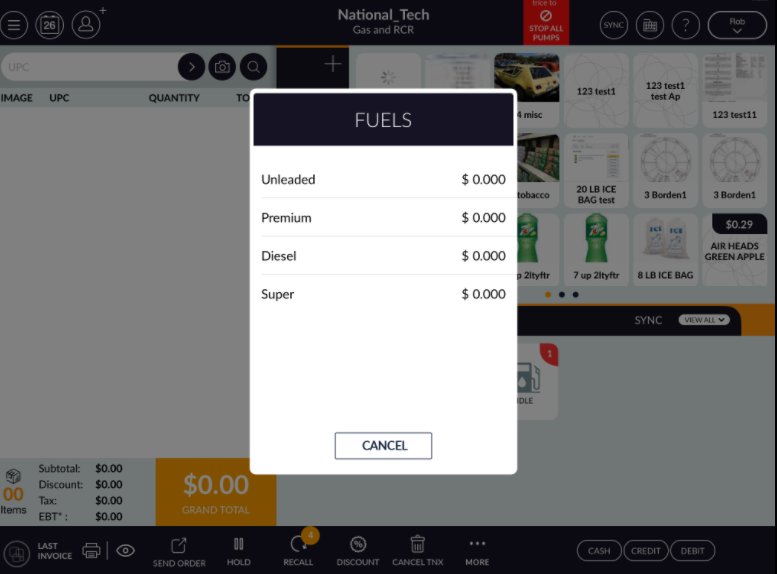
- Enter amount.
- Complete transaction with valid payment type.
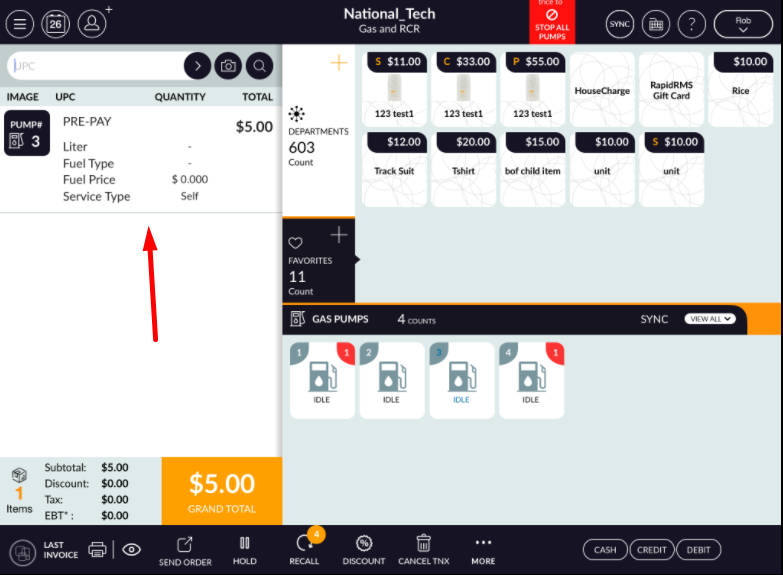
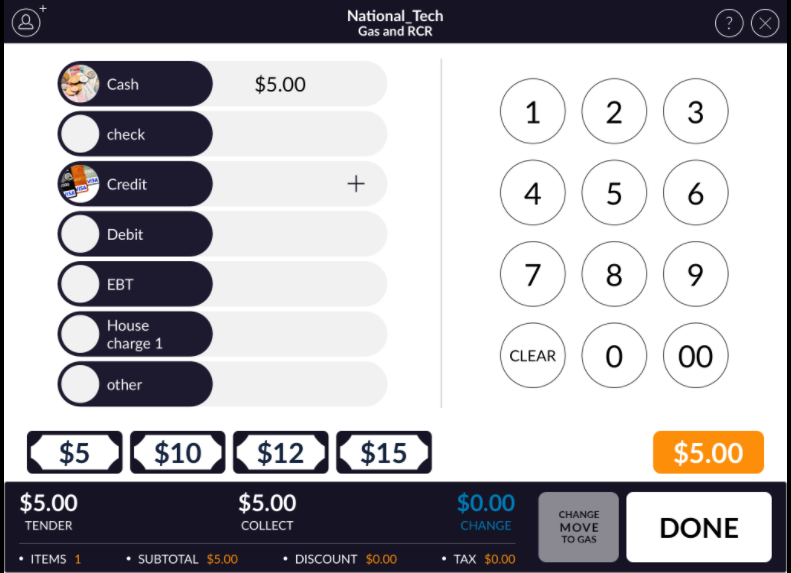
- In pump that pre pay transaction will display.
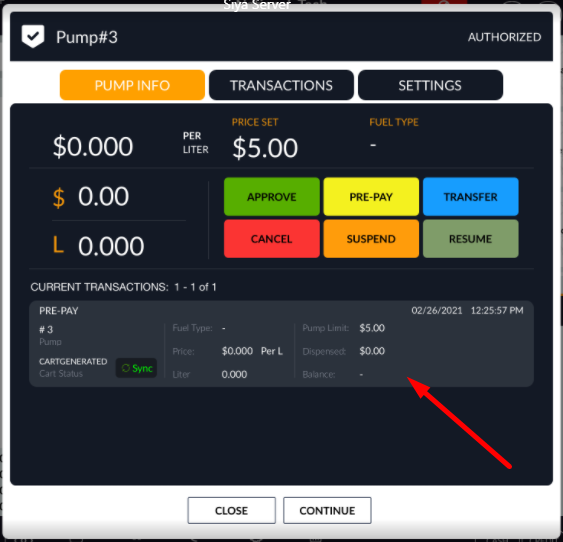
- Now from pump pick that pump nozzle and start fueling.
- There can be two ways when fuel start. If in between nozzle not stop then up to that amount fuel will dispense then automatically that pump will stop fueling and if in between nozzle down then remain amount will go into refund.
Case: 1
Nozzle down in between dispensing and fueling is not up to entered pre pay amount.
- Get down nozzle.
- Dispensing will stop.
- Now open that pump and review transaction.
- Remaining amount will display as refund.
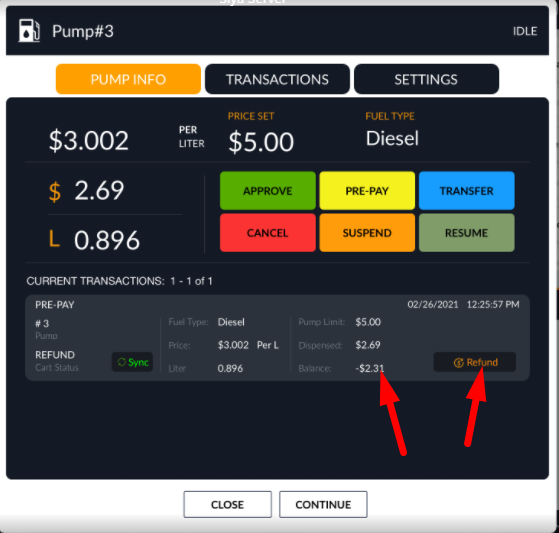
- Click on refund to get back remaining amount.
- Refund via any payment type.
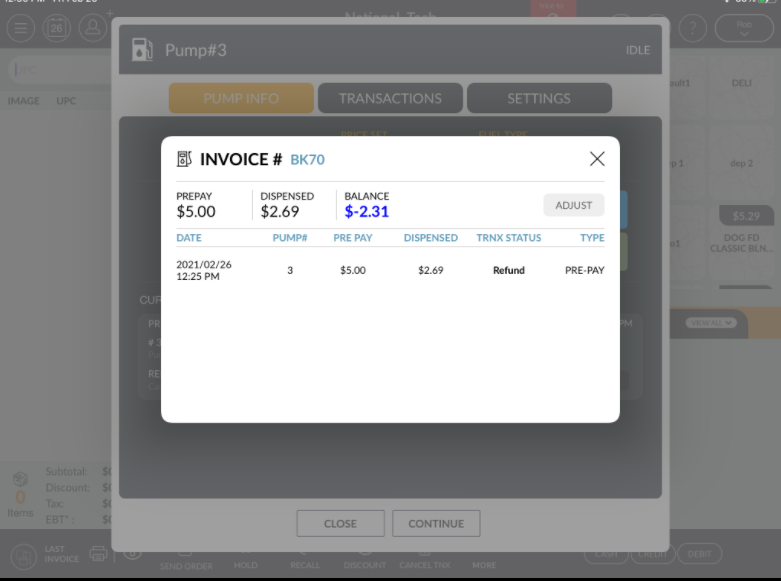
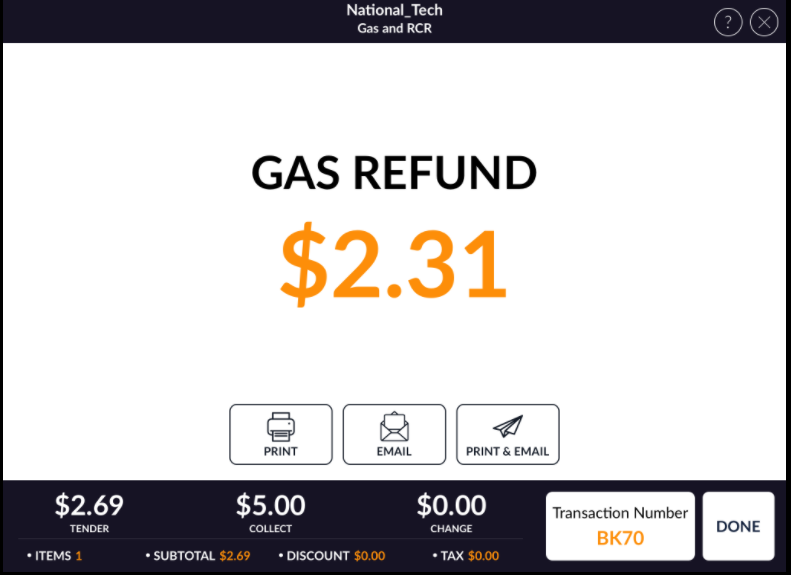
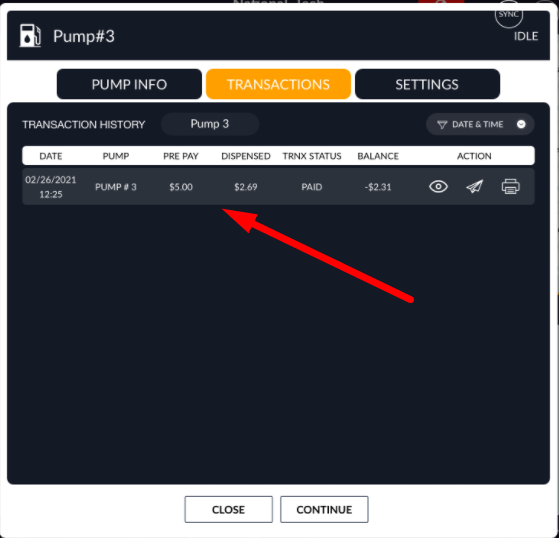
- After refund that transaction from pump will clear. Transaction will added to transactions history
list.
Case: 2
When fuel is automatically stop when amount is reach up to that pre pay transaction limit.
- Enter value for pre pay transaction.
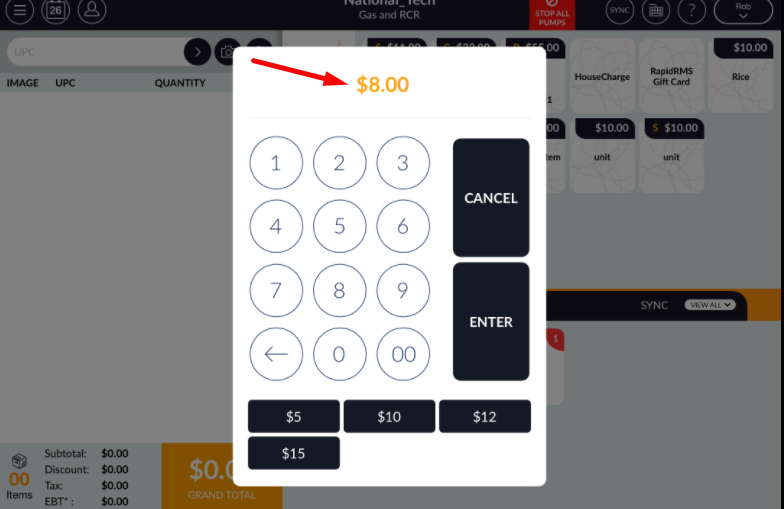
- Now complete payment by any convenient payment type.
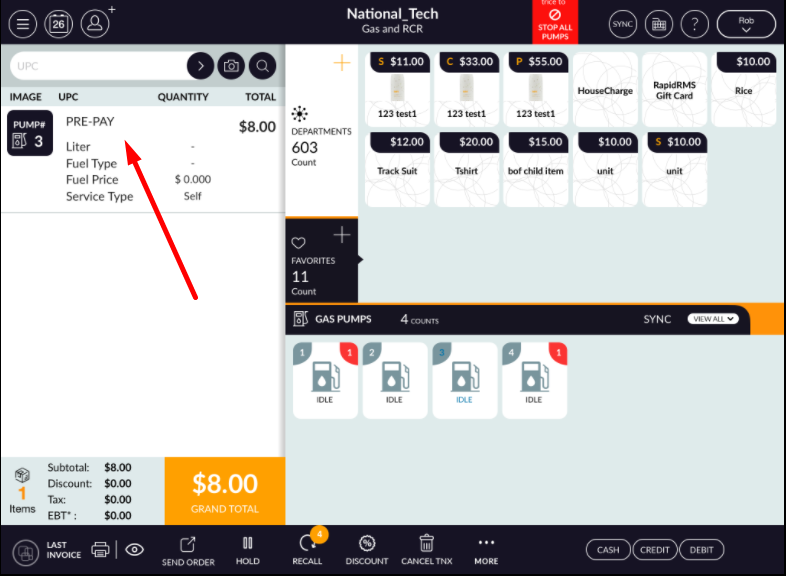
- Now from pump start fueling.
- Take up nozzle and start fueling. When nozzle up then pump will start dispensing.
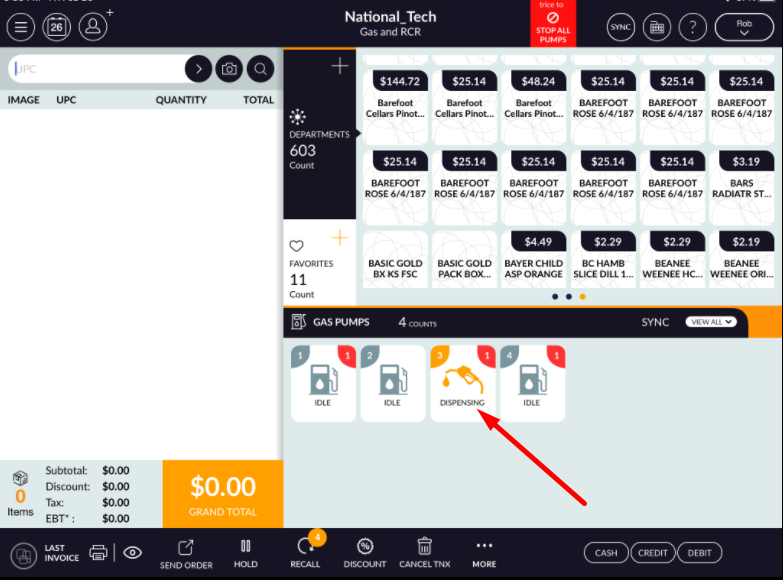
- Keep watch on pump. It will till dispensing fuel when it reach to the pre pay amount limit.
- When fueling reach to amount enter in pre pay then dispense of fuling will stop automatically.
- Now open that pump in transaction history that transaction will listed.
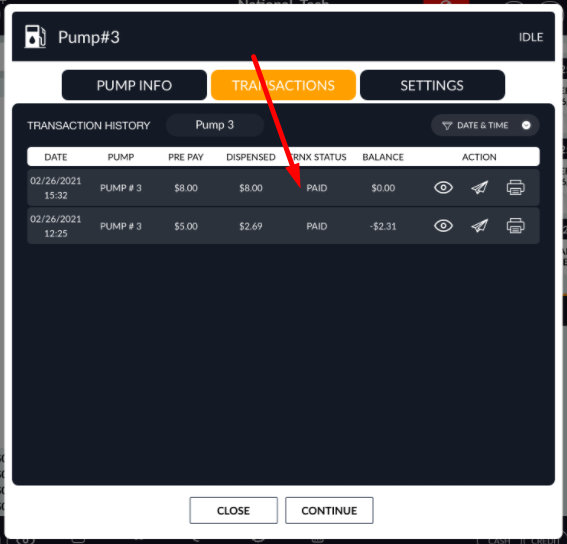
- Up to entered amount fuel will continue and when reach up to that amount fuel will automatically stop.
- That transaction will display in pre pay transaction history.