Support Document
 Support Document
How to do post pay transaction ?
In pump there are two types of transactions, pre-pay and post pay transaction.
In post pay transaction first fueling is completed then after payment is done as according to filling fule.
Follow below steps to do post pay gas transaction.
In post pay transaction first fueling is completed then after payment is done as according to filling fule.
Follow below steps to do post pay gas transaction.
- Set up fusion.
- Go to pump and take up nozzle at any pump.
- Start fueling.
- When nozzle is up then in POS requesting display for selecting particular pump.
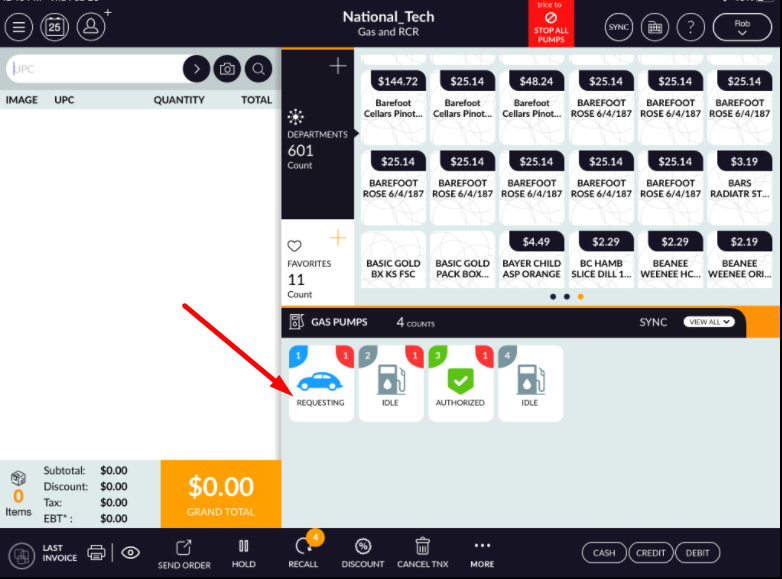
- Accept request from POS.
- Now start fueling.
- Dispense fule for sometime.
- Now get down nozzle.
- stop fueling.
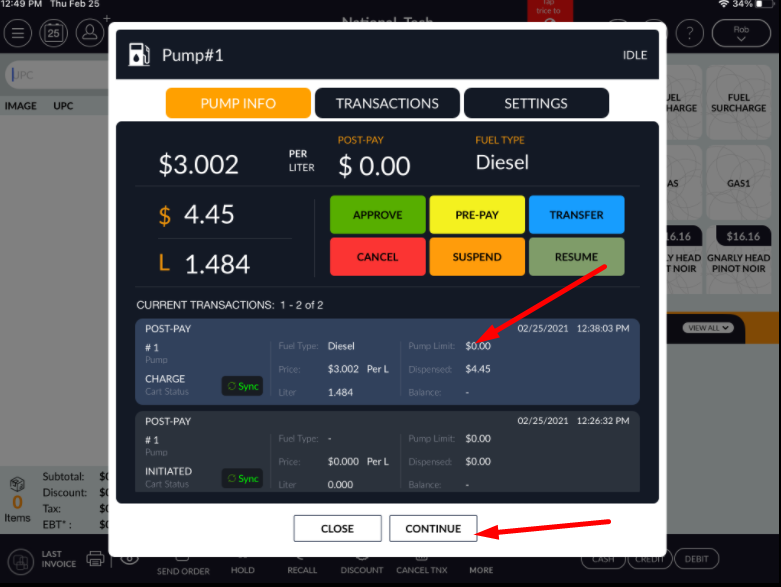
- Now in RCR click on that pump. Pump window will open.
- One transaction is listed with fuel amount and volume. Heading of that transaction would be ‘post-pay’.
- To complete fuel payment select that transaction.
- Hit continue button.
- When continue that fueling, payment ring up in bill screen as an item with name post-pay with volume, fuel type, fuel price and service type.
- Click on grand total.
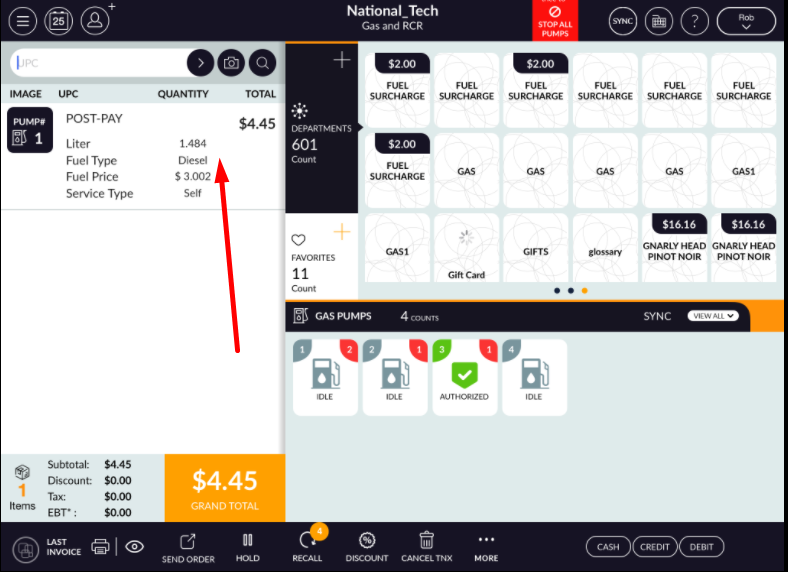
- Complete transaction by any convenient payment type.
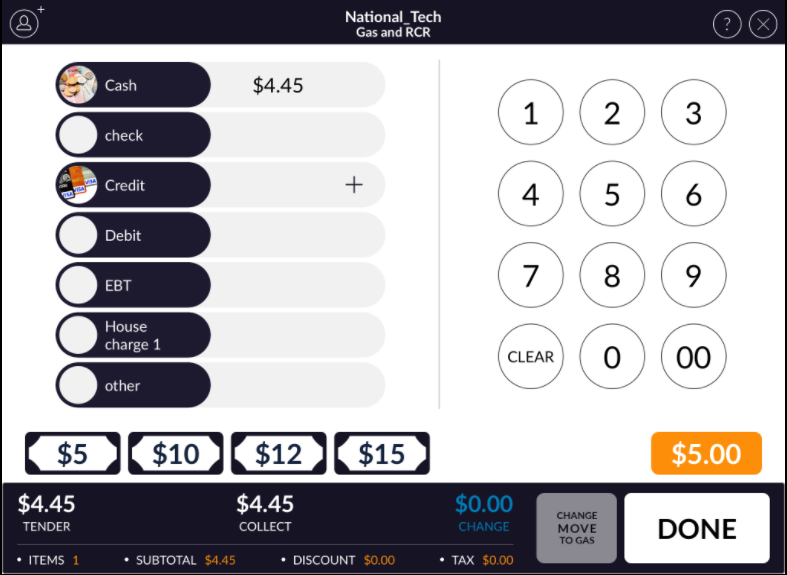
- Open that pump after completing transaction. Transaction will disappear from list.
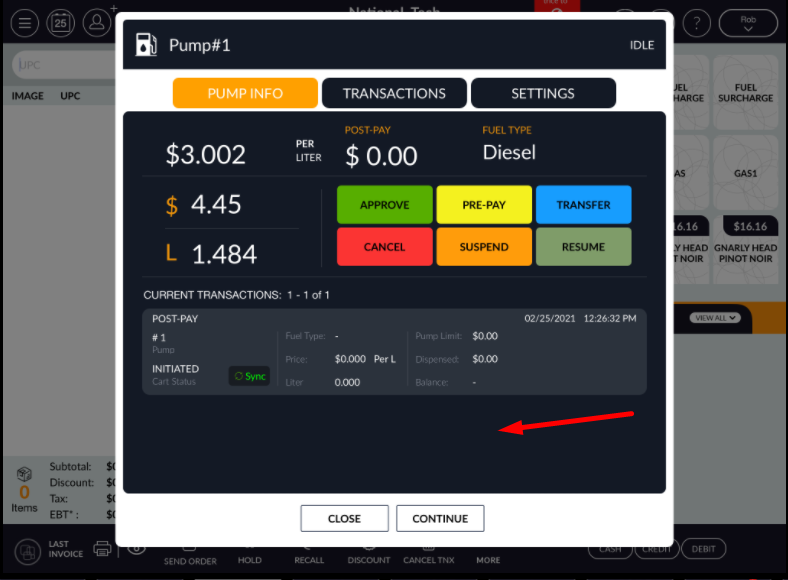
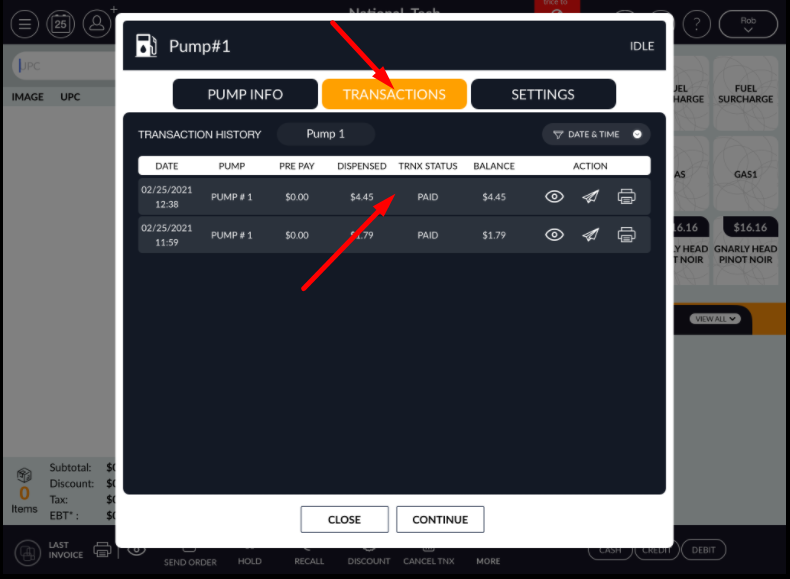
- That transaction would listed in transaction tab history.