Support Document
 Support Document
How to view invoice in customer loyalty ?
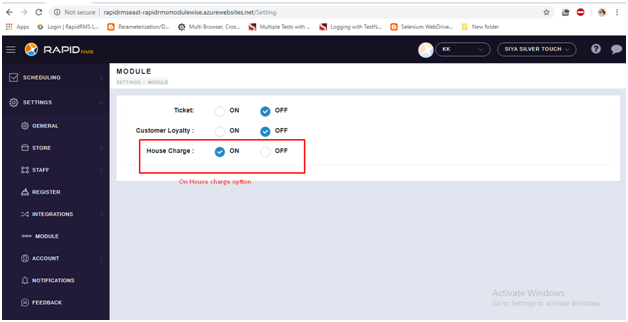
The first customer need to set ‘House charge’ ON from Back office.
Follow below steps to set On ‘House charge’ option
Follow below steps to set On ‘House charge’ option
- Web Login with your store.
- Setting -> Module -> Set On ‘House charge’.
- Now open RapidRMS application.
- Go to the cash register module.
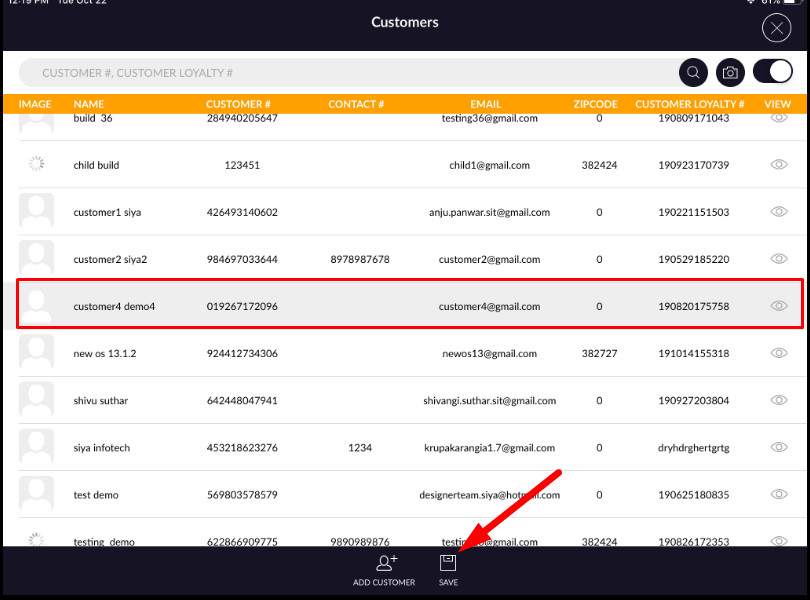
- From the cash register screen, in top screen tap on customer icon.
- Now from customer page select any one customer and tap on Icon for redirect cash register page.
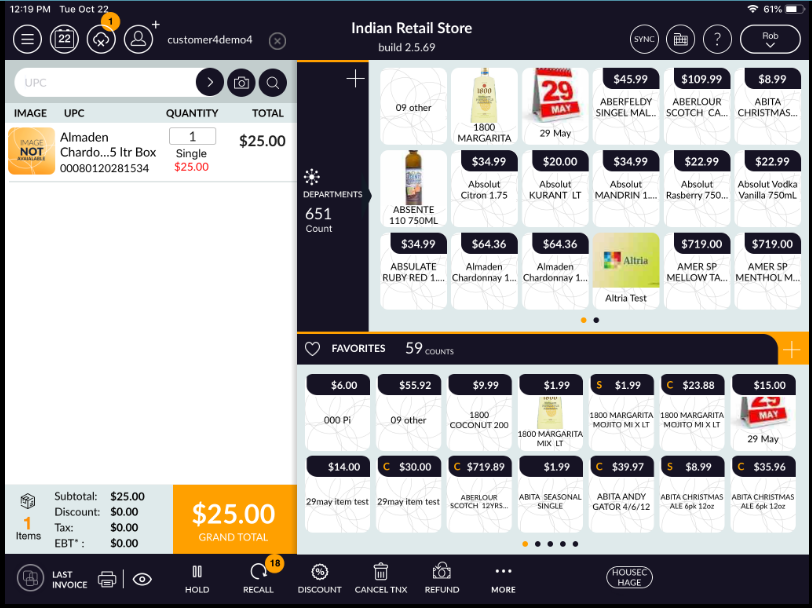
- Now ring up items and tap on the ‘Grand Total’ button for further process.
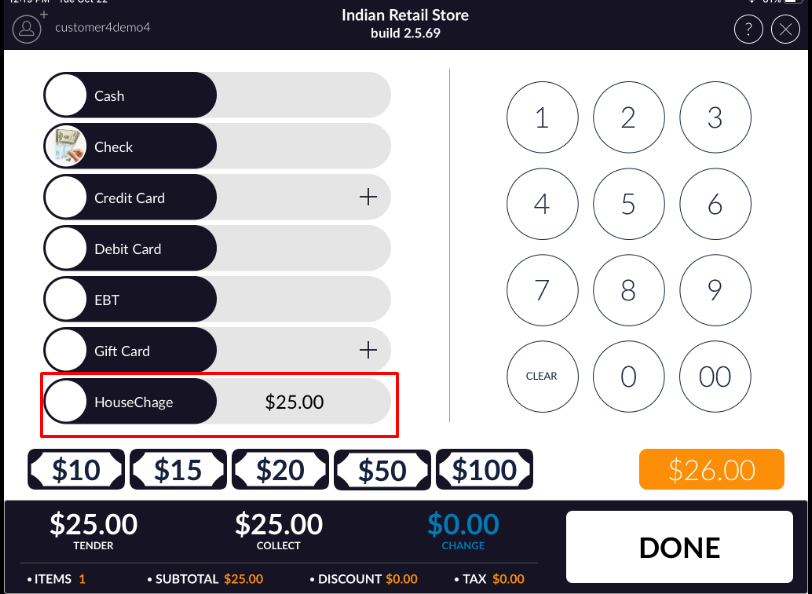
- Now complete Transaction by ‘House Charge’ payment.