Support Document
 Support Document
How NON-CASH Adjustment Work in POS?
Please follow the below steps:-
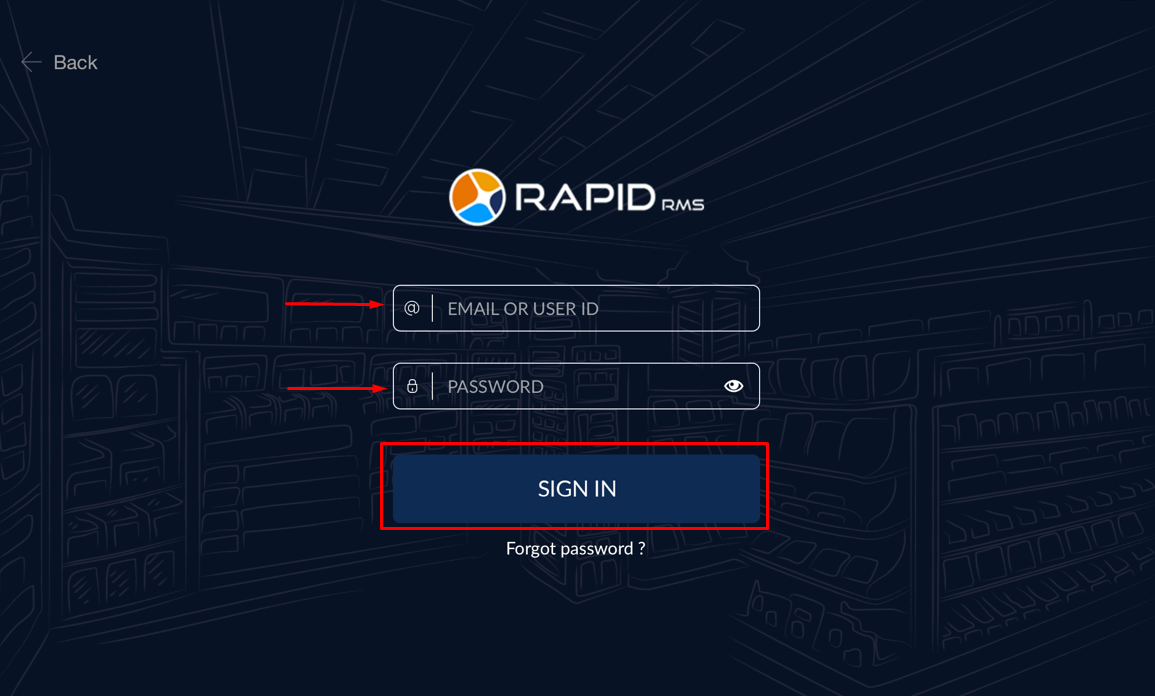
- Login to RapidRMS Application with your credentials.
- • Enter your Email OR User ID.
- • Enter your Password.
- • Click on SIGN IN button.
- Click on “SETTINGS”.
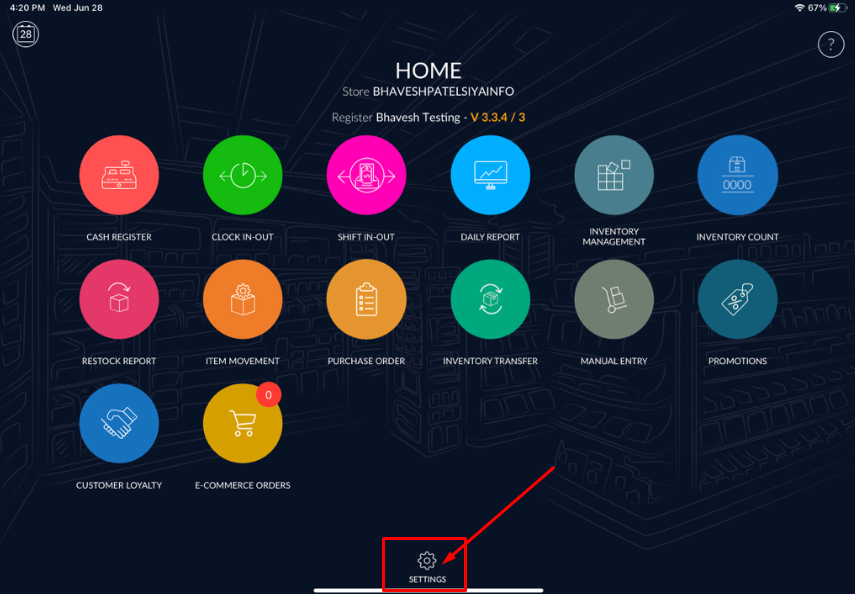
- Ener your quick password and Click on “ENTER” button.

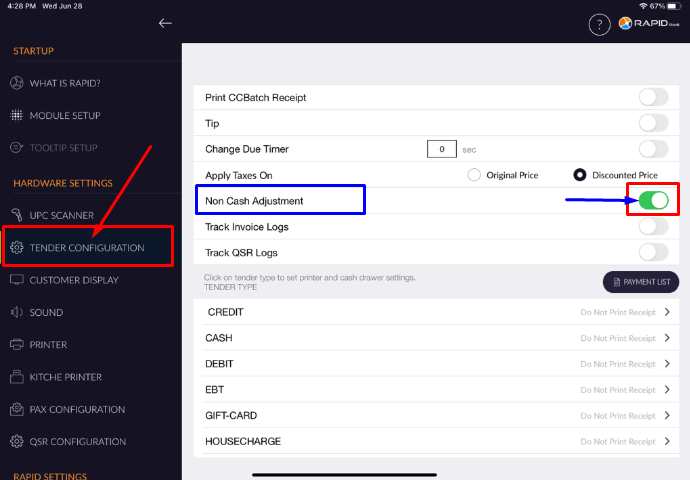
- Click on “TENDER CONFIGURATION” & Please ON toggle button for “Non Cash
Adjustment”.
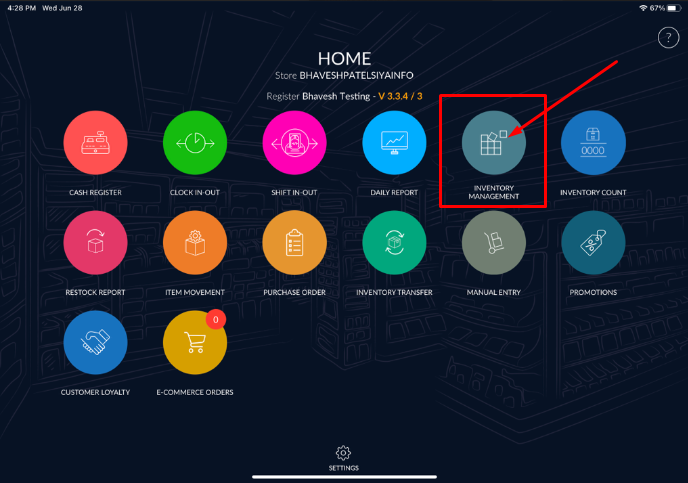
- Now we will configure Non-Cash Adjustment charges/discount from INVENTORY MANAGEMENT.
Ener your quick password and Click on “ENTER” button.
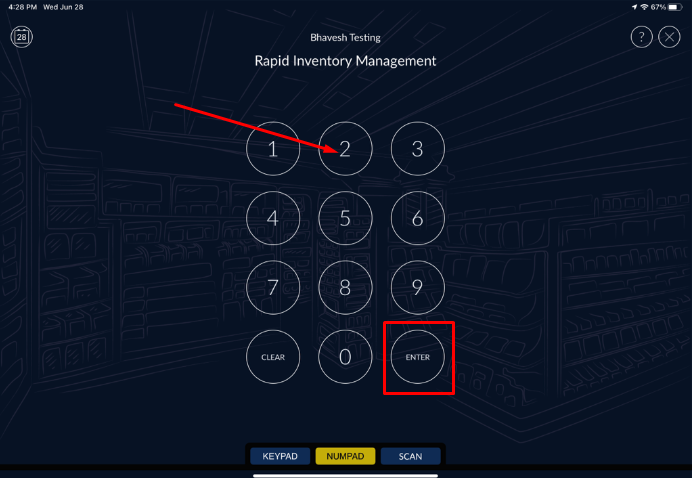
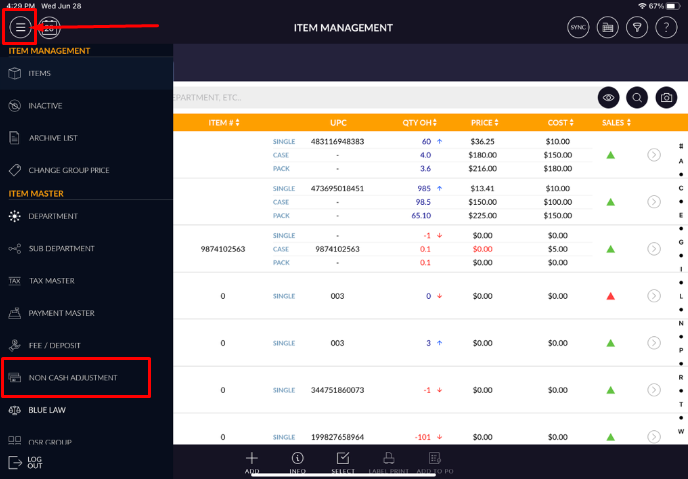
- Tap menu
 (located on the top left side corner) & Click on “NON CASH ADJUSTMENT” option.
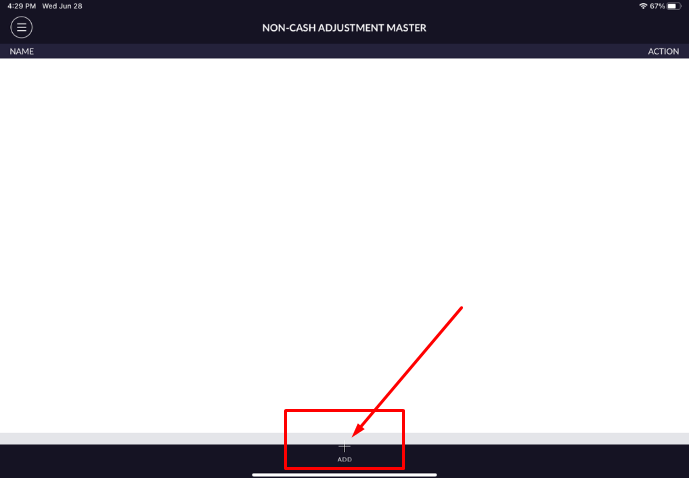
- Click on “+ ADD” option to creat new non-cash adjustment charges/discount.
- Here, You can create with multiple combination using “Charge / Discount “ &
“Fix / Amount Range”.
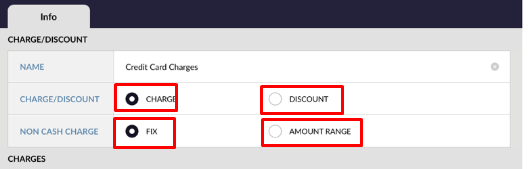
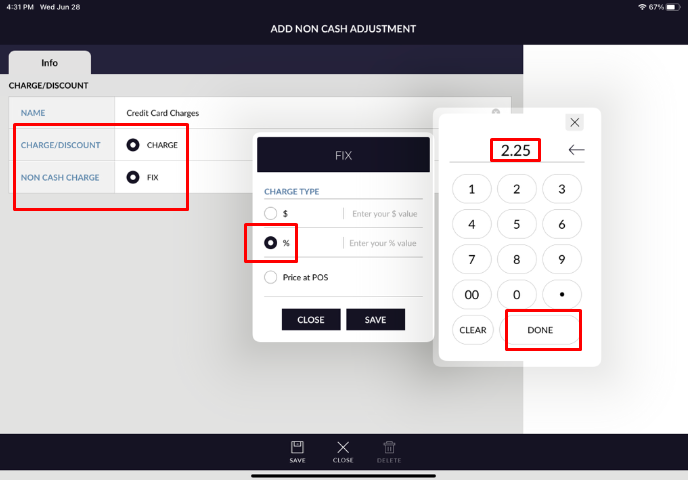
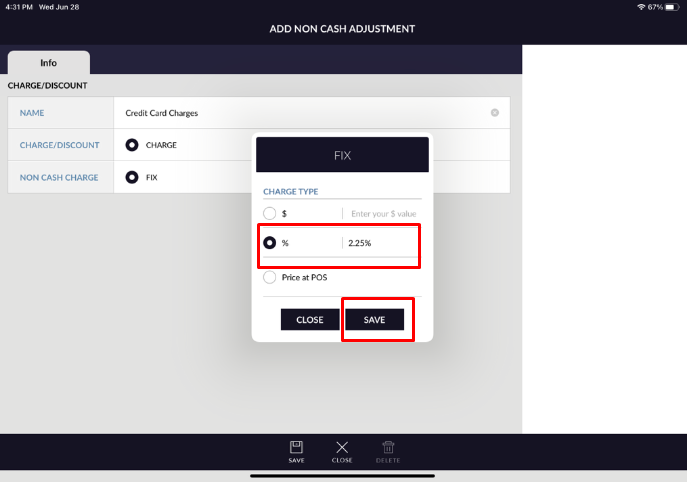
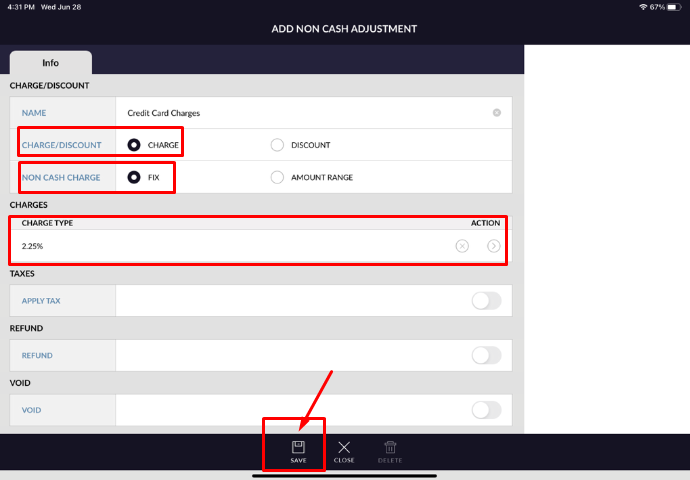
- For Example, Lets creating “Credit Card Charges” with Fix & Percantage % charge type (2.25%). Enter NAME : Credit Card Charges.
- Please select “Fix” Charge option and Enter your 2.25 in Percantage (%) option, then click on
“SAVE” button.
- Once you click on “SAVE” button then you will get popup message with “Non
Cash Adjustment inserted successfully”.
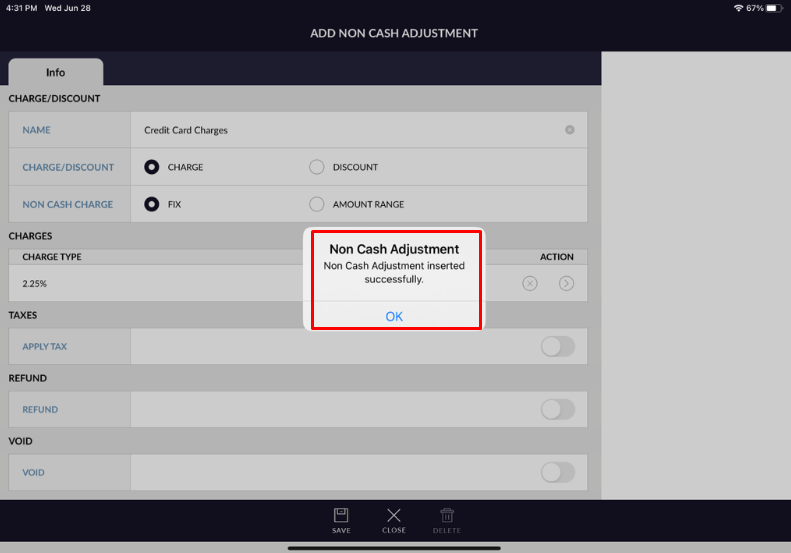
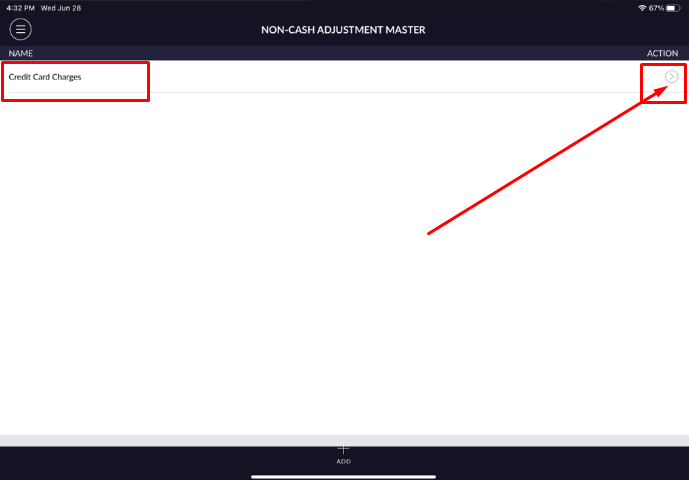
- Now, you can see your Non-Cash Adjustment Charges (Credit Card Charges) created,
please click on “>” from right side to add for payment mode.
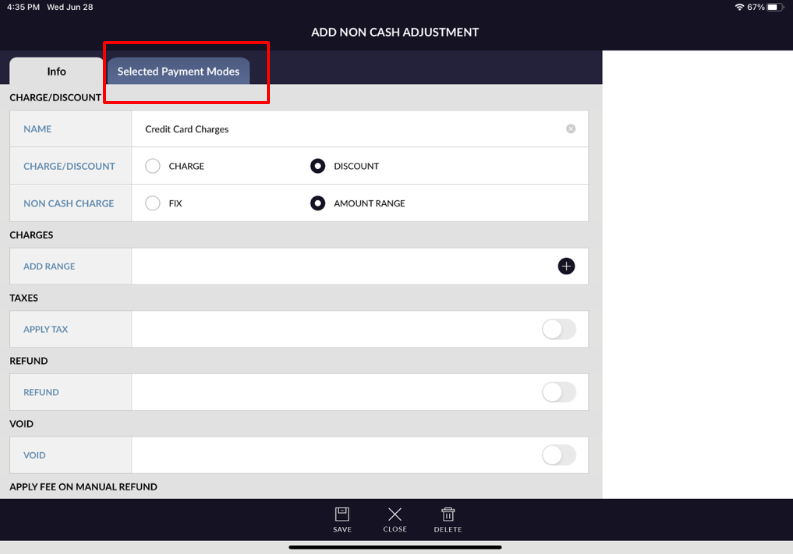
- Go into “Selected Payment Modes” & Click on “Add Payment Mode”.
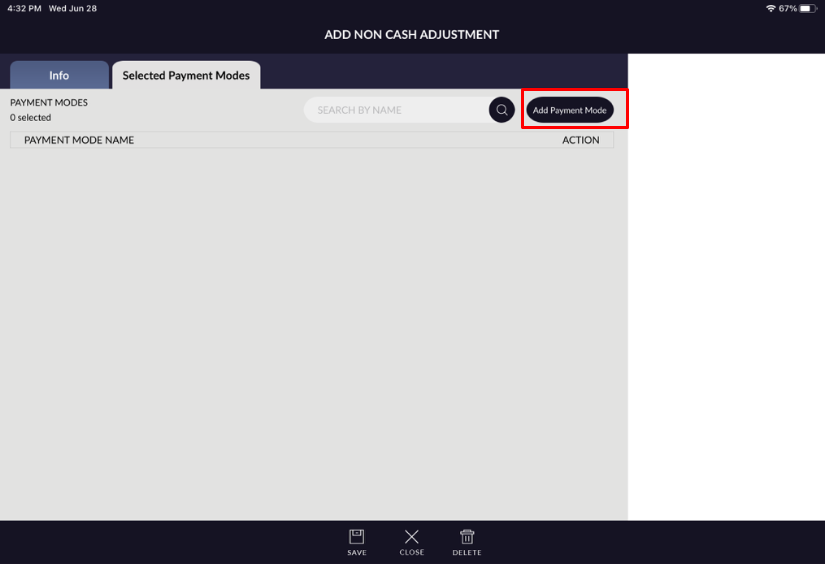
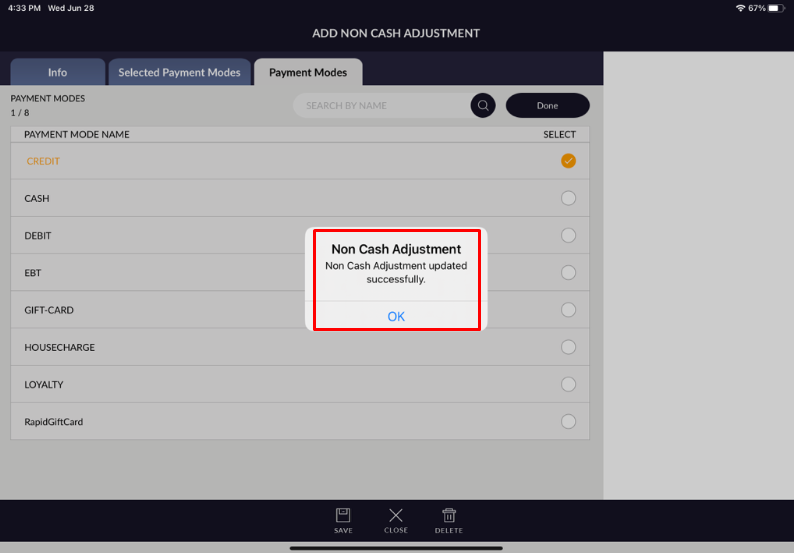
- Now, Please tick against the “CREDIT” Payment to assigned Non-Cash adjustment
charges, then click on “SAVE” button.
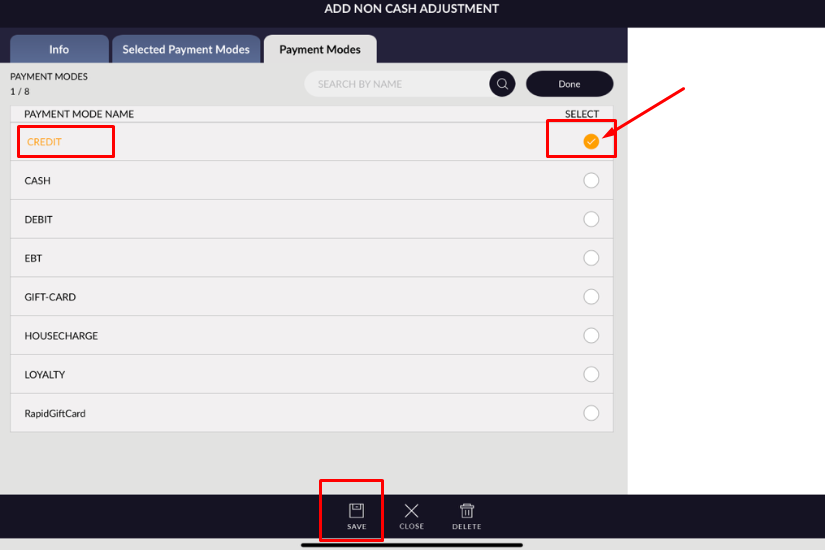
- Once you click on “SAVE” button then you will get popup message with “Non
Cash Adjustment updated successfully”.
- For your information, You can create your Non-Cash Adjustment charges/discount with other combination
also.
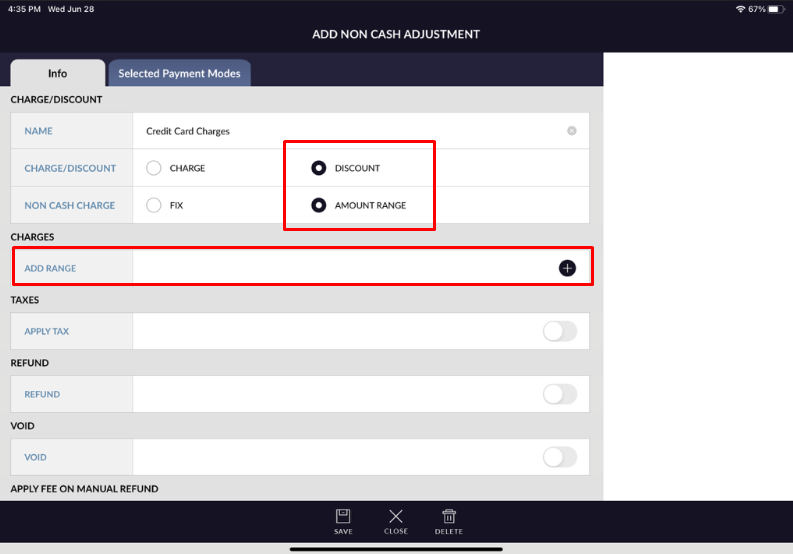
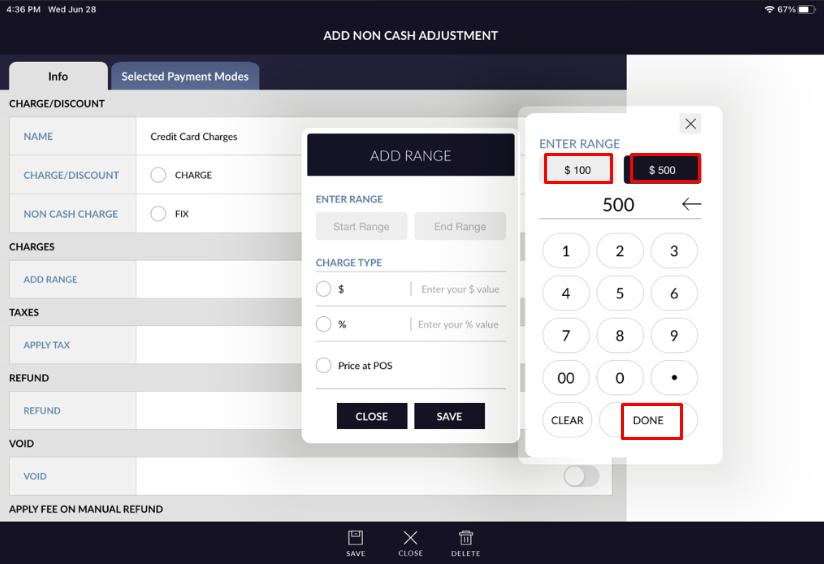
For Example, you can create with Dicount & Amount Range combination.
- Now, we can do the sales transcation and see the charges effect in credit payment on tender screen.
For Example, In Cash Register (RCR) lets ringup one item with $100 amount (Total $105 + $100 + $5 tax).
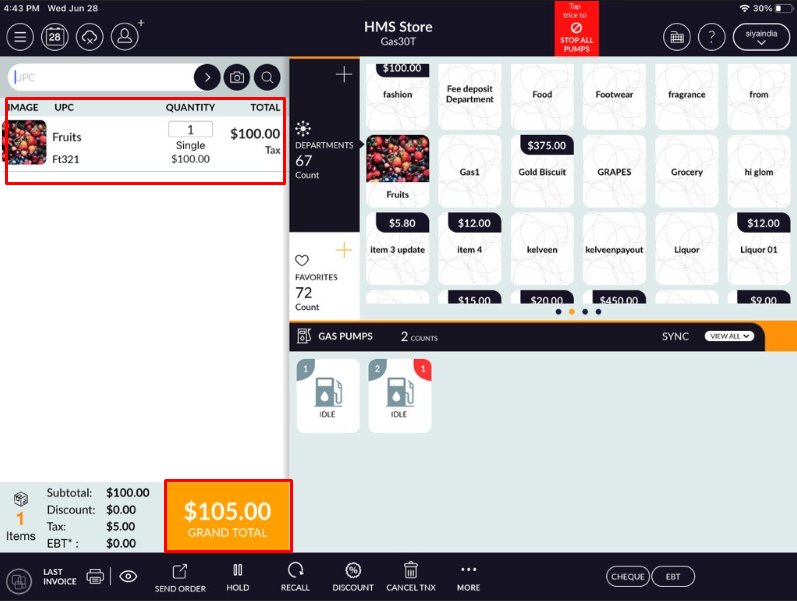
- You can see here, Total invoice amount is $105 including tax and $2.36 is non-cash adjustment
charges against the credit tender.
