Support Document
 Support Document
How to Manage Description for Item in iPad
information to your cashier then there is Remarks and Cashier Note facility available in Item Management.
Here are the steps on how to manage it.
Here are the steps on how to manage it.
- Open RapidRMS application in your iPad.
- Select Inventory Management from the dashboard.
- Enter your valid passcode to access Inventory Management Module.
- Click on New Item from the bottom of the page to add new Item or click on an item from the list to
edit existing Item.
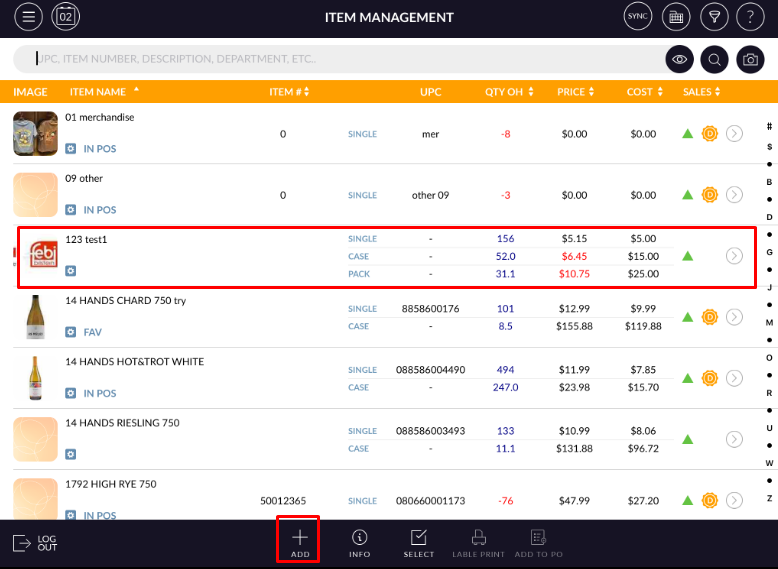
- Add/Edit Item screen will open.
- In the top of the screen, it has Info, Pricing, Discount, History and Options tabs.
- It has Description section under Info tab.
There are Remark and Cashier Note fields under Description section.
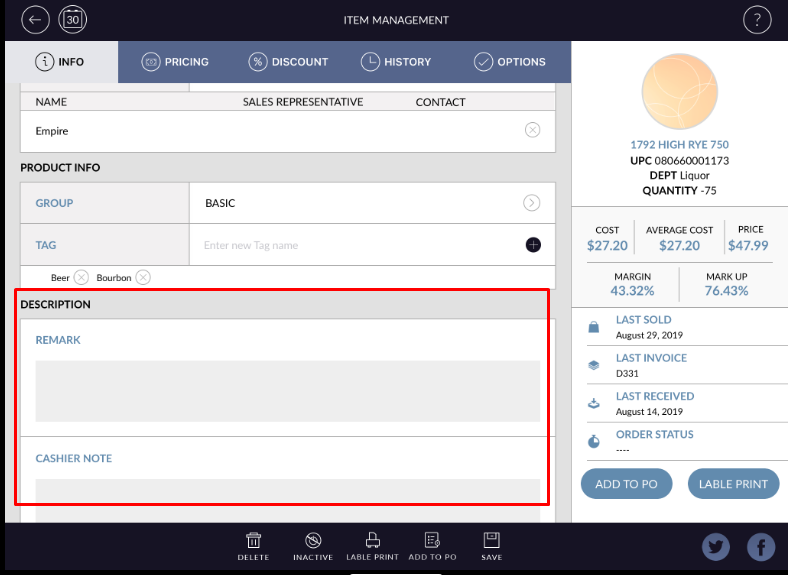 Remarks: Add any special remarks you want to give for this particular item.
Cashier Note: Add any notes you want to provide for the cashier for this particular item. - Click on Save button to apply changes in Item. After saved added remarks and Cashier not will appear in a summary pane of this Item.