Support Document
 Support Document
How to link modifier with qsr sub group ?
In modifier section qsr sub group is for separate category of modifier and its part of qsr group.
There are many ways to link up modifier with qsr sub group.
For link up modifier from qsr sub group follow below procedure.
There are many ways to link up modifier with qsr sub group.
For link up modifier from qsr sub group follow below procedure.
- Open inventory management module.
- Open side pane.
- Tap on qsr sub group.
- Open any sub group in edit mode.

- When open qsr group then you can observe one tab named as linked modifier.
- If any of modifier linked with this qsr group then it will display.
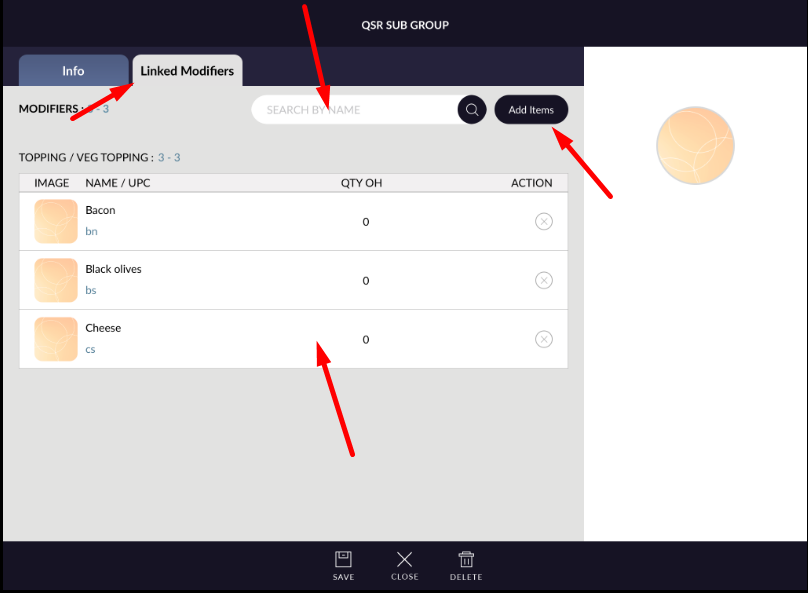
- There is one search bar is also available for searching listed modifier.
- For adding more modifiers to this sub group click on add items.
- When click on add items then all available modifiers in system will listed.
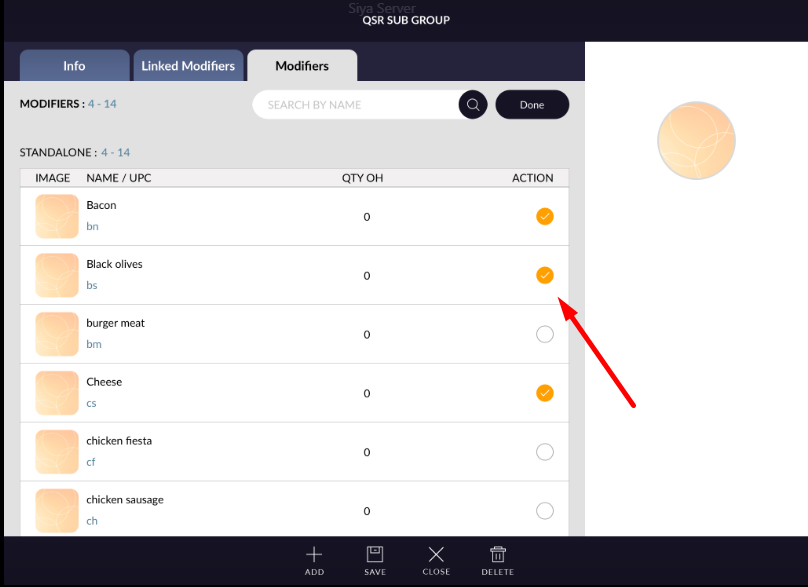
- Already selected modifiers will display selected.
- There are also search bar available to search modifiers from list.
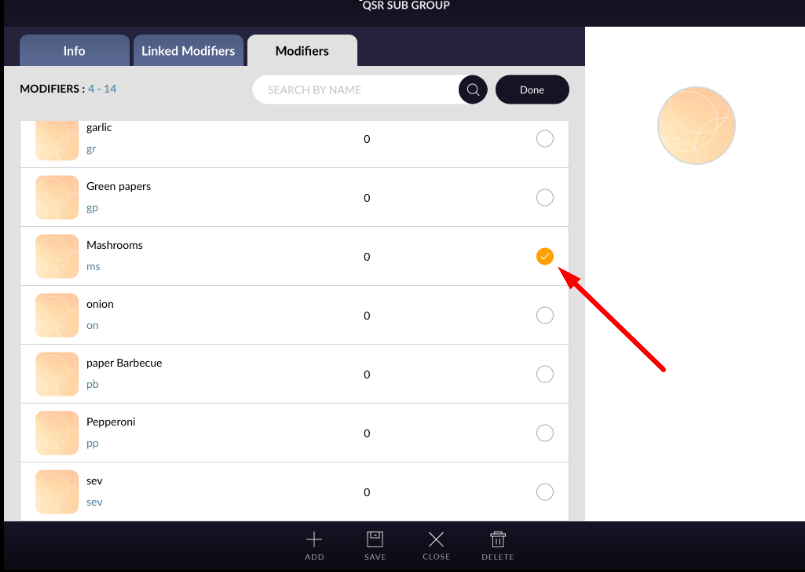
- Select modifier which you want to add in qsr sub group.
- Click on done button and apply save.
- Added modifier will listed in qsr sub group linked modifier.
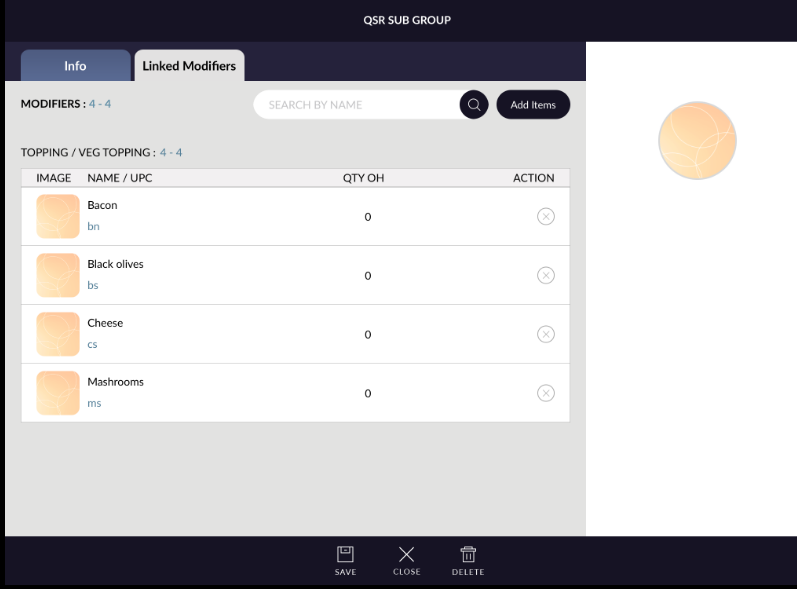
- If you want to remove any modifier then follow same procedure. Unselect modifier , click on done and apply save button.
- From modifier also that sub group will remove.
