Support Document
 Support Document
How to View Item History in iPad
You can view individual Item history like the last cost, the last price, last sold date, last quantity etc.
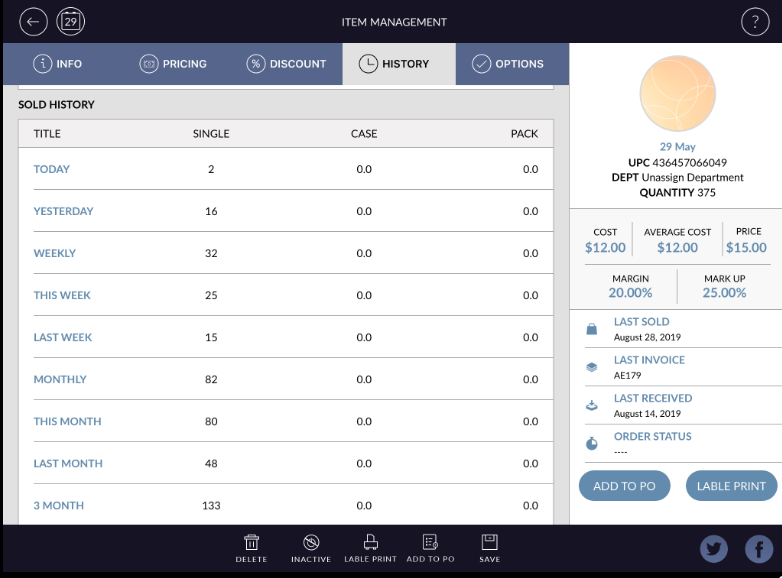
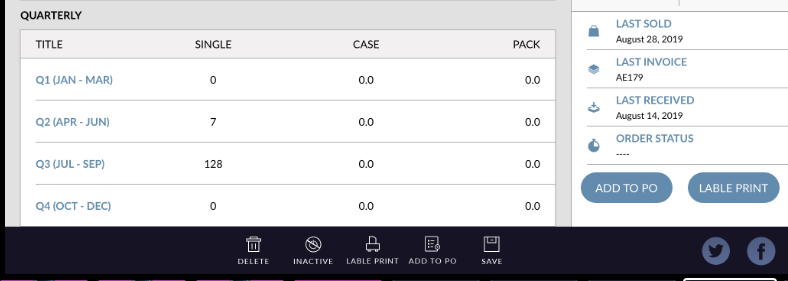
You can also view sold history by specific time span like weekly, quarterly, yearly.
Here are the steps how to view Item history.
Here are the steps how to view Item history.
- Open RapidRMS application in your iPad.
- Select Inventory Management from the dashboard.
- Enter your valid passcode to access Inventory Management Module.
- Click on an item from the list to edit existing Item.
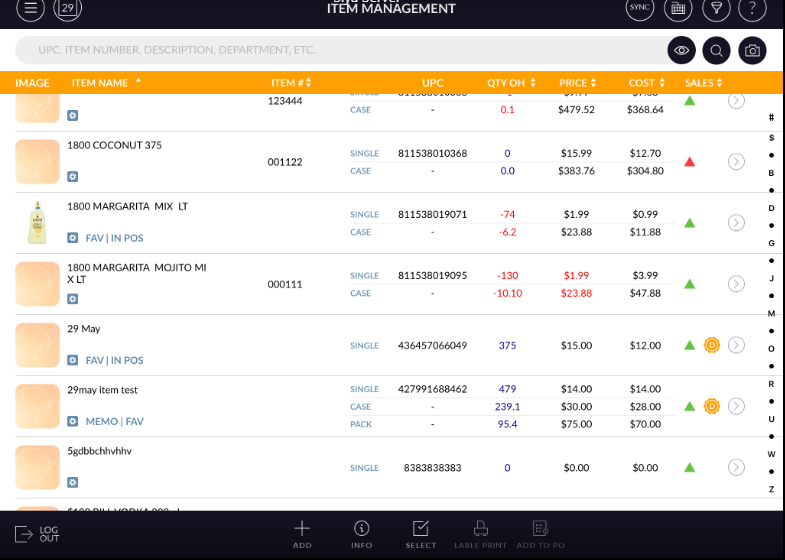
- Edit Item screen will open.
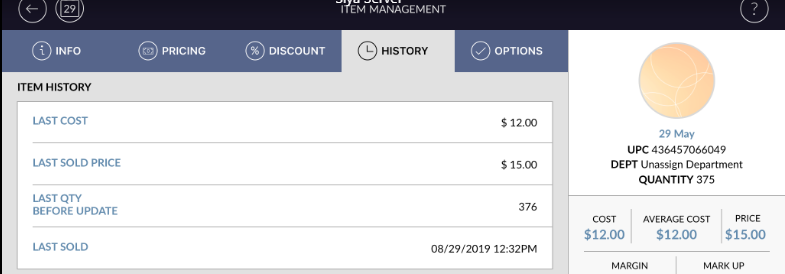
- In the top of the screen, it has Info, Pricing, Discount, History and Options tabs.
- Click on History tab from the top of the screen.
- In Item history, Last Cost, Last Sold Price, Last Qty before Update and Last Sold date will appear.
- In Sold History you can check a number of items sold as single, case and pack in the specific time
period. i.e. today, yesterday, weekly, monthly, quarterly and yearly.