Support Document
 Support Document
How to inquiry in ticket validation?
For detail about items have pass need to work with the ticket validation module.
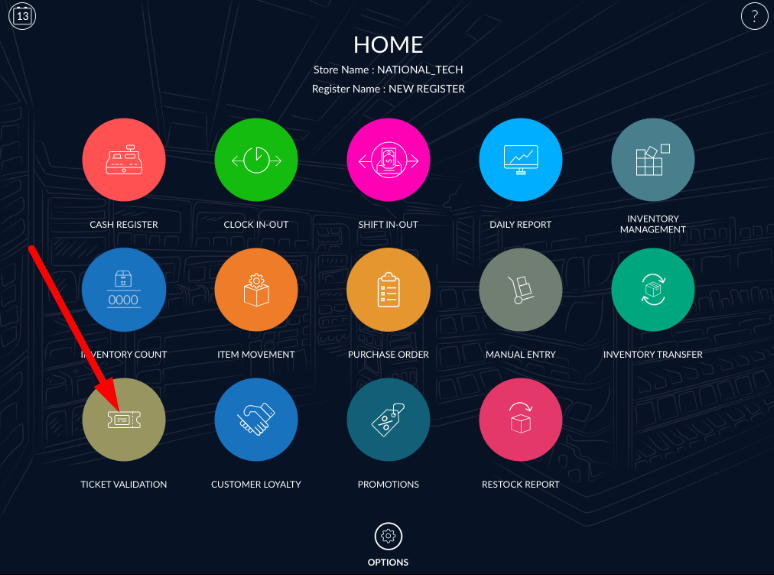
- Go to the ticket validation module.
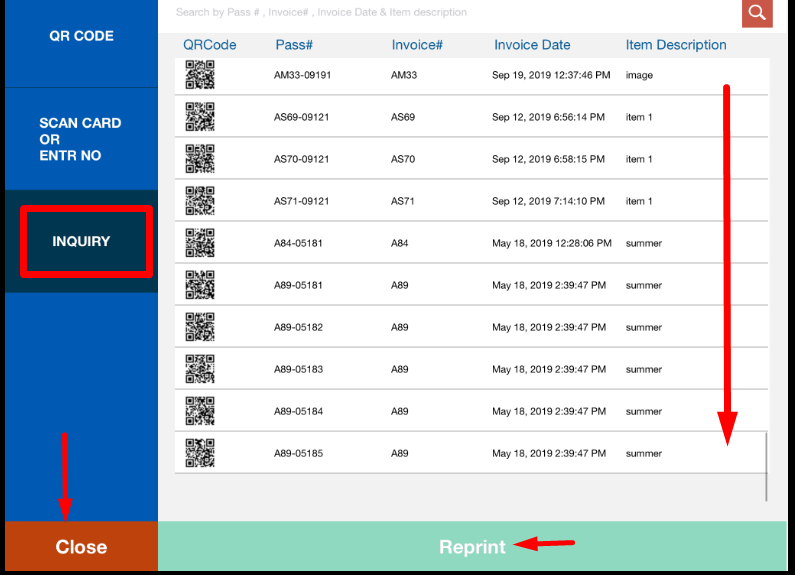
- In the inquiry, all the transactions list display in which items have ticket pass available.
- Click on inquiry menu.
- Item display with QR code, pass#, invoice #, Invoice date, Item description.
- It can be reprint via reprint option.
- When selecting any row then after reprint button enables, till then its disable.
- From the close button its logout from ticket validation module.