Support Document
 Support Document
How to increase the quantity for ring up items?
Follow the below steps to increase the quantity for ring up items.
- Open Rapidrms Application.
- Go to cash Register module.
- Ring up Items.
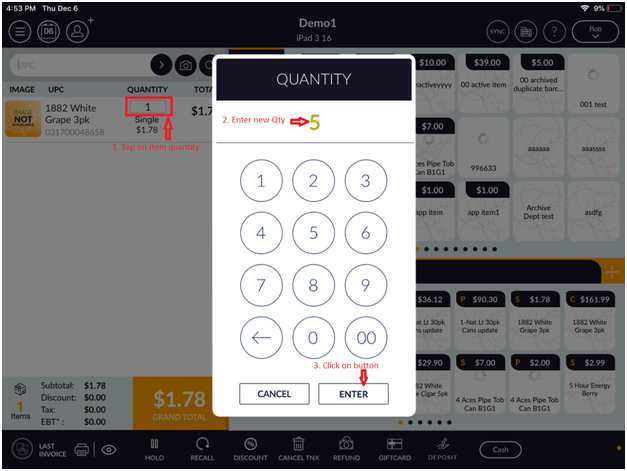
- In bill screen, tap on that item’s quantity which you want to change or increase.
- Enter the item quantity and click on Enter button.
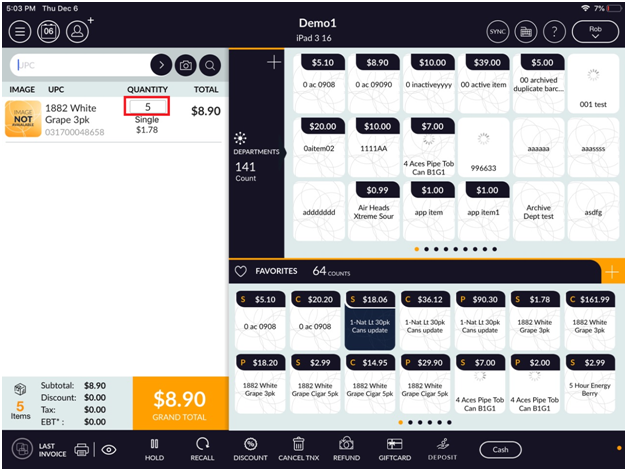
- Now in bill screen, you will see changed quantity in that item.
 /li>
/li>