Support Document
 Support Document
How to use the RapidRMS Support Channel?
What is Support Channel?
A support channel is a medium through which communication between you and our Live agent is done.
RapidRMS support channel provides live change support whereas our Liveagent help you to solve your query or concern in a few minutes.
Please follow the below steps:-
A support channel is a medium through which communication between you and our Live agent is done.
RapidRMS support channel provides live change support whereas our Liveagent help you to solve your query or concern in a few minutes.
Please follow the below steps:-
- Open RapidRMS Application.
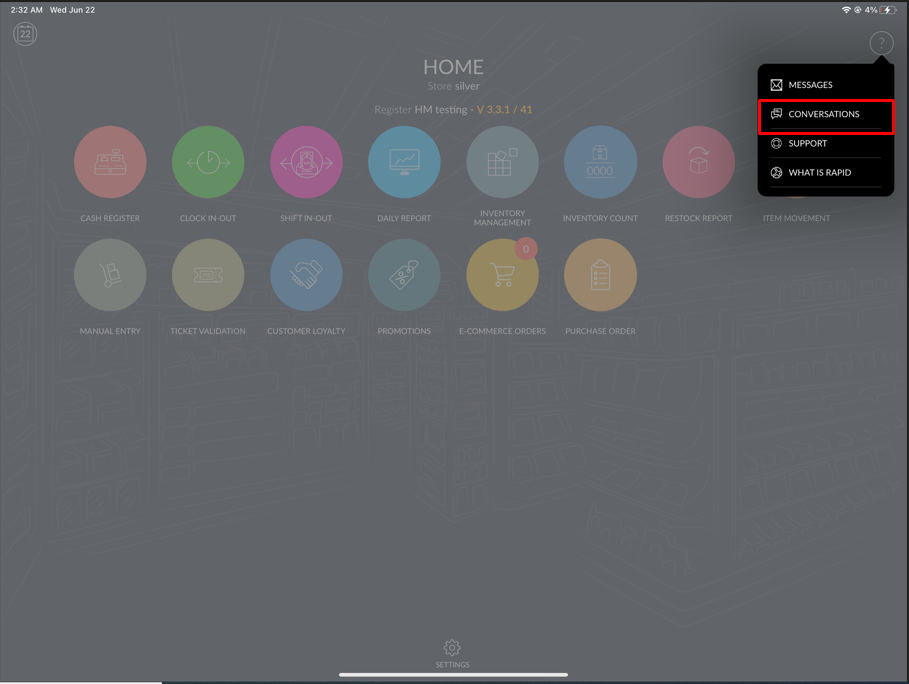
- Click on the question mark ‘?’ option available on the top left side corner of the screen.
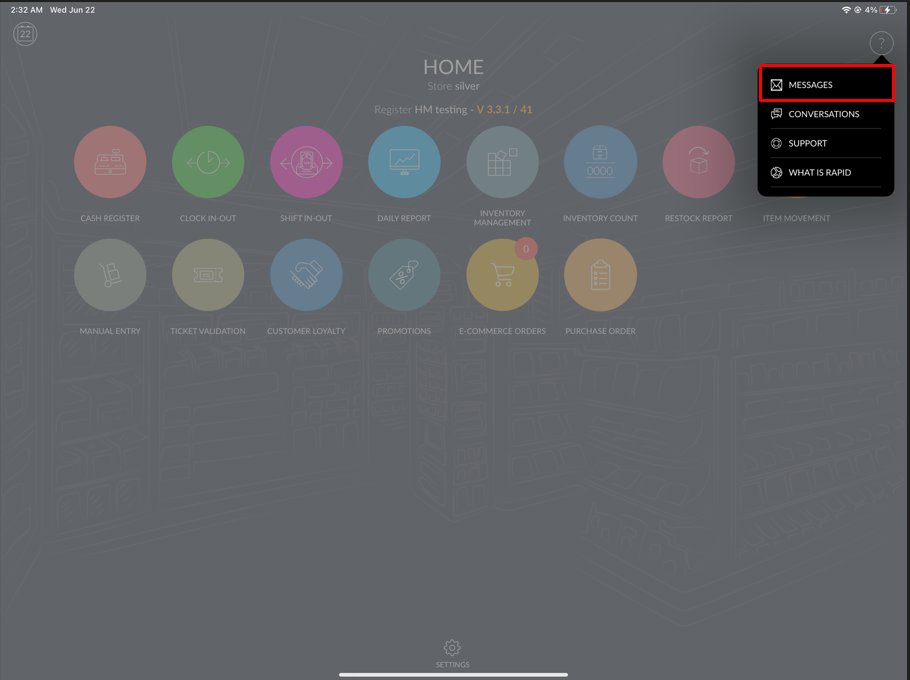
- Click on the Message option.
- Write down your query that you are facing in your system.
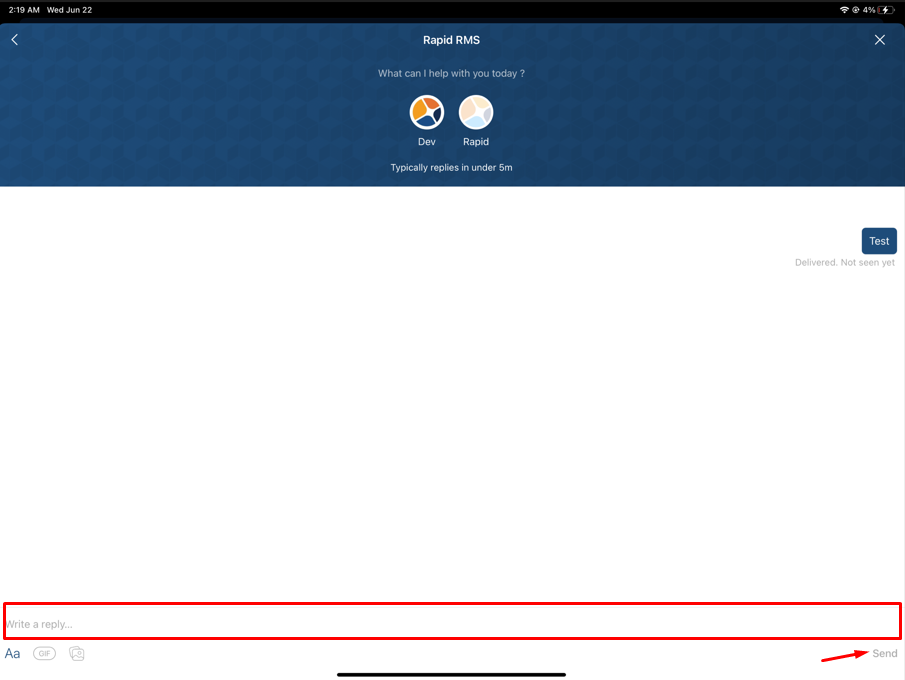
- Click on Send button.
- If you want to insert a screenshot to share with our Live Agent.
- Click on the Image Icon next to the GIF icon.
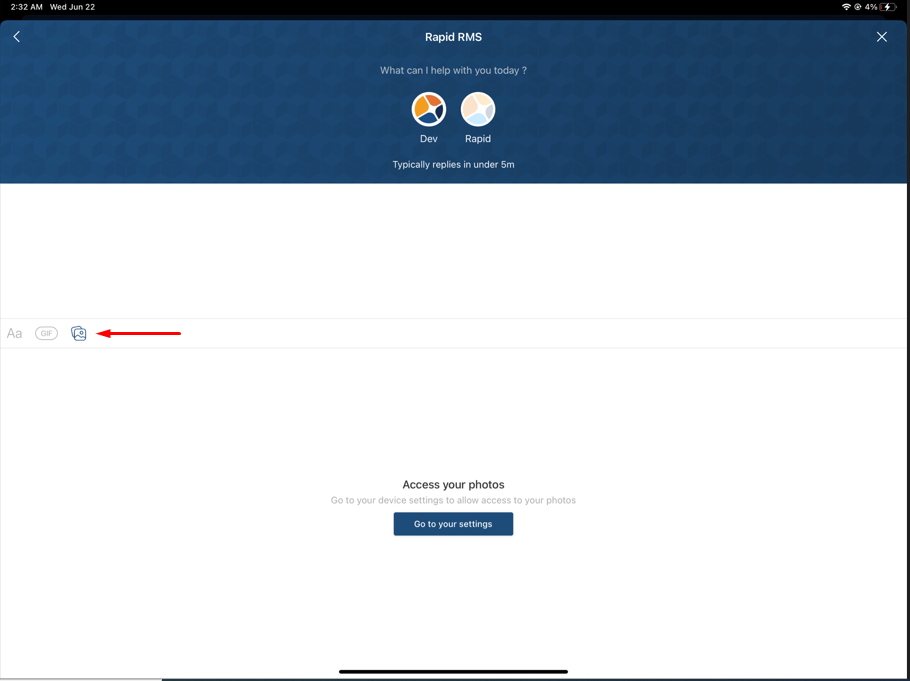
- Select the image.
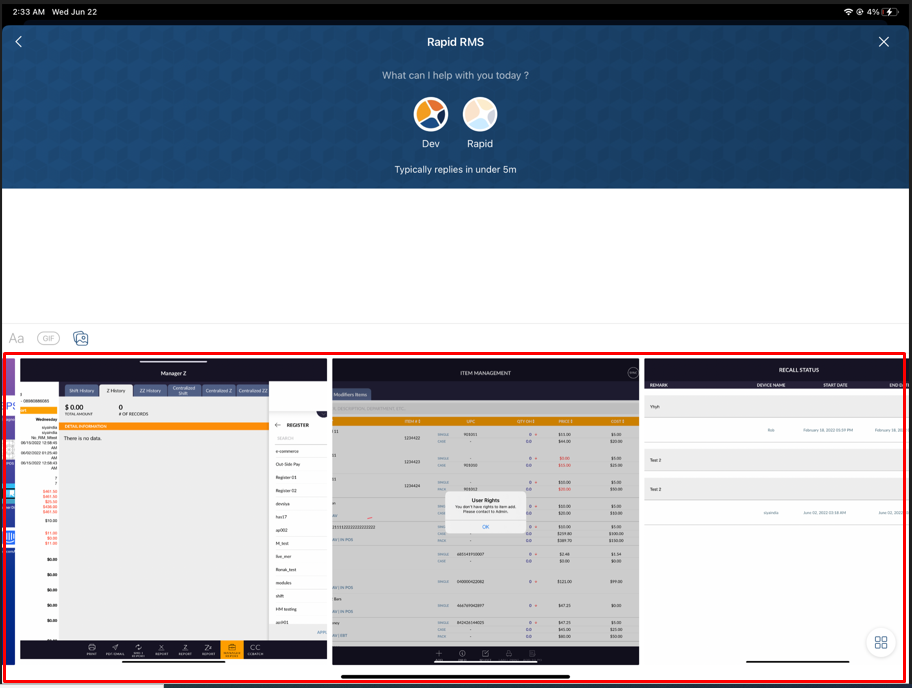
- Click on Send button.
- If you have already sent a message to our Live agent and your conversation is opened. Click on a
conversation to open your pending conversation.
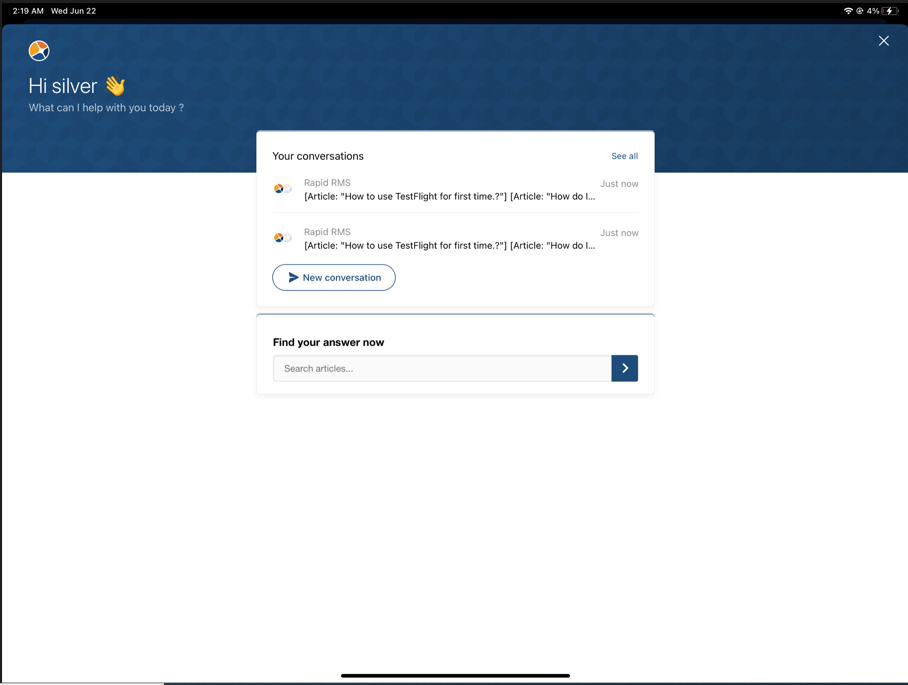
- If you want to review your pending conversation, select conversation option from Dashboard.