Support Document
 Support Document
How to set up a Bridgepay gateway from Back office?
Please follow the below steps:-
- Login to BOS with your user credentials.
- Tap menu
 (located on the top right side)
 - Tap settings.
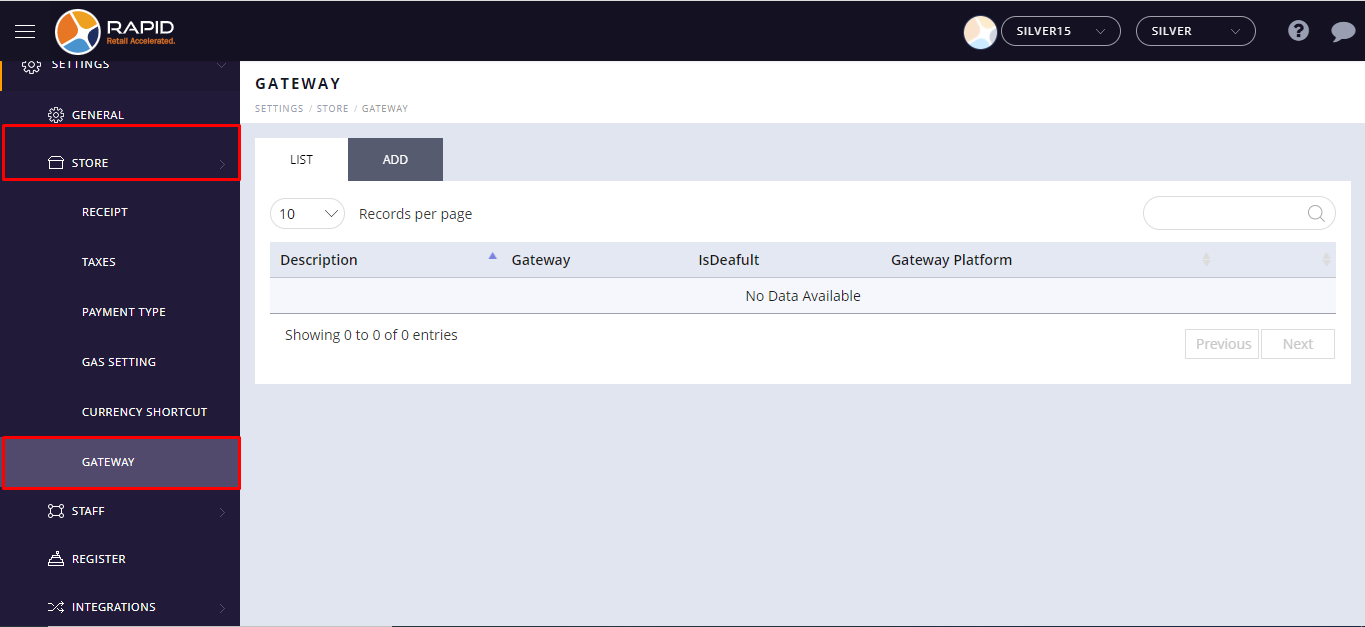
- Tap store.
- Scroll to see the Gateway option. Select the Gateway option.
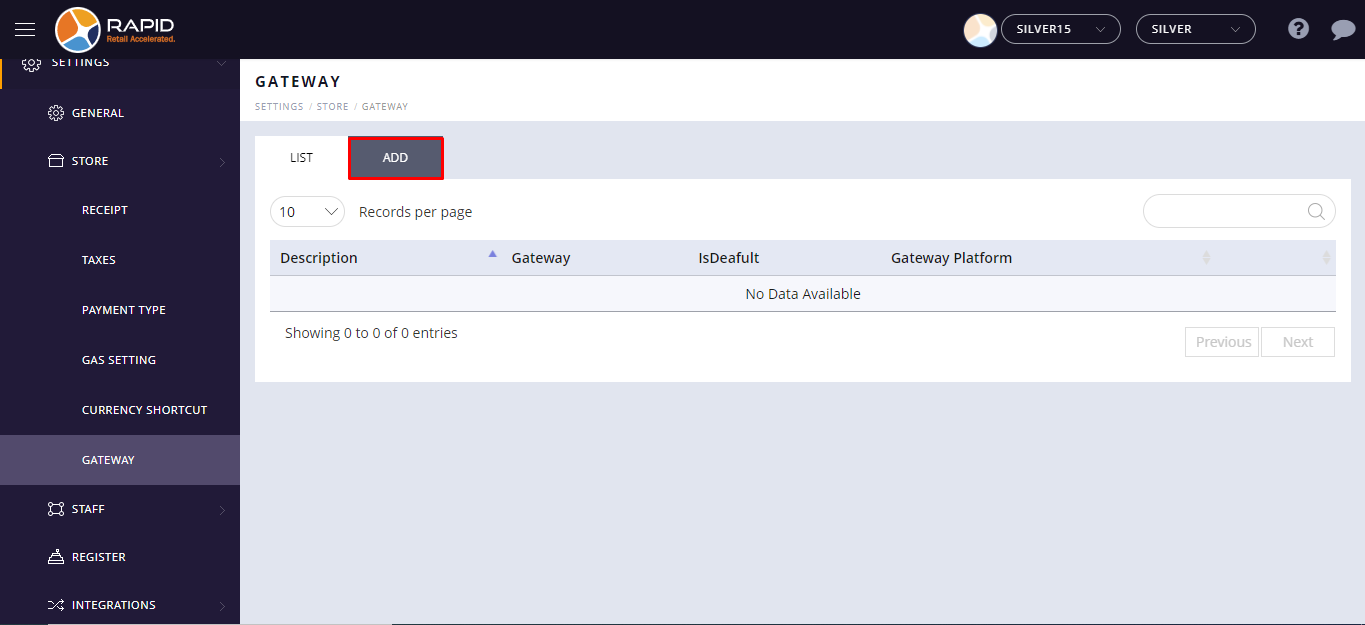
- Select the Add option.
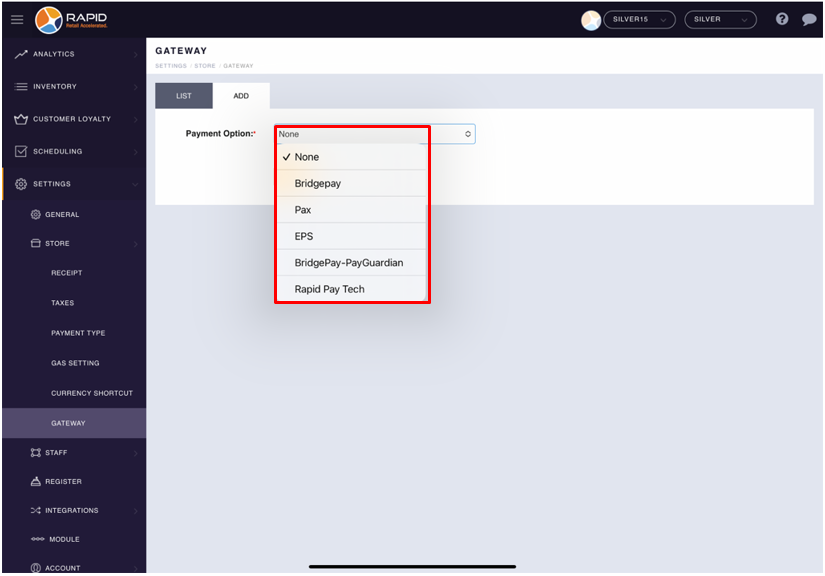
- Click on the Payment drop menu to select a Bridgepay payment gateway.
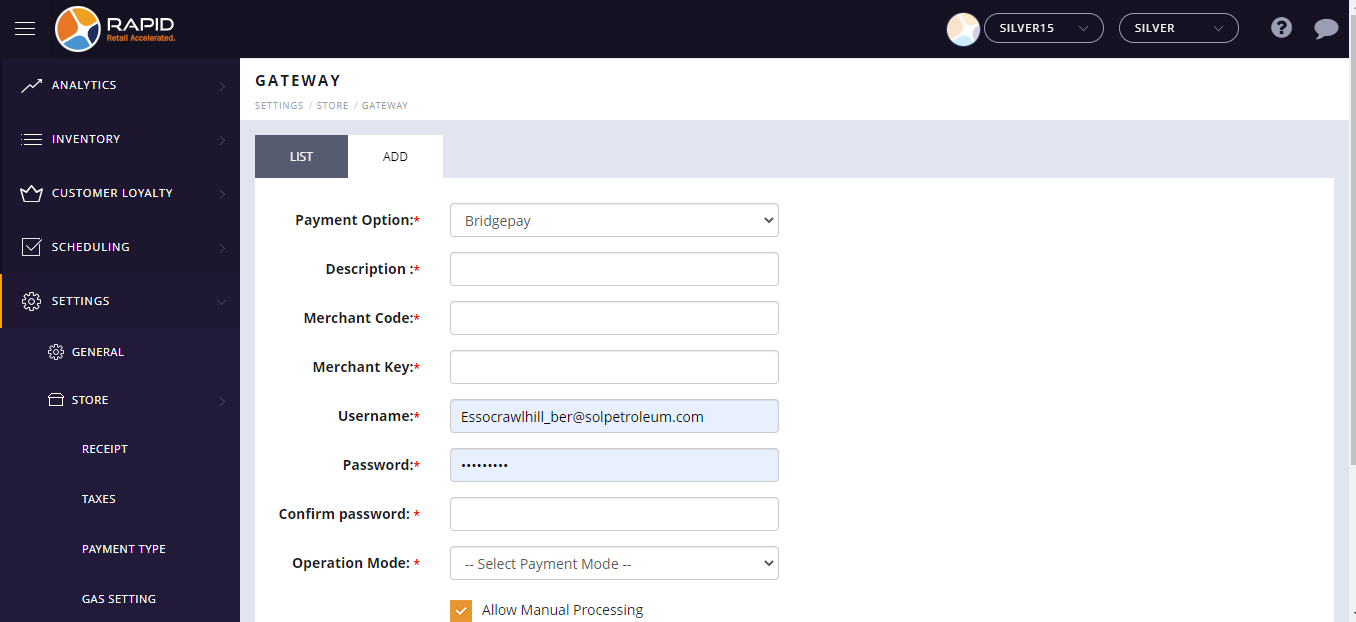
Fields Description Description Please enter the Payment gateway name. Merchant code Please enter Merchant code provided by gateway provider. Merchant key Please enter Merchant key provided by gateway provider. User name Please enter your store email Id into Username. Password Please enter your store password into Password. Confirm Password Please enter the same password you entered in Password field. Operation mode Select Live mode. Allow manual processing If you want to do the process manually while doing the payment process from your POS System, select Allow manual processing checkbox. IsDefault Select the Isdefault check box to use the payment gateway by default from your POS. Gateway Platform Select the Gateway platform on which platform you want to use the selected gateway. - After entering all details, Tap on the Save button.