Support Document
 Support Document
How to set up a Cash drawer connection with the Printer?
Please follow the below steps:-
- First, you need RJ cable to connect cash drawer to printer. The RJ cable looks similar to phone cables. You may call Cash drawer cable.
- To connect Cash drawer to printer you need to plug in RJ cable at the back of the printer.
- The Cash Drawer cable will be labeled on each end to indicate which end of the cable plugs into the Cash Drawer and which end plugs into the Printer.
- Plug in one end of RJ cable directly below the Cash drawer.
- Plug in another end of the cable back to the Printer where is written letter DK.
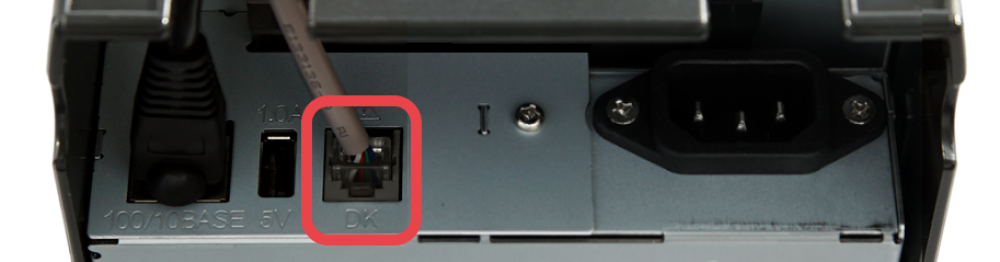
- On other printers, the cash drawer port may be labeled differently. Please refer to the printer manual to confirm where the cash drawer port is.