Support Document
 Support Document
How to refund invoice?
When a user wants to refund selling invoice then rapid RMS gives a facility to refund invoice.
- Open rapid RMS application.
- Go to the cash register module.
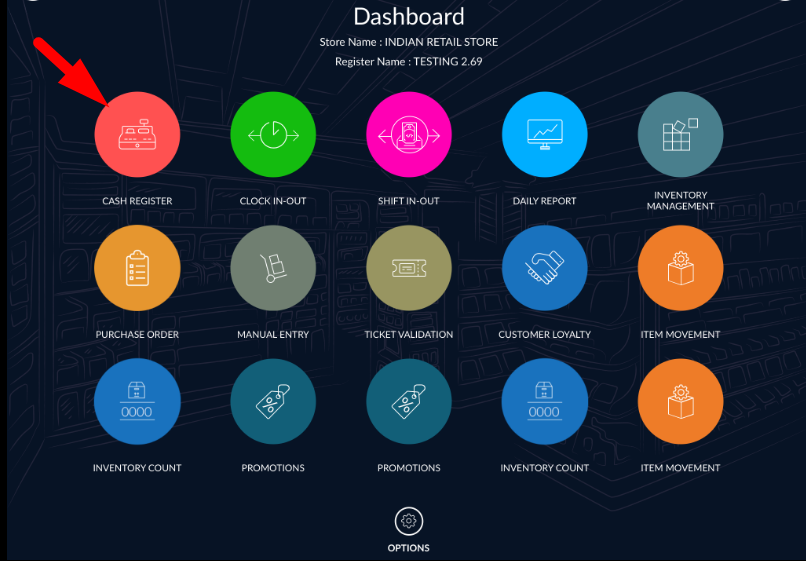
- From top left option select invoice.
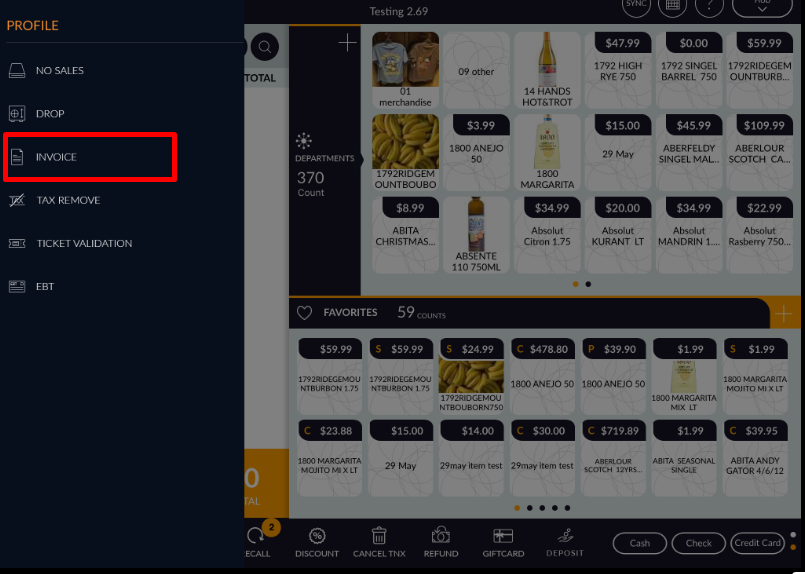
- All available invoices listed according to date and month.
- The open invoice which you want to refund.
- Select all items available in the invoice or select only those item(S) which you want to refund.
- Click on refund option which is available on top bar.
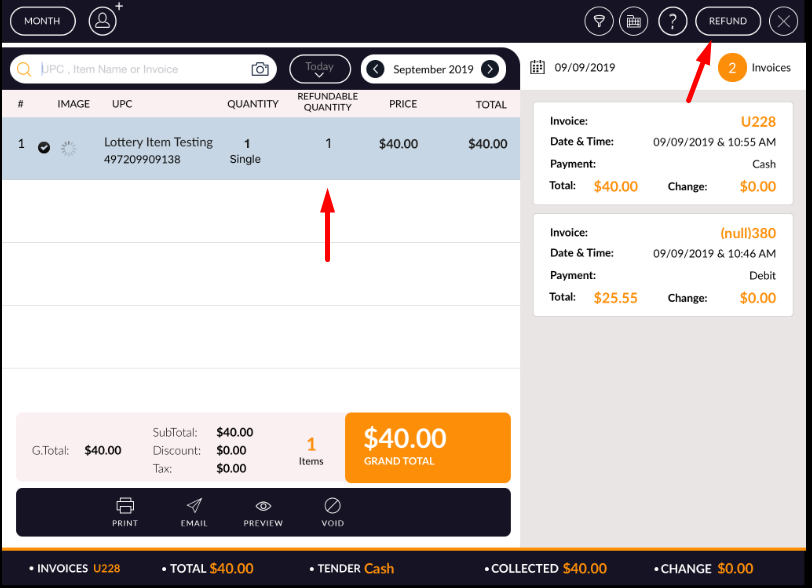
- Items will ring as a refund.

- Complete transaction.
- Refund process complete.
Note: In the invoice, if there is already refund items then you can not select those items.