Support Document
 Support Document
How to print invoice ?
When a user wants to print invoice then invoice can be printed. Follow the below steps.
- Open rapid RMS application.
- Go to the cash register module.
- Open invoice.
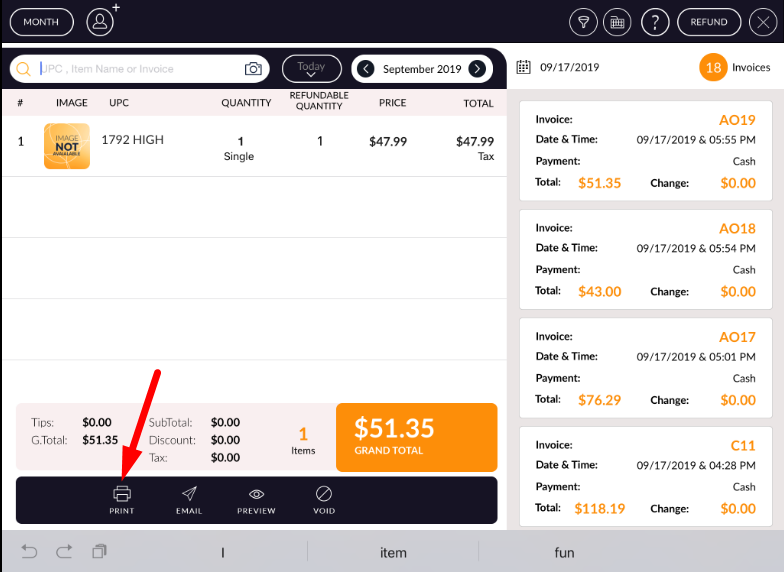
- At the bottom bar, there is one option named as print.
- Hit that button.
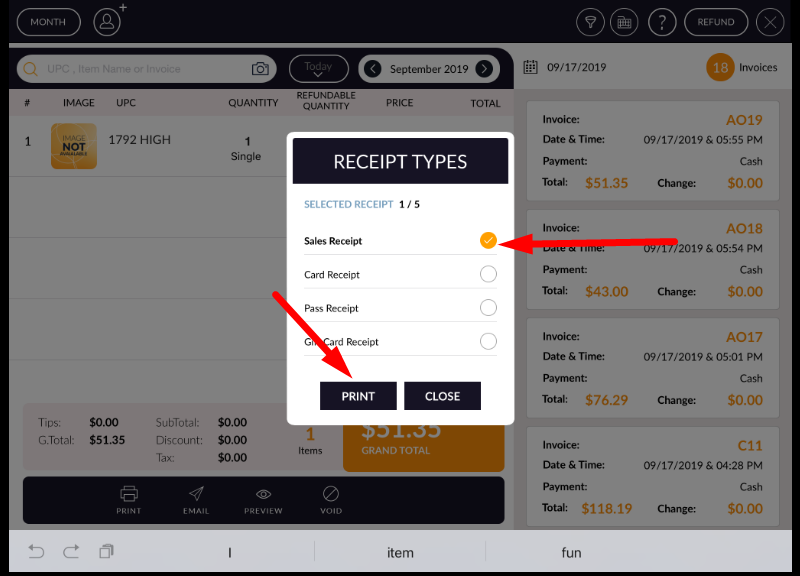
- One pop up for print selection will display.
- Select the option according to print required.
- Hit print option.
- Invoice print.
 Note: One condition is there if the printer is connected then the only invoice will
print.
Note: One condition is there if the printer is connected then the only invoice will
print.