Support Document
 Support Document
How to inactive item ?
All the items which are available in-store display in the inventory management module Items section.
Sometimes it happens that for some season some items not require temporary in-store. Rapid RMS gives a facility to inactive those items. Whenever you want then those items can be again activated.
Sometimes it happens that for some season some items not require temporary in-store. Rapid RMS gives a facility to inactive those items. Whenever you want then those items can be again activated.
- Open rapid RMS application.
- Go to item management and open item list.
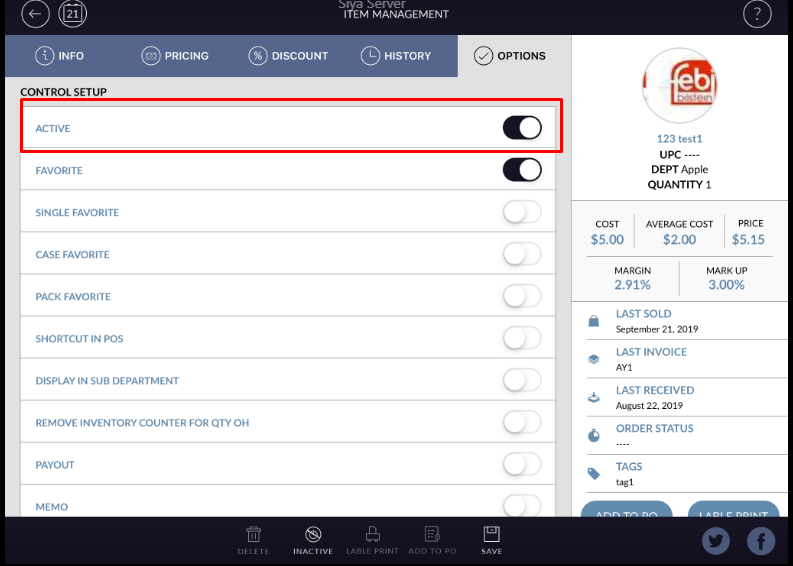
- Open the item in edit mode which item you want to inactive.
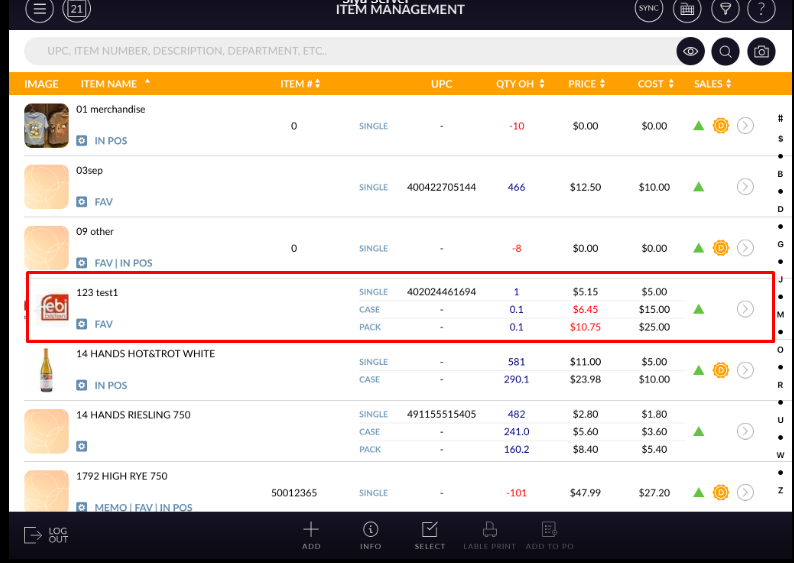
- Keep active button OFF.
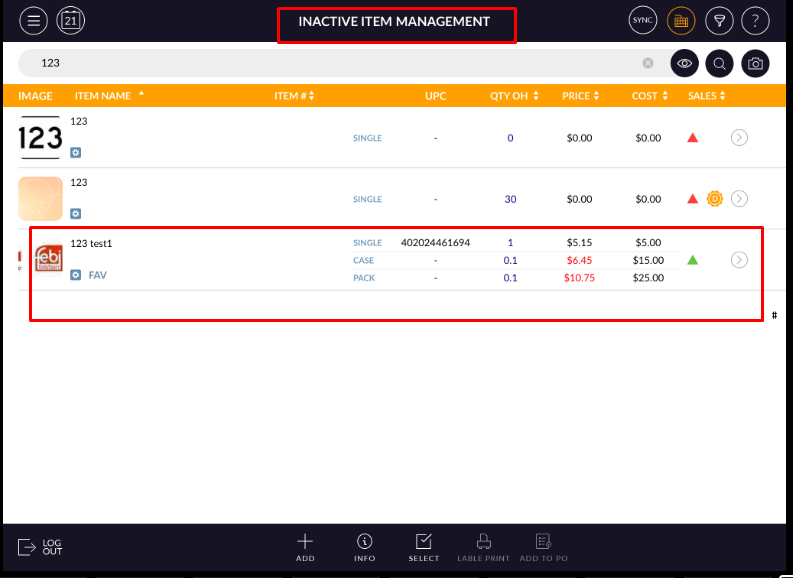
- Item will now display in the inactive list.
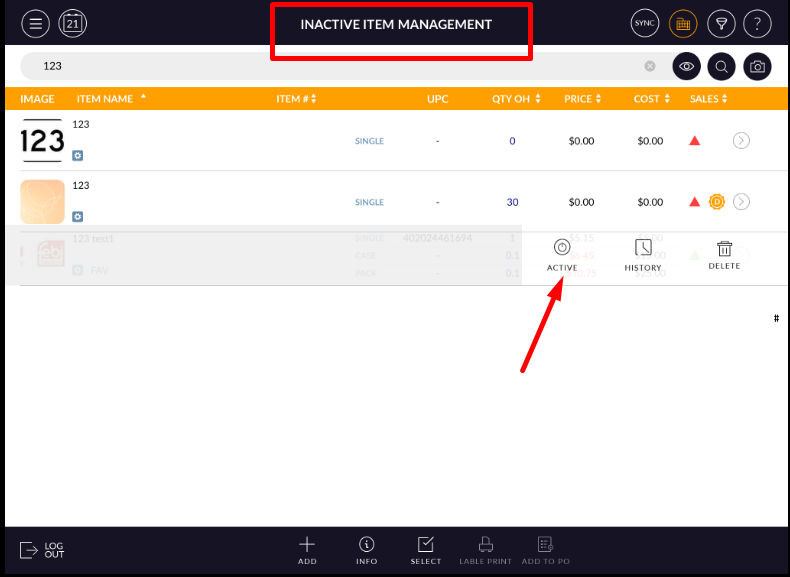
- From swipe you can again active that item.
- Swipe that item which you want to inactive.
- Hit inactive option.
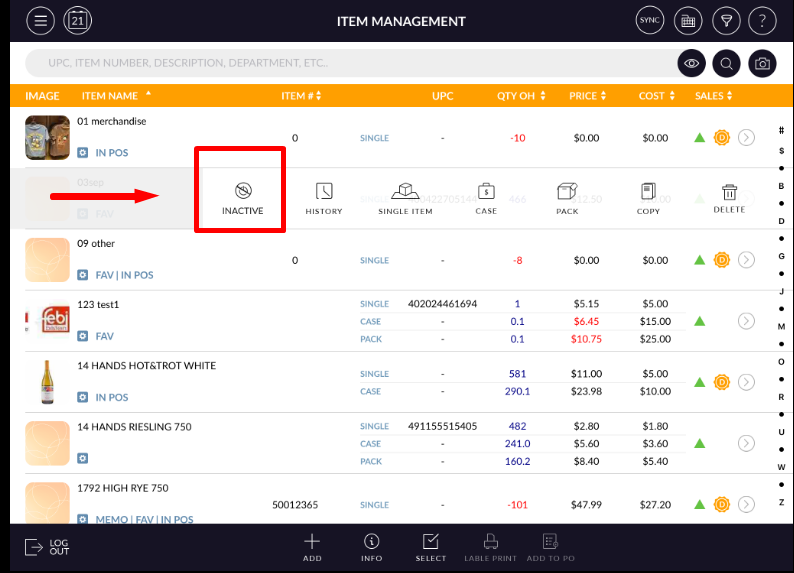
- Item will now remove from item list and move to inactive list.
Note : Department/Sub dept default items can not be inactive.