Support Document
 Support Document
How to Hold the transaction ?
Sometimes it happens that customers do not want to complete bill and want to put it transaction on hold then cashier gives him the facility to hold transaction and complete it later on.
- Select the cash register icon. Enter the 4-digits password.
- Ring up items.
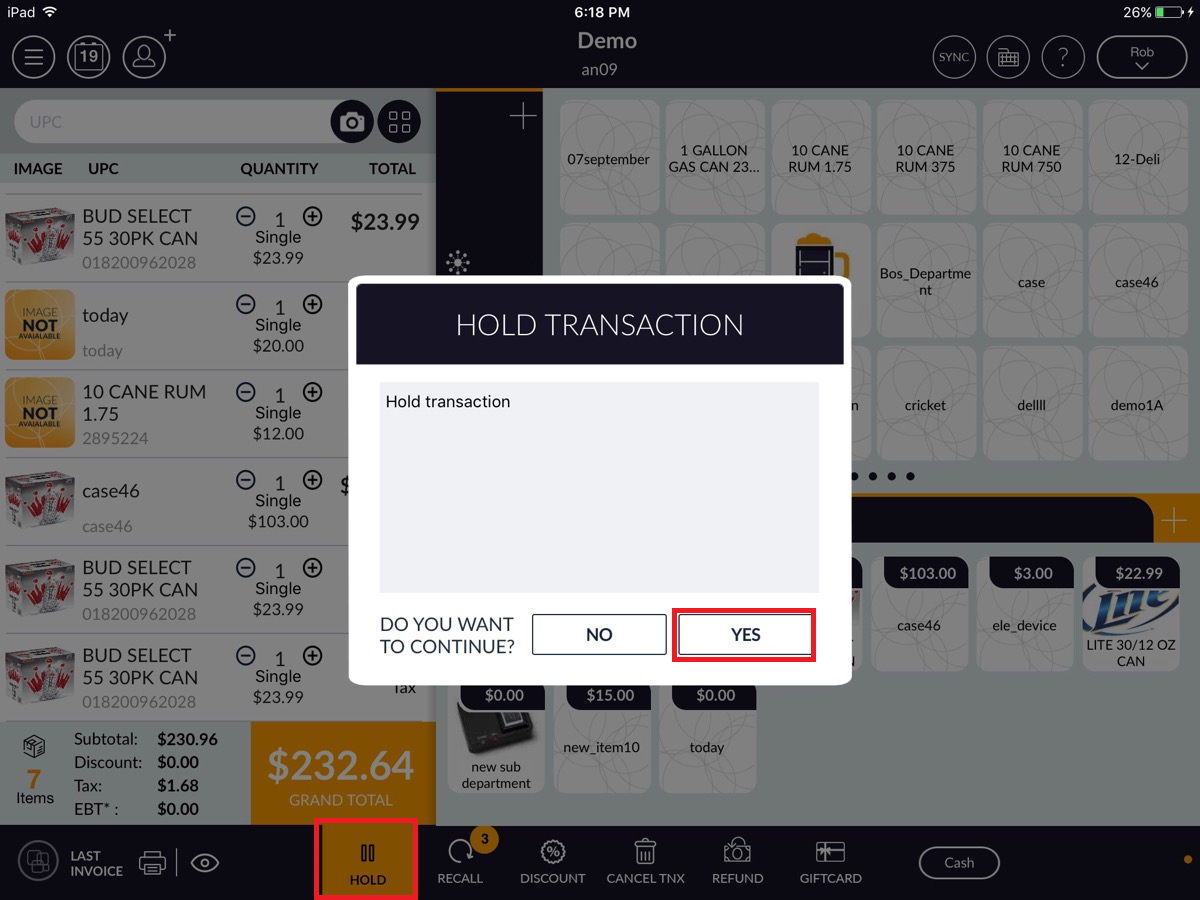
- Then, you will see the Hold icon at the bottom on the sales screen.
- Click on Hold icon.
- A message will prompt you would like to hold the transaction. Select Yes.
- The transaction will go on hold and it will display in the recall list.