Support Document
 Support Document
How to filter an invoice?
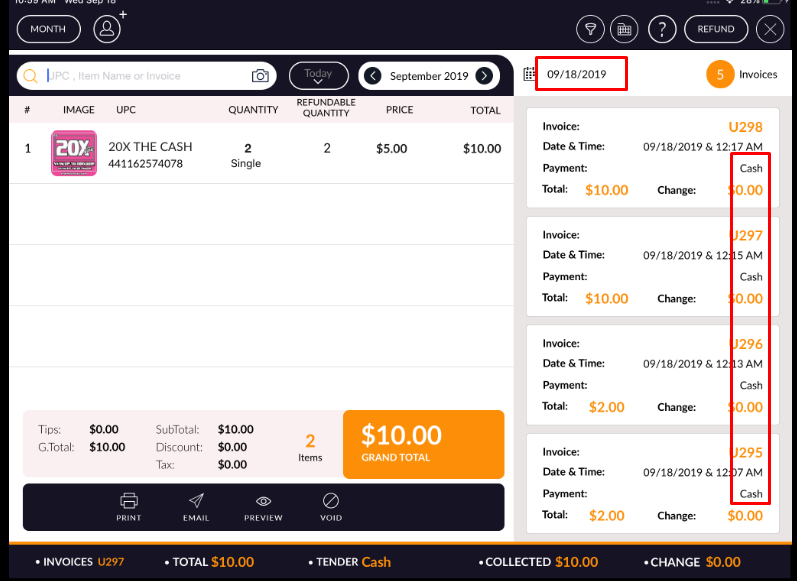
In the invoice page, there are all invoices available on the list. If a user wants to filter invoice by a
different way then it is possible by the filter.
- Open rapid RMS application.
- Go to the cash register.
- Open invoice list.
- Click on filter option.
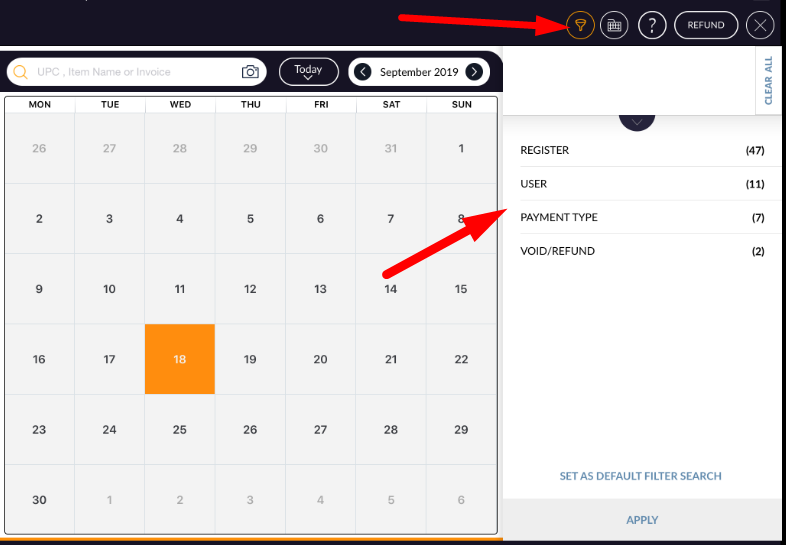
- Filter Window will open.
- The invoice can be filtered by register wise, User wise, Payment wise, void/refund wise of the selected date.
- select any filter.
- Hit apply.
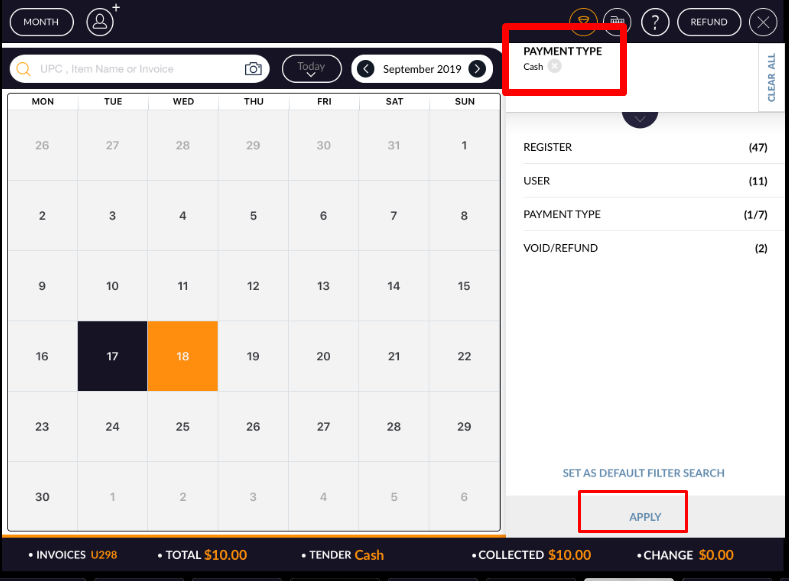
- Invoices will filter according to the applied filter.